jQuery plugin画像ポップアウト・イメージギャラリー・スライドショー

- Lightweight Circle slideshow〔くるくる回して画像を切り替える円形のイメージギャラリー〕
- Smooth Div Scroll〔水平方向に並べた画像をマウス操作でするするスクロール〕
- Nivo Slider〔9種類のエフェクトがかけられるイメージスライダー〕
- Galleriffic〔画像ギャラリーをリッチかつ高速にレンダリング〕
- IMGPREVIEW〔マウスオーバーでリンク先の画像をプレビュー表示〕
- jQuery largePhotoBox plugin〔大きな画像対応ポップアップ(マウス移動で画像全体を閲覧可能)〕
- PIROBOX〔シンプルかっこいい画像ポップアップ〕
- bxGallery〔シンプルな画像ギャラリー〕
- A Simple jQuery Slideshow〔シンプルなスライドショー〕
- Accessible News Slider〔全件表示や件数に応じて前後にスライドするアクセシブルなスライドショー〕
- Create an Image Rotator with Description (CSS/jQuery)〔説明文付きの画像ローテーション〕
- Create Featured Content Slider Using jQuery UI〔jQuery Uiを使用したスライダー〕
- Creating a “Filterable” Portfolio with jQuery〔カテゴリ毎にフィルタリングできるポートフォリト〕
- Easy Display Switch with CSS and jQuery〔ブロック要素の表示切替〕
- galleria - Google Code〔画像送り付きで、サムネイル画像不要のスムーズなギャラリー〕
- How to create a stunning and smooth popup using jQuery〔画面中央にページ上の要素をポップアップ表示〕
- Images Gallery using jQuery, Interface & Reflections〔水面反射効果付きのギャラリー〕
- jCarousel〔メリーゴーランドのように回転式の画像ギャラリー〕
- jCarousel Lite〔マウスホイール対応カルーセル〕
- Jquery Gallery Plugin - By noth〔Thickboxを使用したキャプション付きのシンプルな画像ギャラリー〕
- jQuery Image Strip〔1枚の画像の表示位置を移動させてスライドショー〕
- jQuery lightBox plugin〔jQuery版lightBox〕
- f〔カードを切るように画像をシャッフル〕
- jQuery.flyout〔サムネイル画像をクリックすると、元画像をフライアウトしながら拡大表示〕
- jQuery.popeye - an inline lightbox alternative〔画像送り機能、拡大表示機能付きのスライドショー〕
- Photo Slider〔サムネイルの表示がFlashっぽいスライドショー〕
- Portfolio Layout Idea Using jQuery〔ポートフォリオ〕
- s3Slider jQuery plugin〔説明文の表示位置を上下左右自由に指定可能なかっこいいスライドショー〕
- Scroll your HTML with jquery.scrollable.js〔スライドショー〕
- Simple Controls Gallery〔半透明のシンプルなコントロールパネル付きの画像ギャラリー〕
- simplyScroll〔水平・垂直方向に滑らかにスクロールするギャラリー〕
- Slideshow - Interface plugin for jQuery〔自動スライドショー〕
- SlideViewer 1.1〔画像のタイトルをツールチップする、水平方向にスムーズにスライドする画像スライドショー〕
- Spacegallery〔画像が手前にズームアップして消えていく奥行きのある画像ギャラリー〕
- Making a Mosaic Slideshow With jQuery & CSS〔モザイク効果で切り替わるスライドショー〕
- Thumbnails Preview Slider with jQuery〔サムネイルをツールチップ風にプレビュー表示〕
Lightweight Circle slideshow
くるくる回して画像を切り替える円形のイメージギャラリー
2010/12/30
Lightweight Circle slideshow
つまみ(ドット画像)をくるくる回してメリーゴーランドのように画像を切り替える円形のイメージギャラリーです。 iPhone/Androidにも対応とのこと。 円形の背景とつまみは画像が使用されています。 パラメータで、インターバルや画像切り替えポイントの表示の制御、角丸の半径等の細かなカスタマイズができます。 コールバックも受け取れます。
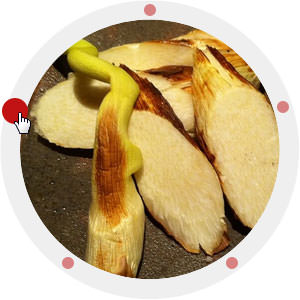 設置イメージ
<!DOCTYPE html PUBLIC "-//W3C//DTD XHTML 1.0 Transitional//EN" "http://www.w3.org/TR/xhtml1/DTD/xhtml1-transitional.dtd">
<html xmlns="http://www.w3.org/1999/xhtml" xml:lang="ja" lang="ja">
<head>
<meta http-equiv="Content-Type" content="text/html; charset=utf-8" />
<meta http-equiv="Content-Language" content="ja" />
<meta http-equiv="Content-Script-Type" content="text/javascript" />
<meta http-equiv="Content-Style-Type" content="text/css" />
<meta http-equiv="imagetoolbar" content="no" />
<title>設置サンプル</title>
<link rel="stylesheet" type="text/css" href="/content/lib/global.css" />
<script type="text/javascript" src="http://ajax.googleapis.com/ajax/libs/jquery/1.4.2/jquery.min.js" ></script>
<script type="text/javascript" src="/content/lib/jquery/jquery.tinycircleslider.min.js"></script>
<script type="text/javascript">
$(function() {
$('#rotatescroll').tinycircleslider({ interval:true, snaptodots:true,hidedots:true });
});
</script>
<style type="text/css">
/* Tiny Circleslider */
#rotatescroll {
width:300px; height:300px;
position:relative;
}
#rotatescroll .viewport{
width:300px; height:300px;
position:relative;
margin:0 auto; padding:0;
overflow:hidden;
}
#rotatescroll .overview {
position:absolute;
left:0; top:0;
width:798px;
list-style:none;
margin:0; padding:0;
}
#rotatescroll .overview li {
width:300px; height:300px;
float:left;
position:relative;
}
#rotatescroll .overview li img {
height:332px; /* 高さは332px指定 */
}
#rotatescroll .overlay {
background:url("/content/img/ajax/bg-rotatescroll.png") no-repeat 0 0;
position:absolute;
left:0; top:0;
width:300px; height:300px;
}
#rotatescroll .thumb {
background:url("/content/img/ajax/bg-thumb.png") no-repeat 50% 50%;
position:absolute;
top:-3px; left:137px;
cursor:pointer;
width:100px; height:100px;
z-index:200;
}
#rotatescroll .dot {
background:url("/content/img/ajax/bg-dot.png") no-repeat 0 0;
display:none;
width:12px; height:12px;
position:absolute;
left:155px; top:3px;
z-index:100;
}
#rotatescroll .dot span {
display:none;
}
</style>
</head>
<body>
<div id="wrap">
<h1>設置サンプル</h1>
<p>参照:<a href='http://www.htmldrive.net/items/show/779/Lightweight-Circle-slideshow.html' target='_blank'>Lightweight Circle slideshow</a></p>
<!-- CODE -->
<div id="rotatescroll">
<div class="viewport">
<ul class="overview">
<li><a href="http://www.flickr.com/photos/22559849@N06/5289923137/"><img src="http://farm6.static.flickr.com/5126/5289923137_ed5933596e.jpg" /></a></li>
<li><a href="http://www.flickr.com/photos/22559849@N06/5289684297/"><img src="http://farm6.static.flickr.com/5127/5289684297_dce2e646d2.jpg" /></a></li>
<li><a href="http://www.flickr.com/photos/22559849@N06/5273446670/"><img src="http://farm6.static.flickr.com/5087/5273446670_8f48504744.jpg" /></a></li>
<li><a href="http://www.flickr.com/photos/22559849@N06/5271343492/"><img src="http://farm6.static.flickr.com/5045/5271343492_ab405a08b0.jpg" /></a></li>
<li><a href="http://www.flickr.com/photos/22559849@N06/5270593291/"><img src="http://farm6.static.flickr.com/5081/5270593291_258a2a9d38.jpg" /></a></li>
</ul>
</div>
<div class="dot"></div>
<div class="overlay"></div>
<div class="thumb"></div>
</div>
<!-- /CODE -->
</div>
</body>
</html>
Smooth Div Scroll
水平方向に並べた画像をマウス操作でするするスクロール
2010/11/2
Smooth Div Scroll
テキストスクロールや画像スライドなど、水平方向に並べた画像をマウス操作でするするスクロールできるjQueryプラグイン。 スクロール方向や自動再生など、マウスダウンで速度調整など細かなカスタマイズがパラメータで簡単にできます。 スライドの幅を100%にしておくと、ウィンドウサイズいっぱいにスライドが表示されます。 スライドの高さは画像の高さと同じにしておく必要があります。
マウスカーソルはCSSで好きなものを指定できます。 ネコの手カーソルはHandy Cursorさんのところからおかりしました♪
自動再生開始・停止、任意の再生位置に移動するなど、便利なメソッドが用意されています。 ウィンドウリサイズ、マウスイベント、スクロールの状態などのコールバック関数も受け取れます。
 設置イメージ
<!DOCTYPE html PUBLIC "-//W3C//DTD XHTML 1.0 Transitional//EN" "http://www.w3.org/TR/xhtml1/DTD/xhtml1-transitional.dtd">
<html xmlns="http://www.w3.org/1999/xhtml" xml:lang="ja" lang="ja">
<head>
<meta http-equiv="Content-Type" content="text/html; charset=utf-8" />
<meta http-equiv="Content-Language" content="ja" />
<meta http-equiv="Content-Script-Type" content="text/javascript" />
<meta http-equiv="Content-Style-Type" content="text/css" />
<meta http-equiv="imagetoolbar" content="no" />
<title>設置サンプル</title>
<link rel="stylesheet" type="text/css" href="/content/lib/global.css" />
<!-- JS -->
<script type="text/javascript" src="http://ajax.googleapis.com/ajax/libs/jquery/1.4.2/jquery.min.js" ></script>
<script type="text/javascript" src=" https://ajax.googleapis.com/ajax/libs/jqueryui/1.8.6/jquery-ui.min.js" ></script>
<script type="text/javascript" src="/content/lib/jquery/smoothdivscroll/jquery.smoothDivScroll-1.1.js" ></script>
<script type="text/javascript">
$(function() {
$("#makeMeScrollable1").smoothDivScroll({});
$("#makeMeScrollable2").smoothDivScroll({ autoScroll:"onstart", autoScrollDirection:"backandforth", autoScrollStep:1, autoScrollInterval:15, startAtElementId:"startAtMe", visibleHotSpots:"always"});
});
</script>
<!-- CSS -->
<style type="text/css">
/* You can alter this CSS in order to give SmoothDivScroll your own look'n'feel */
/* Invisible left hotspot */
div.scrollingHotSpotLeft {
/* The hotspots have a minimum width of 100 pixels and if there is room the will grow
and occupy 15% of the scrollable area (30% combined). Adjust it to your own taste. */
min-width:75px;
width:10%; height:100%;
/* There is a big background image and it's used to solve some problems I experienced
in Internet Explorer 6. */
background-image:url(lib/jquery/smoothdivscroll/images/big_transparent.gif);
background-repeat:repeat;
background-position:center center;
position:absolute;
z-index:200;
left:0;
/* The first url is for Firefox and other browsers, the second is for Internet Explorer */
cursor:url(lib/jquery/smoothdivscroll/images/move.cur), url(lib/jquery/smoothdivscroll/images/move.cur),w-resize;
}
/* Visible left hotspot */
div.scrollingHotSpotLeftVisible {
background-image:url(lib/jquery/smoothdivscroll/images/arrow_left.gif);
background-color:#fff;
background-repeat:no-repeat;
opacity:0.35; /* Standard CSS3 opacity setting */
-moz-opacity:0.35; /* Opacity for really old versions of Mozilla Firefox (0.9 or older) */
filter:alpha(opacity = 35); /* Opacity for Internet Explorer. */
zoom:1; /* Trigger "hasLayout" in Internet Explorer 6 or older versions */
}
/* Invisible right hotspot */
div.scrollingHotSpotRight {
min-width:75px;
width:10%;
height:100%;
background-image:url(lib/jquery/smoothdivscroll/images/big_transparent.gif);
background-repeat:repeat;
background-position:center center;
position:absolute;
z-index:200;
right:0;
cursor:url(lib/jquery/smoothdivscroll/images/move.cur), url(lib/jquery/smoothdivscroll/images/move.cur),e-resize;
}
/* Visible right hotspot */
div.scrollingHotSpotRightVisible {
background-image:url(lib/jquery/smoothdivscroll/images/arrow_right.gif);
background-color:#fff;
background-repeat:no-repeat;
opacity:0.35;
filter:alpha(opacity = 35);
-moz-opacity:0.35;
zoom:1;
}
/* The scroll wrapper is always the same width and height as the containing element (div).
Overflow is hidden because you don't want to show all of the scrollable area.
*/
div.scrollWrapper {
position:relative;
overflow:hidden;
width:100%; height:100%;
}
div.scrollableArea {
position:relative;
width:auto; height:100%;
}
.makeme {
width:100%; /* ウィンドウサイズいっぱいに */
height:240px; /* 画像の高さ */
position:relative;
}
.makeme * {
position:relative;
float:left;
margin:0; padding:0;
}
</style>
</head>
<body>
<div id="wrap">
<h1>設置サンプル</h1>
<p>参照:<a href='http://www.smoothdivscroll.com/' target='_blank'>Smooth Div Scroll</a></p>
<p>▼マウス操作で水平方向にスクロールする画像スライド</p>
<!-- CODE -->
<h2>デフォルト</h2>
<p>マウス操作でスクロールします。</p>
<div id="makeMeScrollable1" class="makeme">
<div class="scrollingHotSpotLeft"></div>
<div class="scrollingHotSpotRight"></div>
<div class="scrollWrapper">
<div class="scrollableArea">
<img src="http://farm2.static.flickr.com/1207/5110154053_88c5975b25_m.jpg" width="240" height="240" alt="ガウー" />
<img src="http://farm5.static.flickr.com/4088/5106685620_ab9e7f4c2a_m.jpg" width="240" height="240" alt="ぶぅ" />
<img src="http://farm2.static.flickr.com/1192/5106083431_46cf99e9af_m.jpg" width="240" height="240" alt="あたま♥" />
<img src="http://farm2.static.flickr.com/1049/5106604656_9ee3e0355c_m.jpg" width="240" height="240" alt="おまんじゅうみたい" />
<img src="http://farm5.static.flickr.com/4127/5106563750_e1294c6ffb_m.jpg" width="240" height="240" alt="ぐすぴー" />
<img src="http://farm5.static.flickr.com/4107/5105955903_f8a734620d_m.jpg" width="240" height="240" alt="甲羅干しちぅ" />
<img src="http://farm2.static.flickr.com/1052/5104584541_f17c2d9866_m.jpg" width="240" height="240" alt="お犬さま。lmikimiで遊んでみたw" />
<img src="http://farm5.static.flickr.com/4129/5085606708_bdaa8dfb40_m.jpg" width="240" height="240" alt="カメラ目線でとれないー" />
<img src="http://farm5.static.flickr.com/4104/5085007865_b631dac9e2_m.jpg" width="240" height="240" alt="脳天" />
<img src="http://farm5.static.flickr.com/4132/5085575690_5faed36307_m.jpg" width="240" height="240" alt="スフィンクス?!" />
<img src="http://farm5.static.flickr.com/4092/5085574146_15d6f2197d_m.jpg" width="240" height="240" alt="うとうと" />
</div>
</div>
</div>
<h2>カスタマイズ</h2>
<p>自動スクロール&マウス操作で左右にスクロール。自動スクロール時の速度やスクロール方向なども指定可能です。</p>
<div id="makeMeScrollable2" class="makeme">
<div class="scrollingHotSpotLeft"></div>
<div class="scrollingHotSpotRight"></div>
<div class="scrollWrapper">
<div class="scrollableArea">
<img src="http://farm2.static.flickr.com/1207/5110154053_88c5975b25_m.jpg" width="240" height="240" alt="ガウー" />
<img src="http://farm5.static.flickr.com/4088/5106685620_ab9e7f4c2a_m.jpg" width="240" height="240" alt="ぶぅ" />
<img src="http://farm2.static.flickr.com/1192/5106083431_46cf99e9af_m.jpg" width="240" height="240" alt="あたま♥" />
<img src="http://farm2.static.flickr.com/1049/5106604656_9ee3e0355c_m.jpg" width="240" height="240" alt="おまんじゅうみたい" />
<img src="http://farm5.static.flickr.com/4127/5106563750_e1294c6ffb_m.jpg" width="240" height="240" alt="ぐすぴー" />
<img src="http://farm5.static.flickr.com/4107/5105955903_f8a734620d_m.jpg" width="240" height="240" alt="甲羅干しちぅ" />
<img src="http://farm2.static.flickr.com/1052/5104584541_f17c2d9866_m.jpg" width="240" height="240" alt="お犬さま。lmikimiで遊んでみたw" />
<img src="http://farm5.static.flickr.com/4129/5085606708_bdaa8dfb40_m.jpg" width="240" height="240" alt="カメラ目線でとれないー" />
<img src="http://farm5.static.flickr.com/4104/5085007865_b631dac9e2_m.jpg" width="240" height="240" alt="脳天" />
<img src="http://farm5.static.flickr.com/4132/5085575690_5faed36307_m.jpg" width="240" height="240" alt="スフィンクス?!" />
<img src="http://farm5.static.flickr.com/4092/5085574146_15d6f2197d_m.jpg" width="240" height="240" alt="うとうと" />
</div>
</div>
</div>
<p>
<input type="button" onclick='$("#makeMeScrollable2").smoothDivScroll("moveToElement", "first");' value="先頭へ" />
<input type="button" onclick='$("#makeMeScrollable2").smoothDivScroll("moveToElement", "number", 2);' value="3枚目へ" />
<input type="button" onclick='$("#makeMeScrollable2").smoothDivScroll("moveToElement", "last");' value="末尾へ" />
<input type="button" onclick='$("#makeMeScrollable2").smoothDivScroll("startAutoScroll");' value="自動再生開始" />
<input type="button" onclick='$("#makeMeScrollable2").smoothDivScroll("stopAutoScroll");' value="自動再生停止" />
</p>
<!-- / CODE -->
</div>
</body>
</html>
Nivo Slider
9種類のエフェクトがかけられるイメージスライダー
2010/10/31
Nivo Slider
9種類のエフェクトを付けられる画像スライダー。 7KBと軽量ながらパラメータでスライダーの動作やサムネイルの表示方法、コントロールの表示などを細かく指定可能です。 エフェクトはイメージ毎に個別に指定したり、ランダムにすることもできます。
キャプションを付ける場合はimg要素のtitle属性に指定します。 キャプションにリンクや装飾などHTML文を使用したい場合は、キャプション要素の入った要素のID名をimg要素のtitle属性にアンカーとして指定します。 画像自体にリンクを貼りたい場合は、各画像のimg要素をa要素でくくればOK。
スライドの切り替え前後、終了イベントも取得できるので、ステータスに応じたイベントを入れることもできます。
- sliceDown
- sliceDownLeft
- sliceUp
- sliceUpLeft
- sliceUpDown
- sliceUpDownLeft
- fold
- fade
- random
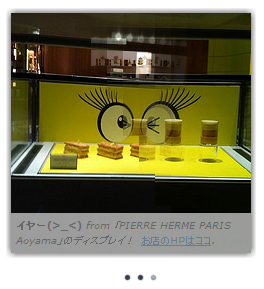 設置イメージ
<!DOCTYPE html PUBLIC "-//W3C//DTD XHTML 1.0 Transitional//EN" "http://www.w3.org/TR/xhtml1/DTD/xhtml1-transitional.dtd">
<html xmlns="http://www.w3.org/1999/xhtml" xml:lang="ja" lang="ja">
<head>
<meta http-equiv="Content-Type" content="text/html; charset=utf-8" />
<meta http-equiv="Content-Language" content="ja" />
<meta http-equiv="Content-Script-Type" content="text/javascript" />
<meta http-equiv="Content-Style-Type" content="text/css" />
<meta http-equiv="imagetoolbar" content="no" />
<title>設置サンプル</title>
<link rel="stylesheet" type="text/css" href="/content/lib/global.css" />
<!-- JS -->
<script type="text/javascript" src="http://ajax.googleapis.com/ajax/libs/jquery/1.3.2/jquery.min.js" ></script>
<script type="text/javascript" src="/content/lib/jquery/jquery.nivo.slider.js" ></script>
<script type="text/javascript">
$(function() {
$('#slider1').nivoSlider();
$('#slider2').nivoSlider({
effect:'random', //Specify sets like: 'fold,fade,sliceDown'
slices:15,
startSlide:0, //Set starting Slide (0 index)
directionNav:true, //Next & Prev
animSpeed:500, //Slide transition speed
pauseTime:3000,
directionNavHide:true, //Only show on hover
controlNav:true, //1,2,3...
keyboardNav:true, //Use left & right arrows
pauseOnHover:true, //Stop animation while hovering
manualAdvance:false, //Force manual transitions
captionOpacity:0.6, //Universal caption opacity
});
$('#slider3').nivoSlider({
controlNavThumbs:true,
controlNavThumbsSearch: '.jpg', //Replace this with...
controlNavThumbsReplace: '_t.jpg', //...this in thumb Image src
beforeChange: function(){$("#slider3_status").html("スライド切替前");},
afterChange: function(){$("#slider3_status").html("スライド切替後");},
slideshowEnd: function(){$("#slider3_status").html("スライド終了");} //Triggers after all slides have been shown
});
});
</script>
<!-- CSS -->
<style type="text/css">
/*
* jQuery Nivo Slider v2.1
* http://nivo.dev7studios.com
*
* Copyright 2010, Gilbert Pellegrom
* Free to use and abuse under the MIT license.
* http://www.opensource.org/licenses/mit-license.php
*
* March 2010
*/
/* The Nivo Slider styles */
.nivoSlider {
position:relative;
width:240px; /* 画像の幅 */
height:240px;
margin:20px 20px 40px 20px; padding:0;
background:#202834 url("/content/img/ajax/loading.gif") no-repeat 50% 50%;
-moz-box-shadow:0px 0px 10px #333;
-webkit-box-shadow:0px 0px 10px #333;
box-shadow:0px 0px 10px #333;
}
#slider3.nivoSlider {
width:500px; height:500px;
}
.nivoSlider a {
border:0;
}
.nivoSlider img {
position:absolute;
top:0; left:0;
display:none;
}
/* If an image is wrapped in a link */
.nivoSlider a.nivo-imageLink {
position:absolute;
top:0; left:0;
width:100%; height:100%;
margin:0; padding:0;
z-index:60;
display:none;
}
/* The slices in the Slider */
.nivo-slice {
display:block;
position:absolute;
z-index:50;
height:100%;
}
/* Caption styles */
.nivo-caption {
position:absolute;
left:0; bottom:0;
background:#fff;
color:#000;
font-size:10px;
opacity:0.6; /* Overridden by captionOpacity setting */
width:100%;
z-index:89;
}
.nivo-caption p {
margin:0; padding:5px;
}
.nivo-caption a {
display:inline!important;
}
.nivo-html-caption {
display:none;
}
/* Direction nav styles (e.g. Next & Prev) */
.nivo-directionNav a {
display:block;
width:30px; height:30px;
background:url("/content/img/ajax/arrows2.png") no-repeat;
text-indent:-9999px;
position:absolute;
z-index:99;
cursor:pointer;
}
a.nivo-nextNav {
background-position:-30px 0;
top:45%; right:15px;
}
a.nivo-prevNav {
top:45%; left:15px;
}
/* Control nav styles (e.g. 1,2,3...) */
.nivo-controlNav a {
position:relative;
z-index:99;
cursor:pointer;
}
.nivo-controlNav a.active {
font-weight:bold;
}
#slider3 {
margin-bottom:130px;
}
#slider3 .nivo-controlNav {
position:absolute;
left:19%;
bottom:-110px;
}
#slider3 .nivo-controlNav img {
display:inline;
position:relative;
margin-right:10px;
-moz-box-shadow:0px 0px 5px #333;
-webkit-box-shadow:0px 0px 5px #333;
box-shadow:0px 0px 5px #333;
}
#slider3 .nivo-controlNav a.active img {
-moz-box-shadow:0px 0px 5px #fff;
-webkit-box-shadow:0px 0px 5px #fff;
box-shadow:0px 0px 5px #fff;
}
#slider3 .nivo-caption {
}
#slider1 .nivo-controlNav,
#slider2 .nivo-controlNav,
#slider4 .nivo-controlNav {
position:absolute;
left:47%; bottom:-30px;
}
#slider1 .nivo-controlNav a,
#slider2 .nivo-controlNav a,
#slider4 .nivo-controlNav a {
display:block;
width:10px;
height:10px;
background:url("/content/img/ajax/bullets.png") no-repeat;
text-indent:-9999px;
border:0;
margin-right:3px;
float:left;
}
#slider1 .nivo-controlNav a.active,
#slider2 .nivo-controlNav a.active,
#slider4 .nivo-controlNav a.active {
background-position:-10px 0;
}
</style>
</head>
<body>
<div id="wrap">
<h1>設置サンプル</h1>
<p>参照:<a href='http://nivo.dev7studios.com/' target='_blank'>Nivo Slider</a></p>
<p>▼9つのエフェクト効果がかけられるイメージスライダー</p>
<!-- CODE -->
<h2>デフォルト</h2>
<div id="slider1">
<img src="http://farm2.static.flickr.com/1347/5102269406_1011f6ce14_m.jpg" alt="あい♥いっと" />
<img src="http://farm5.static.flickr.com/4112/5102266032_4f272fd87d_m.jpg" alt="ぱちクリ(((o(*゚▽゚*)o)))" />
<img src="http://farm2.static.flickr.com/1208/5102266466_123033e5ed_m.jpg" alt="イヤー(>_<)" />
</div>
<h2>画像リンク+キャプションをHTML文で指定(strong要素+a要素使用)</h2>
<div id="slider2">
<a href="http://www.flickr.com/photos/22559849@N06/5102269406/"><img src="http://farm2.static.flickr.com/1347/5102269406_1011f6ce14_m.jpg" alt="" title="#htmlcaption1" /></a>
<a href="http://www.flickr.com/photos/22559849@N06/5102266032/"><img src="http://farm5.static.flickr.com/4112/5102266032_4f272fd87d_m.jpg" alt="" title="#htmlcaption2" /></a>
<a href="http://www.flickr.com/photos/22559849@N06/5102266466/"><img src="http://farm2.static.flickr.com/1208/5102266466_123033e5ed_m.jpg" alt="" title="#htmlcaption3" /></a>
</div>
<div id="htmlcaption1" class="nivo-html-caption">
<strong>あい♥いっと</strong> <em>from 「PIERRE HERME PARIS Aoyama」のディスプレイ!</em> <a href="http://www.pierreherme.co.jp/boutiques/">お店のHPはココ</a>.
</div>
<div id="htmlcaption2" class="nivo-html-caption">
<strong>ぱちクリ(((o(*゚▽゚*)o)))</strong> <em>from 「PIERRE HERME PARIS Aoyama」のディスプレイ!</em> <a href="http://www.pierreherme.co.jp/boutiques/">お店のHPはココ</a>.
</div>
<div id="htmlcaption3" class="nivo-html-caption">
<strong>イヤー(>_<)</strong> <em>from 「PIERRE HERME PARIS Aoyama」のディスプレイ!</em> <a href="http://www.pierreherme.co.jp/boutiques/">お店のHPはココ</a>.
</div>
<h2>サムネイル付き</h2>
<p>ステータス:<span id="slider3_status"> </span></p>
<div id="slider3">
<img src="http://farm2.static.flickr.com/1347/5102269406_1011f6ce14.jpg" alt="" title="あい♥いっと" />
<img src="http://farm5.static.flickr.com/4112/5102266032_4f272fd87d.jpg" alt="" title="ぱちクリ(((o(*゚▽゚*)o)))" />
<img src="http://farm2.static.flickr.com/1208/5102266466_123033e5ed.jpg" alt="" title="イヤー(>_<)" />
</div>
<!-- / CODE -->
</div>
</body>
</html>
Galleriffic
画像ギャラリーをリッチかつ高速にレンダリング
2010/2/14
Galleriffic
大量の画像があるギャラリーに最適なjQueryプラグイン。 各画像のリンクまたはサムネイルをクリックしたときに原寸大画像を読み込むようになっているため、大量の画像を配置する場合にページのロードに時間がかかりません。
ページネーションやサムネイルナビゲーション付きのギャラリーにすることができます。 画像タイトルや説明文を同時に表示させることも可能です。 ギャラリーを制御するコントロールをカスタマイズできるAPIも用意されています。
画像の透明度を調整してフェードしているように見せる「jQuery Opacity Rollover plugin」で画像のフェードが実装されています。
下記のサンプルはサムネイルのロールオーバー効果とクロスフェードギャラリーのサンプルに、 Flickrに投稿した写真情報を配列で渡してHTML出力するようにしてみました。
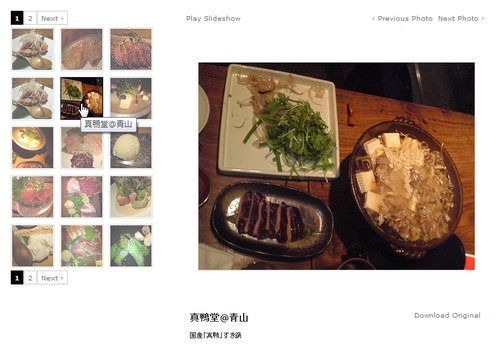 設置イメージ
<!DOCTYPE html PUBLIC "-//W3C//DTD XHTML 1.0 Transitional//EN" "http://www.w3.org/TR/xhtml1/DTD/xhtml1-transitional.dtd">
<html xmlns="http://www.w3.org/1999/xhtml" xml:lang="ja" lang="ja">
<head>
<meta http-equiv="Content-Type" content="text/html; charset=utf-8" />
<meta http-equiv="Content-Language" content="ja" />
<meta http-equiv="Content-Script-Type" content="text/javascript" />
<meta http-equiv="Content-Style-Type" content="text/css" />
<meta http-equiv="imagetoolbar" content="no" />
<title>設置サンプル</title>
<link rel="stylesheet" type="text/css" href="/content/lib/global.css" />
<!-- JS -->
<script type="text/javascript" src="http://ajax.googleapis.com/ajax/libs/jquery/1.3.2/jquery.min.js"></script>
<script type="text/javascript" src="/content/lib/jquery/jquery.galleriffic.js"></script>
<script type="text/javascript" src="/content/lib/jquery/jquery.opacityrollover.js"></script>
<script type="text/javascript">
$(function(){
/* flickr情報を出力 */
$imgs={
"真鴨堂@青山":[
["http://farm3.static.flickr.com/2725/4355326311_3573f905af.jpg","http://farm3.static.flickr.com/2725/4355326311_3573f905af_s.jpg","白レバーのたたき 胡麻葱塩和え"],
["http://farm3.static.flickr.com/2696/4356051268_a7ae822e1b.jpg","http://farm3.static.flickr.com/2696/4356051268_a7ae822e1b_s.jpg","鶏皮揚げ"],
["http://farm5.static.flickr.com/4007/4353881684_74a1d1f53e.jpg","http://farm5.static.flickr.com/4007/4353881684_74a1d1f53e_s.jpg","「真鴨」の炭火焼"],
["http://farm3.static.flickr.com/2725/4355326311_3573f905af.jpg","http://farm3.static.flickr.com/2725/4355326311_3573f905af_s.jpg","鶏皮揚げ"],
["http://farm5.static.flickr.com/4049/4353590744_1d096a5866.jpg","http://farm5.static.flickr.com/4049/4353590744_1d096a5866_s.jpg","国産「真鴨」すき鍋"],
["http://farm5.static.flickr.com/4070/4250633567_239deae31a_o.jpg","http://farm5.static.flickr.com/4070/4250633567_4139e5f082_s.jpg","国産「真鴨」しゃぶしゃぶ"],
["http://farm3.static.flickr.com/2725/4251263542_83cc59fd5d_o.jpg","http://farm3.static.flickr.com/2725/4251263542_2774fcbd00_s.jpg","国産「真鴨」しゃぶしゃぶ"],
["http://farm3.static.flickr.com/2718/4251252856_af6ee82fbb_o.jpg","http://farm3.static.flickr.com/2718/4251252856_1b745e373c_s.jpg","真鴨、軍鶏、ほろほろ鳥刺"],
["http://farm5.static.flickr.com/4045/4251271844_1d4795417d.jpg","http://farm5.static.flickr.com/4045/4251271844_1d4795417d_s.jpg","しそアイス"]
],
"モテなし@渋谷":[
["http://farm3.static.flickr.com/2641/4208733830_97e3896748_o.jpg","http://farm3.static.flickr.com/2641/4208733830_61daa4241f_s.jpg","通がうなった明太子"],
["http://farm5.static.flickr.com/4057/4208706662_021ba67bf5_o.jpg","http://farm5.static.flickr.com/4057/4208706662_9b26260b88_s.jpg","馬肉三点盛り"]
],
"福みみ@渋谷":[
["http://farm3.static.flickr.com/2527/4193010288_532f1b80db.jpg","http://farm3.static.flickr.com/2527/4193010288_532f1b80db_s.jpg","ネギトロとアボカドの生春巻"],
["http://farm3.static.flickr.com/2615/4193010340_2d4150a571.jpg","http://farm3.static.flickr.com/2615/4193010340_2d4150a571_s.jpg","ざる豆富に柚子胡椒"],
],
"ぼんじり@溝の口":[
["http://farm3.static.flickr.com/2687/4262397412_a54f28d252_o.jpg","http://farm3.static.flickr.com/2687/4262397412_2c872f719e_s.jpg","薩摩地鶏刺"],
["http://farm5.static.flickr.com/4002/4262481788_b9b524e9fb_o.jpg","http://farm5.static.flickr.com/4002/4262481788_da09295af8_s.jpg","ししとうとニンニク焼き"],
["http://farm5.static.flickr.com/4071/4262478814_3104c5c1df_o.jpg","http://farm5.static.flickr.com/4071/4262478814_d379639126_s.jpg","オスししゃも焼き"]
],
"こうあん@新宿":[
["http://farm4.static.flickr.com/3033/3104683957_a8b91f3235.jpg","http://farm4.static.flickr.com/3033/3104683957_a8b91f3235_s.jpg","自家製さつま揚げ二種"],
["http://farm4.static.flickr.com/3166/3104684235_537e3463be.jpg","http://farm4.static.flickr.com/3166/3104684235_537e3463be_s.jpg","黒糖焼酎「一番橋」"],
["http://farm4.static.flickr.com/3197/3141927210_be00d22544.jpg","http://farm4.static.flickr.com/3197/3141927210_be00d22544_s.jpg","白子の昆布焼き"],
["http://farm4.static.flickr.com/3284/3141927120_d66a9a0304.jpg","http://farm4.static.flickr.com/3284/3141927120_d66a9a0304_s.jpg","ササミ焼わさびマヨネーズ"],
["http://farm4.static.flickr.com/3196/3141100631_c244dbe4a4.jpg","http://farm4.static.flickr.com/3196/3141100631_c244dbe4a4_s.jpg","揚げ物"],
["http://farm4.static.flickr.com/3015/3104684027_a215663229.jpg","http://farm4.static.flickr.com/3015/3104684027_a215663229_s.jpg","白子の雲丹のせ炙り"],
["http://farm4.static.flickr.com/3215/3141100545_e21269fb11.jpg","http://farm4.static.flickr.com/3215/3141100545_e21269fb11_s.jpg","白レバー串みそ焼き"],
["http://farm4.static.flickr.com/3203/3105515562_b203eee85a.jpg","http://farm4.static.flickr.com/3203/3105515562_b203eee85a_s.jpg","白レバー串みそ焼き"],
["http://farm4.static.flickr.com/3247/3141926720_08ebc48824.jpg","http://farm4.static.flickr.com/3247/3141926720_08ebc48824_s.jpg","屋台風羽根つき焼きラーメン"]
],
"あぶらや@新宿":[
["http://farm5.static.flickr.com/4004/4315917216_068f1b3fe6.jpg","http://farm5.static.flickr.com/4004/4315917216_068f1b3fe6_s.jpg","ブレイン鉄板"],
["http://farm5.static.flickr.com/4033/4315916194_5be32bab14.jpg","http://farm5.static.flickr.com/4033/4315916194_5be32bab14_s.jpg","白レバー鉄板"]
]
}
var s="";
for(var i in $imgs){
$title=i;
for(var j=0; j<$imgs[i].length; j++){
$original=$imgs[i][j][0];
$thumb=$imgs[i][j][1];
$desc=$imgs[i][j][2];
s+='<li>';
s+=' <a class="thumb" name="leaf" href="'+$original+'" title="'+$title+'">';
s+=' <img src="'+$thumb+'" alt="'+$desc+'" />';
s+=' </a>';
s+=' <div class="caption">';
s+=' <div class="download">';
s+=' <a href="'+$original+'">Download Original</a>';
s+=' </div>';
s+=' <div class="image-title">'+$title+'</div>';
s+=' <div class="image-desc">'+$desc+'</div>';
s+=' </div>';
s+='</li>';
}
}
$("#thumbs ul.thumbs").append(s);
// We only want these styles applied when javascript is enabled
$('div.navigation').css({'width' : '300px', 'float' : 'left'});
$('div.content').css('display', 'block');
// Initially set opacity on thumbs and add
// additional styling for hover effect on thumbs
var onMouseOutOpacity = 0.67;
$('#thumbs ul.thumbs li').opacityrollover({
mouseOutOpacity: onMouseOutOpacity,
mouseOverOpacity: 1.0,
fadeSpeed: 'fast',
exemptionSelector: '.selected'
});
// Initialize Advanced Galleriffic Gallery
var gallery = $('#thumbs').galleriffic({
delay: 2500,
numThumbs: 15,
preloadAhead: 10,
enableTopPager: true,
enableBottomPager: true,
maxPagesToShow: 7,
imageContainerSel: '#slideshow',
controlsContainerSel: '#controls',
captionContainerSel: '#caption',
loadingContainerSel: '#loading',
renderSSControls: true,
renderNavControls: true,
playLinkText: 'Play Slideshow',
pauseLinkText: 'Pause Slideshow',
prevLinkText: '‹ Previous Photo',
nextLinkText: 'Next Photo ›',
nextPageLinkText: 'Next ›',
prevPageLinkText: '‹ Prev',
enableHistory: false,
autoStart: false,
syncTransitions: true,
defaultTransitionDuration: 900,
onSlideChange: function(prevIndex, nextIndex) {
// 'this' refers to the gallery, which is an extension of $('#thumbs')
this.find('ul.thumbs').children()
.eq(prevIndex).fadeTo('fast', onMouseOutOpacity).end()
.eq(nextIndex).fadeTo('fast', 1.0);
},
onPageTransitionOut: function(callback) {
this.fadeTo('fast', 0.0, callback);
},
onPageTransitionIn: function() {
this.fadeTo('fast', 1.0);
}
});
});
</script>
<!-- CSS -->
<style type="text/css">
div#page {
width: 900px;
background-color: #fff;
margin: 0 auto;
text-align: left;
border:1px solid #ddd;
}
div#container {
padding: 20px;
}
div.content {
display: none;
float: right;
width: 550px;
}
div.content a, div.navigation a {
text-decoration: none;
color: #777;
}
div.content a:focus, div.content a:hover, div.content a:active {
text-decoration: underline;
}
div.controls {
margin-top: 5px;
height: 23px;
}
div.controls a {
padding: 5px;
}
div.ss-controls {
float: left;
}
div.nav-controls {
float: right;
}
div.slideshow-container {
position: relative;
clear: both;
height: 502px; /* This should be set to be at least the height of the largest image in the slideshow */
}
div.loader {
position: absolute;
top: 0;
left: 0;
background-image: url('loader.gif');
background-repeat: no-repeat;
background-position: center;
width: 550px;
height: 502px; /* This should be set to be at least the height of the largest image in the slideshow */
}
div.slideshow {
}
div.slideshow span.image-wrapper {
display: block;
position: absolute;
top: 0;
left: 0;
}
div.slideshow a.advance-link {
display: block;
width: 550px;
height: 502px; /* This should be set to be at least the height of the largest image in the slideshow */
line-height: 502px; /* This should be set to be at least the height of the largest image in the slideshow */
text-align: center;
}
div.slideshow a.advance-link:hover, div.slideshow a.advance-link:active, div.slideshow a.advance-link:visited {
text-decoration: none;
}
div.slideshow img {
vertical-align: middle;
border: 1px solid #ccc;
}
div.download {
float: right;
}
div.caption-container {
position: relative;
clear: left;
height: 75px;
}
span.image-caption {
display: block;
position: absolute;
width: 550px;
top: 0;
left: 0;
}
div.caption {
padding: 12px;
}
div.image-title {
font-weight: bold;
font-size: 1.4em;
}
div.image-desc {
line-height: 1.3em;
padding-top: 12px;
}
div.navigation {
/* The navigation style is set using jQuery so that the javascript specific styles won't be applied unless javascript is enabled. */
}
ul.thumbs {
clear: both;
margin: 0;
padding: 0;
}
ul.thumbs li {
float: left;
padding: 0;
margin: 5px 10px 5px 0;
list-style: none;
}
a.thumb {
padding: 2px;
width:75px; height:75px;
display: block;
border: 1px solid #ccc;
}
ul.thumbs li.selected a.thumb {
background: #000;
}
a.thumb:focus {
outline: none;
}
ul.thumbs img {
border: none;
display: block;
}
div.pagination {
clear: both;
}
div.navigation div.top {
margin-bottom: 12px;
height: 11px;
}
div.navigation div.bottom {
margin-top: 12px;
}
div.pagination a, div.pagination span.current, div.pagination span.ellipsis {
display: block;
float: left;
margin-right: 2px;
padding: 4px 7px 2px 7px;
border: 1px solid #ccc;
}
div.pagination a:hover {
background-color: #eee;
text-decoration: none;
}
div.pagination span.current {
font-weight: bold;
background-color: #000;
border-color: #000;
color: #fff;
}
div.pagination span.ellipsis {
border: none;
padding: 5px 0 3px 2px;
}
</style>
</head>
<body>
<div id="wrap">
<h1>設置サンプル</h1>
<p>【参照】<a href='http://www.twospy.com/galleriffic/'>Galleriffic</a></p>
<!-- CODE -->
<h2>サムネイルのロールオーバー効果とクロスフェードスライドショー</h2>
<div id="page">
<div id="container">
<!-- 画像表示エリア -->
<div id="gallery" class="content">
<div id="controls" class="controls"></div>
<div class="slideshow-container">
<div id="loading" class="loader"></div>
<div id="slideshow" class="slideshow"></div>
</div>
<div id="caption" class="caption-container"></div>
</div>
<!-- サムネイルナビゲーション -->
<div id="thumbs" class="navigation">
<ul class="thumbs noscript"></ul>
</div>
<div style="clear: both;"></div>
</div>
</div>
<!-- / CODE -->
</div>
</body>
</html>
IMGPREVIEW
マウスオーバーでリンク先の画像をプレビュー表示
2010/2/14
IMGPREVIEW
リンクにマウスオーバーした時にリンク先の画像をプレビュー表示するjQueryプラグイン。
画像のプレビュー時に、画像のリンク先URLや画像のタイトルを表示することもできます。 コールバック関数を使用して表示時にフェード効果を付けたり、オプションで画像の幅を固定サイズにしたり、プレビュー枠のスタイルをCSSで定義するID名を指定することができます。
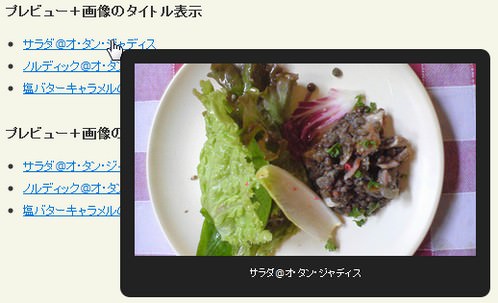 設置イメージ
<!DOCTYPE html PUBLIC "-//W3C//DTD XHTML 1.0 Transitional//EN" "http://www.w3.org/TR/xhtml1/DTD/xhtml1-transitional.dtd">
<html xmlns="http://www.w3.org/1999/xhtml" xml:lang="ja" lang="ja">
<head>
<meta http-equiv="Content-Type" content="text/html; charset=utf-8" />
<meta http-equiv="Content-Language" content="ja" />
<meta http-equiv="Content-Script-Type" content="text/javascript" />
<meta http-equiv="Content-Style-Type" content="text/css" />
<meta http-equiv="imagetoolbar" content="no" />
<title>設置サンプル</title>
<link rel="stylesheet" type="text/css" href="/content/lib/global.css" />
<!-- JS -->
<script type="text/javascript" src="http://ajax.googleapis.com/ajax/libs/jquery/1.3.2/jquery.min.js"></script>
<script type="text/javascript" src="/content/lib/jquery/imgpreview.jquery.js"></script>
<script type="text/javascript">
$(function(){
/* demo1 */
$('ul#demo1 a').imgPreview();
/* demo2 */
$('ul#demo2 a').imgPreview({
imgCSS: { width: 200 }
});
/* demo3 */
$('ul#demo3 a').imgPreview({
containerID: 'imgPreviewWithStyles',
imgCSS: {
// Limit preview size:
height: 200
},
// When container is shown:
onShow: function(link){
// Animate link:
$(link).stop().animate({opacity:0.4});
// Reset image:
$('img', this).stop().css({opacity:0});
},
// When image has loaded:
onLoad: function(){
// Animate image
$(this).animate({opacity:1}, 300);
},
// When container hides:
onHide: function(link){
// Animate link:
$(link).stop().animate({opacity:1});
}
});
/* demo4 */
$('ul#demo4 a').imgPreview({
containerID: 'imgPreviewWithStyles',
imgCSS: {
// Limit preview size:
height: 200
},
// When container is shown:
onShow: function(link){
$('<span>' + $(link).text() + '</span>').appendTo(this);
},
// When container hides:
onHide: function(link){
$('span', this).remove();
}
});
/* demo5 */
$('ul#demo5 a').imgPreview({
containerID: 'imgPreviewWithStyles',
/* Change srcAttr to rel: */
// srcAttr: 'rel',
srcAttr: 'href',
imgCSS: {
// Limit preview size:
height: 200
},
// When container is shown:
onShow: function(link){
$('<span>' + link.href + '</span>').appendTo(this);
},
// When container hides:
onHide: function(link){
$('span', this).remove();
}
});
});
</script>
<!-- CSS -->
<style type="text/css">
#imgPreviewWithStyles {
background: #222;
-moz-border-radius: 10px;
-webkit-border-radius: 10px;
padding: 15px;
z-index: 999;
border: none;
}
#imgPreviewWithStyles span {
color: white;
text-align: center;
display: block;
padding: 10px 0 3px 0;
font-size:80%;
}
</style>
</head>
<body>
<div id="wrap">
<h1>設置サンプル</h1>
<p>【参照】<a href='http://james.padolsey.com/javascript/new-jquery-plugin-imgpreview/'>IMGPREVIEW</a></p>
<!-- CODE -->
<h2>デフォルト</h2>
<ul id="demo1">
<li><a href="http://farm4.static.flickr.com/3639/3664935712_94ca67b18b.jpg">サラダ@オ・タン・ジャディス</a></li>
<li><a href="http://farm4.static.flickr.com/3220/3664935670_b94968ccbc.jpg">ノルディック@オ・タン・ジャディス</a></li>
<li><a href="http://farm4.static.flickr.com/3394/3664935528_16fff63afc.jpg">塩バターキャラメルのクレープ@オ・タン・ジャディス</a></li>
</ul>
<h2>プレビュー表示する画像の幅を200pxに指定</h2>
<ul id="demo2">
<li><a href="http://farm4.static.flickr.com/3639/3664935712_94ca67b18b.jpg">サラダ@オ・タン・ジャディス</a></li>
<li><a href="http://farm4.static.flickr.com/3220/3664935670_b94968ccbc.jpg">ノルディック@オ・タン・ジャディス</a></li>
<li><a href="http://farm4.static.flickr.com/3394/3664935528_16fff63afc.jpg">塩バターキャラメルのクレープ@オ・タン・ジャディス</a></li>
</ul>
<h2>フェードイン効果付き+スタイル指定</h2>
<ul id="demo3">
<li><a href="http://farm4.static.flickr.com/3639/3664935712_94ca67b18b.jpg">サラダ@オ・タン・ジャディス</a></li>
<li><a href="http://farm4.static.flickr.com/3220/3664935670_b94968ccbc.jpg">ノルディック@オ・タン・ジャディス</a></li>
<li><a href="http://farm4.static.flickr.com/3394/3664935528_16fff63afc.jpg">塩バターキャラメルのクレープ@オ・タン・ジャディス</a></li>
</ul>
<h2>プレビュー+画像のタイトル表示</h2>
<ul id="demo4">
<li><a href="http://farm4.static.flickr.com/3639/3664935712_94ca67b18b.jpg">サラダ@オ・タン・ジャディス</a></li>
<li><a href="http://farm4.static.flickr.com/3220/3664935670_b94968ccbc.jpg">ノルディック@オ・タン・ジャディス</a></li>
<li><a href="http://farm4.static.flickr.com/3394/3664935528_16fff63afc.jpg">塩バターキャラメルのクレープ@オ・タン・ジャディス</a></li>
</ul>
<h2>プレビュー+画像のURL表示</h2>
<ul id="demo5">
<li><a href="http://farm4.static.flickr.com/3639/3664935712_94ca67b18b.jpg">サラダ@オ・タン・ジャディス</a></li>
<li><a href="http://farm4.static.flickr.com/3220/3664935670_b94968ccbc.jpg">ノルディック@オ・タン・ジャディス</a></li>
<li><a href="http://farm4.static.flickr.com/3394/3664935528_16fff63afc.jpg">塩バターキャラメルのクレープ@オ・タン・ジャディス</a></li>
</ul>
<!-- / CODE -->
</div>
</body>
</html>
jQuery largePhotoBox plugin
大きな画像対応ポップアップ(マウス移動で画像全体を閲覧可能)
2010/2/10
jquery-largephotobox
[CSS+IMG]shadow、white、black
ウィンドウサイズより大きな画像をポップアップしても見きれることなく、画像上でマウスを上下左右方向に動かすことで写真の全体を画面をスクロールして見ることができるjQueryプラグイン。 ウィンドウサイズに収まる場合はマウス移動はありません。
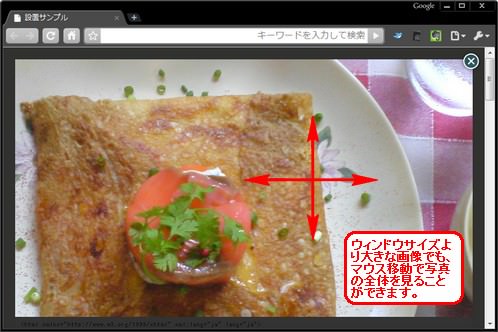 設置イメージ
<!DOCTYPE html PUBLIC "-//W3C//DTD XHTML 1.0 Transitional//EN" "http://www.w3.org/TR/xhtml1/DTD/xhtml1-transitional.dtd">
<html xmlns="http://www.w3.org/1999/xhtml" xml:lang="ja" lang="ja">
<head>
<meta http-equiv="Content-Type" content="text/html; charset=utf-8" />
<meta http-equiv="Content-Language" content="ja" />
<meta http-equiv="Content-Script-Type" content="text/javascript" />
<meta http-equiv="Content-Style-Type" content="text/css" />
<meta http-equiv="imagetoolbar" content="no" />
<title>設置サンプル</title>
<link rel="stylesheet" type="text/css" href="/content/lib/global.css" />
<!-- JS -->
<script type="text/javascript" src="http://ajax.googleapis.com/ajax/libs/jquery/1.3.2/jquery.min.js"></script>
<script type="text/javascript" src="/content/lib/jquery/jquery.largephotobox-0.1.0.js"></script>
<script type="text/javascript">
$(function(){
$('#gallery a').largePhotoBox();
});
</script>
<!-- CSS -->
<style type="text/css">
#jquery-overlay {
position:absolute;
top:0;
left:0;
width:100%;
z-index:90
}
#jquery-largephotobox {
position:fixed;
top:0;
left:0;
width:100%;
z-index:100;
line-height:0;
_position:absolute; /* Fix IE 6 */
_top: expression(document.documentElement.scrollTop ? document.documentElement.scrollTop : document.body.scrollTop + 'px'); /* Fix IE 6 */
_left: expression(document.documentElement.scrollLeft ? document.documentElement.scrollLeft : document.body.scrollLeft + 'px') /* Fix IE 6 */
}
#jquery-largephotobox a img {border:none}
#largephotobox-container {
position:fixed;
top:50%;
left:50%;
_position:absolute; /* Fix IE 6 */
}
#largephotobox-container-image {
position:absolute;
overflow:hidden
}
#largephotobox-image {
position:absolute;
top:0;
left:0
}
#largephotobox-btnclose {
position:absolute;
top:-15px;
right:-15px;
z-index:1
}
#gallery {
background-color:#444;
padding:10px;
width:auto
}
#gallery ul {list-style:none}
#gallery ul li {display:inline}
#gallery ul img {
border:5px solid #3e3e3e;
border-width:5px
}
#gallery ul a {text-decoration:none}
#gallery ul a:hover img {
border:5px solid #fff;
border-width:5px;
color:#fff
}
#gallery ul a:hover {color:#FFF}
</style>
</head>
<body>
<div id="wrap">
<h1>設置サンプル</h1>
<p>【参照】<a href='http://code.google.com/p/jquery-largephotobox/'>jquery-largephotobox</a></p>
<!-- CODE -->
<div id="gallery">
<ul>
<li>
<a href="http://farm4.static.flickr.com/3045/3053382294_ef466e1021_o.jpg" title="バースデーケーキ@銀座GINTO">
<img src="http://farm4.static.flickr.com/3045/3053382294_07b552d467_s.jpg" alt="">
</a>
</li>
<li>
<a href="http://farm4.static.flickr.com/3247/3053382326_3ae5064b61_o.jpg" title="バースデーケーキ@銀座GINTO">
<img src="http://farm4.static.flickr.com/3247/3053382326_d457fa52ee_s.jpg" alt="">
</a>
</li>
<li>
<a href="http://farm4.static.flickr.com/3293/3053266638_2b74fbee04_o.jpg" title="アクエリアス・ビーフ@Magic Spice">
<img src="http://farm4.static.flickr.com/3293/3053266638_e1de5c472d_s.jpg" alt="">
</a>
</li>
<li>
<a href="http://farm4.static.flickr.com/3220/3664935670_b94968ccbc_b.jpg" title="ノルディック@オ・タン・ジャディス">
<img src="http://farm4.static.flickr.com/3220/3664935670_b94968ccbc_s.jpg" alt="">
</a>
</li>
<li>
<a href="http://farm4.static.flickr.com/3576/3644950182_2fa2392a36_b.jpg" title="冬瓜の煮物@懐石 川端">
<img src="http://farm4.static.flickr.com/3576/3644950182_2fa2392a36_s.jpg" alt="">
</a>
</li>
</ul>
</div>
<!-- / CODE -->
</div>
</body>
</html>
PIROBOX
シンプルかっこいい画像ポップアップ
2010/2/7
piroBox v.1.2, jQuery 1.3.2 plugin
[CSS+IMG]shadow、white、black
シンプルかっこいい画像ギャラリーを実装するjQueryプラグイン。
画像ポップアップ表示時のスタイルは影(shadow)、白(white)、黒(black)の3タイプ用意されています。 これらのスタイルはhead要素内で読み込むCSSのリンク先を変更するだけで切り替え可能です。 ボックスの大きさは画像サイズによって自動リサイズされます。 a要素のtitle要素の内容が、画像のキャプションとして表示されます。指定されていない場合は、画像のリンク先URLがキャプションとして表示されます。
複数の画像をグループ化してギャラリー表示するには、a要素のクラス名に「class='pirobox_gall'」のような任意のグループ名を指定します。 このグループ名によって複数のイメージをグループ化し、複数のグループを同一ページ内に表示することができます。
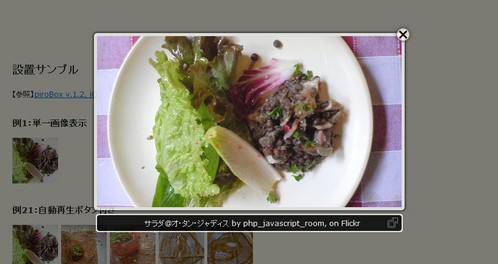 設置イメージ
また、リンク先に指定した画像がなかった時のエラー画面も用意されています。
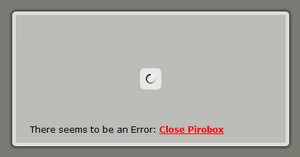 設置イメージ
<!DOCTYPE html PUBLIC "-//W3C//DTD XHTML 1.0 Transitional//EN" "http://www.w3.org/TR/xhtml1/DTD/xhtml1-transitional.dtd">
<html xmlns="http://www.w3.org/1999/xhtml" xml:lang="ja" lang="ja">
<head>
<meta http-equiv="Content-Type" content="text/html; charset=utf-8" />
<meta http-equiv="Content-Language" content="ja" />
<meta http-equiv="Content-Script-Type" content="text/javascript" />
<meta http-equiv="Content-Style-Type" content="text/css" />
<meta http-equiv="imagetoolbar" content="no" />
<title>設置サンプル</title>
<link rel="stylesheet" type="text/css" href="/content/lib/global.css" />
<!-- JS -->
<script type="text/javascript" src="http://ajax.googleapis.com/ajax/libs/jquery/1.3.2/jquery.min.js"></script>
<script type="text/javascript" src="/content/lib/jquery/piroBox.1_2.js"></script>
<script type="text/javascript">
$(function(){
$().piroBox({
my_speed: 600, //animation speed
bg_alpha: 0.5, //background opacity
radius: 4, //caption rounded corner
scrollImage : false, // true == image follows the page, false == image remains in the same open position
pirobox_next : 'piro_next', // Nav buttons -> piro_next == inside piroBox , piro_next_out == outside piroBox
pirobox_prev : 'piro_prev',// Nav buttons -> piro_prev == inside piroBox , piro_prev_out == outside piroBox
close_all : '.piro_close',// add class .piro_overlay(with comma)if you want overlay click close piroBox
slideShow : 'slideshow', // just delete slideshow between '' if you don't want it.
slideSpeed : 4 //slideshow duration in seconds(3 to 6 Recommended)
});
});
</script>
<!-- CSS -->
<link rel="stylesheet" type="text/css" href="/content/img/ajax/jquery/css_pirobox/white/style.css" />
<!--link rel="stylesheet" type="text/css" href="/content/img/ajax/jquery/css_pirobox/black/style.css" />
<link rel="stylesheet" type="text/css" href="/content/img/ajax/jquery/css_pirobox/shadow/style.css" /-->
<style type="text/css">
#wrap ul {
list-style:none;
margin:0; padding:0;
}
#wrap li {
list-style:none;
margin:0; padding:0;
display:block;
float:left;
width:80px; height:80px;
}
</style>
</head>
<body>
<div id="wrap">
<h1>設置サンプル</h1>
<p>【参照】<a href="http://www.pirolab.it/pirobox/">piroBox v.1.2, jQuery 1.3.2 plugin</a></p>
<!-- CODE -->
<h2>例1:単一画像表示</h2>
<ul>
<li><a href="http://farm4.static.flickr.com/3639/3664935712_94ca67b18b.jpg" class="pirobox" title="サラダ@オ・タン・ジャディス by php_javascript_room, on Flickr"><img src="http://farm4.static.flickr.com/3639/3664935712_94ca67b18b_s.jpg" alt="サラダ@オ・タン・ジャディス" /></a></li>
</ul>
<br clear="both" /
<h2>例2:自動再生ボタン付き</h2>
<h3>グループ1</h3>
<ul>
<li><a href="http://farm4.static.flickr.com/3639/3664935712_94ca67b18b.jpg" class="pirobox_gall" title="サラダ@オ・タン・ジャディス by php_javascript_room, on Flickr"><img src="http://farm4.static.flickr.com/3639/3664935712_94ca67b18b_s.jpg" alt="サラダ@オ・タン・ジャディス" /></a></li>
<li><a href="http://farm4.static.flickr.com/3220/3664935670_b94968ccbc.jpg" class="pirobox_gall" title="ノルディック@オ・タン・ジャディス by php_javascript_room, on Flickr"><img src="http://farm4.static.flickr.com/3220/3664935670_b94968ccbc_s.jpg" alt="ノルディック@オ・タン・ジャディス" /></a></li>
<li><a href="http://farm4.static.flickr.com/3611/3664132439_78c681eb6d.jpg" class="pirobox_gall" title="ノルディック@オ・タン・ジャディス by php_javascript_room, on Flickr"><img src="http://farm4.static.flickr.com/3611/3664132439_78c681eb6d_s.jpg" alt="ノルディック@オ・タン・ジャディス" /></a></li>
<li><a href="http://farm4.static.flickr.com/3348/3664935456_0ee9b93009.jpg" class="pirobox_gall" title="塩バターキャラメルのクレープ @オ・タン・ジャディス by php_javascript_room, on Flickr"><img src="http://farm4.static.flickr.com/3348/3664935456_0ee9b93009_s.jpg" alt="塩バターキャラメルのクレープ @オ・タン・ジャディス" /></a></li>
<li><a href="http://farm4.static.flickr.com/3394/3664935528_16fff63afc.jpg" class="pirobox_gall" title="塩バターキャラメルのクレープ @オ・タン・ジャディス by php_javascript_room, on Flickr"><img src="http://farm4.static.flickr.com/3394/3664935528_16fff63afc_s.jpg" alt="塩バターキャラメルのクレープ @オ・タン・ジャディス" /></a></li>
</ul>
<br clear="both" />
<h3>グループ2</h3>
<ul>
<li><a href="http://farm3.static.flickr.com/2527/4193010288_532f1b80db.jpg" class="pirobox_gall2" title="ネギトロとアボカドの生春巻@福みみ by php_javascript_room, on Flickr"><img src="http://farm3.static.flickr.com/2527/4193010288_532f1b80db_s.jpg" alt="ネギトロとアボカドの生春巻@福みみ" /></a></li>
<li><a href="http://farm3.static.flickr.com/2642/4193010212_4ceb134d9c_o.jpg" class="pirobox_gall2" title="パチリ@福みみ by php_javascript_room, on Flickr"><img src="http://farm3.static.flickr.com/2642/4193010212_e36eba11b7_s.jpg" alt="パチリ@福みみ" /></a></li>
<li><a href="http://farm3.static.flickr.com/2545/4190252100_efe8f4d259.jpg" class="pirobox_gall2" title="焼酎なう♪ by php_javascript_room, on Flickr"><img src="http://farm3.static.flickr.com/2545/4190252100_efe8f4d259_s.jpg" alt="焼酎なう♪" /></a></li>
</ul>
<br clear="both" />
<h2>例3:画像がない時のエラー表示</h2>
<ul>
<li><a href="hoge.jpg" class="pirobox" title="サラダ@オ・タン・ジャディス by php_javascript_room, on Flickr"><img src="http://farm4.static.flickr.com/3639/3664935712_94ca67b18b_s.jpg" alt="サラダ@オ・タン・ジャディス" /></a></li>
</ul>
<br clear="both" /
<!-- / CODE -->
</body>
</html>
bxGallery
シンプルな画像ギャラリー
2010/2/7
Easy Display Switch with CSS and jQuery
シンプルな画像ギャラリーを実装するjQueryプラグイン。
サムネイルの配置位置、画像の最大サイズやサムネイルサイズなどをカスタマイズすることができます。 画像のキャプションを表示する場合は、img要素のtitle属性にキャプションを指定します。
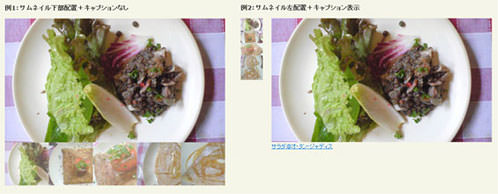 設置イメージ
<!DOCTYPE html PUBLIC "-//W3C//DTD XHTML 1.0 Transitional//EN" "http://www.w3.org/TR/xhtml1/DTD/xhtml1-transitional.dtd">
<html xmlns="http://www.w3.org/1999/xhtml" xml:lang="ja" lang="ja">
<head>
<meta http-equiv="Content-Type" content="text/html; charset=utf-8" />
<meta http-equiv="Content-Language" content="ja" />
<meta http-equiv="Content-Script-Type" content="text/javascript" />
<meta http-equiv="Content-Style-Type" content="text/css" />
<meta http-equiv="imagetoolbar" content="no" />
<title>設置サンプル</title>
<link rel="stylesheet" type="text/css" href="/content/lib/global.css" />
<!-- JS -->
<script type="text/javascript" src="http://ajax.googleapis.com/ajax/libs/jquery/1.3.2/jquery.min.js"></script>
<script type="text/javascript" src="/content/lib/jquery/jquery.bxGallery.min.js"></script>
<script type="text/javascript">
$(function(){
$('#example1').bxGallery({
maxwidth:500,
thumbwidth:100,
thumbcrop:true
});
$('#example2').bxGallery({
maxheight:281,
thumbwidth: 50,
thumbplacement: 'left',
thumbcontainer: 70,
wrapperclass: 'outer2'
});
$('#example3').bxGallery({
thumbwidth: 100,
thumbcrop: true,
croppercent: .5,
thumbplacement: 'top',
wrapperclass: 'outer3'
});
});
</script>
<!-- CSS -->
<style type="text/css">
#wrap ul {
list-style:none;
margin:0; padding:0;
}
#wrap li {
list-style:none;
margin:0; padding:0;
}
</style>
</head>
<body>
<div id="wrap">
<h1>設置サンプル</h1>
<p>参照:<a href='http://www.sohtanaka.com/web-design/examples/display-switch/'>Easy Display Switch with CSS and jQuery</a></p>
<!-- CODE -->
<h2>例1:サムネイル下部配置+キャプションなし</h2>
<ul id="example1">
<li><a href="http://www.flickr.com/photos/22559849@N06/3664935712/" title="サラダ@オ・タン・ジャディス by php_javascript_room, on Flickr"><img src="http://farm4.static.flickr.com/3639/3664935712_94ca67b18b.jpg" alt="サラダ@オ・タン・ジャディス" /></a></li>
<li><a href="http://www.flickr.com/photos/22559849@N06/3664935670/" title="ノルディック@オ・タン・ジャディス by php_javascript_room, on Flickr"><img src="http://farm4.static.flickr.com/3220/3664935670_b94968ccbc.jpg" alt="ノルディック@オ・タン・ジャディス" /></a></li>
<li><a href="http://www.flickr.com/photos/22559849@N06/3664132439/" title="ノルディック@オ・タン・ジャディス by php_javascript_room, on Flickr"><img src="http://farm4.static.flickr.com/3611/3664132439_78c681eb6d.jpg" width="500" height="281" alt="ノルディック@オ・タン・ジャディス" /></a></li>
<li><a href="http://www.flickr.com/photos/22559849@N06/3664935456/" title="塩バターキャラメルのクレープ @オ・タン・ジャディス by php_javascript_room, on Flickr"><img src="http://farm4.static.flickr.com/3348/3664935456_0ee9b93009.jpg" alt="塩バターキャラメルのクレープ @オ・タン・ジャディス" /></a></li>
<li><a href="http://www.flickr.com/photos/22559849@N06/3664935528/" title="塩バターキャラメルのクレープ @オ・タン・ジャディス by php_javascript_room, on Flickr"><img src="http://farm4.static.flickr.com/3394/3664935528_16fff63afc.jpg" width="500" height="281" alt="塩バターキャラメルのクレープ @オ・タン・ジャディス" /></a></li>
</ul>
<h2>例2:サムネイル左配置+キャプション表示</h2>
<ul id="example2">
<li><a href="http://www.flickr.com/photos/22559849@N06/3664935712/" title="サラダ@オ・タン・ジャディス by php_javascript_room, on Flickr"><img src="http://farm4.static.flickr.com/3639/3664935712_94ca67b18b.jpg" title="サラダ@オ・タン・ジャディス" /></a></li>
<li><a href="http://www.flickr.com/photos/22559849@N06/3664935670/" title="ノルディック@オ・タン・ジャディス by php_javascript_room, on Flickr"><img src="http://farm4.static.flickr.com/3220/3664935670_b94968ccbc.jpg" title="ノルディック@オ・タン・ジャディス" /></a></li>
<li><a href="http://www.flickr.com/photos/22559849@N06/3664132439/" title="ノルディック@オ・タン・ジャディス by php_javascript_room, on Flickr"><img src="http://farm4.static.flickr.com/3611/3664132439_78c681eb6d.jpg" width="500" height="281" title="ノルディック@オ・タン・ジャディス" /></a></li>
<li><a href="http://www.flickr.com/photos/22559849@N06/3664935456/" title="塩バターキャラメルのクレープ @オ・タン・ジャディス by php_javascript_room, on Flickr"><img src="http://farm4.static.flickr.com/3348/3664935456_0ee9b93009.jpg" title="塩バターキャラメルのクレープ @オ・タン・ジャディス" /></a></li>
<li><a href="http://www.flickr.com/photos/22559849@N06/3664935528/" title="塩バターキャラメルのクレープ @オ・タン・ジャディス by php_javascript_room, on Flickr"><img src="http://farm4.static.flickr.com/3394/3664935528_16fff63afc.jpg" width="500" height="281" title="塩バターキャラメルのクレープ @オ・タン・ジャディス" /></a></li>
</ul>
<h2>例3:サムネイル上部配置</h2>
<ul id="example3">
<li><a href="http://www.flickr.com/photos/22559849@N06/3664935712/" title="サラダ@オ・タン・ジャディス by php_javascript_room, on Flickr"><img src="http://farm4.static.flickr.com/3639/3664935712_94ca67b18b.jpg" alt="サラダ@オ・タン・ジャディス" /></a></li>
<li><a href="http://www.flickr.com/photos/22559849@N06/3664935670/" title="ノルディック@オ・タン・ジャディス by php_javascript_room, on Flickr"><img src="http://farm4.static.flickr.com/3220/3664935670_b94968ccbc.jpg" alt="ノルディック@オ・タン・ジャディス" /></a></li>
<li><a href="http://www.flickr.com/photos/22559849@N06/3664132439/" title="ノルディック@オ・タン・ジャディス by php_javascript_room, on Flickr"><img src="http://farm4.static.flickr.com/3611/3664132439_78c681eb6d.jpg" width="500" height="281" alt="ノルディック@オ・タン・ジャディス" /></a></li>
<li><a href="http://www.flickr.com/photos/22559849@N06/3664935456/" title="塩バターキャラメルのクレープ @オ・タン・ジャディス by php_javascript_room, on Flickr"><img src="http://farm4.static.flickr.com/3348/3664935456_0ee9b93009.jpg" alt="塩バターキャラメルのクレープ @オ・タン・ジャディス" /></a></li>
<li><a href="http://www.flickr.com/photos/22559849@N06/3664935528/" title="塩バターキャラメルのクレープ @オ・タン・ジャディス by php_javascript_room, on Flickr"><img src="http://farm4.static.flickr.com/3394/3664935528_16fff63afc.jpg" width="500" height="281" alt="塩バターキャラメルのクレープ @オ・タン・ジャディス" /></a></li>
</ul>
<!-- / CODE -->
</body>
</html>
A Simple jQuery Slideshow
シンプルなスライドショー
2008/12/10
A Simple jQuery Slideshow
jQueryでシンプルにスライドショーを実装する方法が掲載されています。 スライドショーとして表示する画像をあらかじめimg要素で列挙しておき、z-indexを変更することで入れ替え表示しています。 スライドのスピードはミリ秒で指定可能です。 すべての画像を表示し終わると、また繰り返し最初からリピート再生されます。 スライドを開始する画像のimg要素にはactiveクラスを指定します。
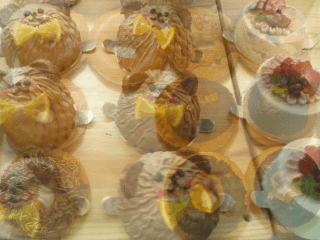 設置イメージ
<!DOCTYPE html PUBLIC "-//W3C//DTD XHTML 1.0 Transitional//EN" "http://www.w3.org/TR/xhtml1/DTD/xhtml1-transitional.dtd">
<html xmlns="http://www.w3.org/1999/xhtml" xml:lang="ja" lang="ja">
<head>
<meta http-equiv="Content-Type" content="text/html; charset=utf-8" />
<meta http-equiv="Content-Language" content="ja" />
<meta http-equiv="Content-Script-Type" content="text/javascript" />
<meta http-equiv="Content-Style-Type" content="text/css" />
<meta http-equiv="imagetoolbar" content="no" />
<title>設置サンプル</title>
<link rel="stylesheet" type="text/css" href="/content/lib/global.css" />
<!-- JS -->
<script type="text/javascript" src="http://ajax.googleapis.com/ajax/libs/jquery/1.3.2/jquery.min.js" ></script>
<script type="text/javascript">
function slideSwitch() {
var $active = $('#slideshow img.active');
if ( $active.length == 0 ) $active = $('#slideshow img:last');
var $next = $active.next().length ? $active.next() : $('#slideshow img:first');
$active.addClass('last-active');
$next.css({opacity: 0.0})
.addClass('active')
.animate({opacity: 1.0}, 1000, function() {
$active.removeClass('active last-active');
});
}
$(function() {
setInterval( "slideSwitch()", 4000 );
});
</script>
<!-- CSS -->
<style type="text/css">
#slideshow { position:relative; width:320px; height:240px; }
#slideshow img { position:absolute; top:0; left:0; z-index:8; }
#slideshow img.active { z-index:10; }
#slideshow img.last-active { z-index:9; }
</style>
</head>
<body>
<div id="wrap">
<h1>設置サンプル</h1>
<p>参照:<a href='http://jonraasch.com/blog/a-simple-jquery-slideshow'>A Simple jQuery Slideshow</a></p>
<p>▼画像がフェードしながら切り替わります。</p>
<!-- CODE -->
<div id="slideshow">
<img src="http://farm4.static.flickr.com/3222/2974008614_736e2d5b50.jpg" alt="" />
<img src="http://farm4.static.flickr.com/3141/2973155055_4cf4370939.jpg" alt="" class="active" />
<img src="http://farm4.static.flickr.com/3174/2973352946_d3589b717e.jpg" alt="" />
</div>
<!-- / CODE -->
</div>
</body>
</html>
Accessible News Slider
全件表示や件数に応じて前後にスライドするアクセシブルなスライドショー
2008/11/30
Accessible News Slider
Mac Safari 2+、 FF 1.5+、 Opera 9+
[JS]jquery.js v1.2.6、jquery.accessible-news-slider.js
全件表示や件数に応じて前後にスライドするアクセシブルなスライドショーを実装できるjQueryプラグイン。
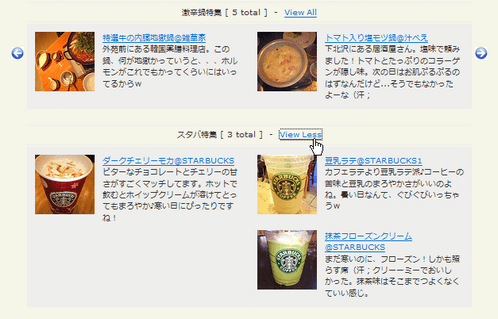 設置イメージ
<!DOCTYPE html PUBLIC "-//W3C//DTD XHTML 1.0 Transitional//EN" "http://www.w3.org/TR/xhtml1/DTD/xhtml1-transitional.dtd">
<html xmlns="http://www.w3.org/1999/xhtml" xml:lang="ja" lang="ja">
<head>
<meta http-equiv="Content-Type" content="text/html; charset=utf-8" />
<meta http-equiv="Content-Language" content="ja" />
<meta http-equiv="Content-Script-Type" content="text/javascript" />
<meta http-equiv="Content-Style-Type" content="text/css" />
<meta http-equiv="imagetoolbar" content="no" />
<title>設置サンプル</title>
<link rel="stylesheet" type="text/css" href="/content/lib/global.css" />
<!-- JS -->
<script type="text/javascript" src="http://ajax.googleapis.com/ajax/libs/jquery/1.2.6/jquery.min.js" ></script>
<script type="text/javascript" src="/content/lib/jquery/jquery.accessible-news-slider.js"></script>
<script type="text/javascript">
$(function() {
$(".computers_technology").accessNews({
newsHeadline: "激辛鍋特集",
newsSpeed: "normal"
});
$(".world_affairs").accessNews({
newsHeadline: "スタバ特集",
newsSpeed: "normal"
});
});
</script>
<!-- CSS -->
<link rel="stylesheet" href="/content/lib/jquery/jquery.accessible-news-slider.css" type="text/css" />
</head>
<body>
<div id="wrap">
<h1>設置サンプル</h1>
<p>参照:<a href='http://www.reindel.com/accessible_news_slider/'>Accessible News Slider</a></p>
<!-- CODE -->
<!-- example1 -->
<div class="news_slider computers_technology">
<a href="#" class="prev"><img src="/content/img/ajax/accessible_news_slider_prev.gif" width="16" height="16" alt="Previous" title="Previous" env="images" /></a>
<a href="#" class="next"><img src="/content/img/ajax/accessible_news_slider_next.gif" width="16" height="16" alt="Next" title="Next" env="images" /></a>
<div class="news_items">
<a name="skip_to_news_1"></a>
<div class="container fl">
<div class="item fl">
<a href="http://www.flickr.com/photos/22559849@N06/3032375082/"><img src="http://farm4.static.flickr.com/3239/3032375082_fd66d11941_s.jpg" width="75" height="75" alt="" class="fl" /></a>
<div class="fl">
<a href="http://www.flickr.com/photos/22559849@N06/3032375082/">モツ鍋@鳥小屋</a><br>
中目黒にある人気のモツ鍋屋さん。店内には著名人のサインがいっぱい!モツ鍋はさることながら、レバ刺やハツ刺も絶品♪
</div>
</div>
<div class="item fl">
<a href="http://www.flickr.com/photos/22559849@N06/2335201198/"><img src="http://farm4.static.flickr.com/3147/2335201198_1ab0f0dcaf_s.jpg" width="75" height="75" alt="" class="fl" /></a>
<div class="fl">
<a href="http://www.flickr.com/photos/22559849@N06/2335201198/">赤から鍋20辛@赤から亭</a><br>
渋谷の赤から亭で「20辛」に友達とふたりで挑戦!どろっどろしてて、辛かった(汗;
</div>
</div>
<div class="item fl">
<a href="http://www.flickr.com/photos/22559849@N06/3052278365/"><img src="http://farm4.static.flickr.com/3149/3052278365_62844c9eb9_s.jpg" width="75" height="75" alt="" class="fl" /></a>
<div class="fl">
<a href="http://www.flickr.com/photos/22559849@N06/3052278365/">特選牛の内臓地獄鍋@雑草家</a><br>
外苑前にある韓国薬膳料理店。この鍋、何が地獄かっていうと、、、ホルモンがこれでもかってくらいにはいってるからw
</div>
</div>
<div class="item fl">
<a href="http://www.flickr.com/photos/22559849@N06/3024811547/"><img src="http://farm4.static.flickr.com/3202/3024811547_bd010fb195_s.jpg" width="75" height="75" alt="" class="fl" /></a>
<div class="fl">
<a href="http://farm4.static.flickr.com/3202/3024811547_bd010fb195_s.jpg">トマト入り塩モツ鍋@汁べえ</a><br>
下北沢にある居酒屋さん。塩味で頼みました!トマトとたっぷりのコラーゲンが隠し味。次の日はお肌ぷるぷるのはずなんだけど...そうでもなかったよーな(汗;
</div>
</div>
<div class="item fl">
<a href="http://www.flickr.com/photos/22559849@N06/3055992490/"><img src="http://farm4.static.flickr.com/3184/3055992490_7941aefa75_s.jpg" width="75" height="75" alt="" class="fl" /></a>
<div class="fl">
<a href="http://www.flickr.com/photos/22559849@N06/3055992490/">火鍋@蘭苑菜館</a><br>
コラ~ゲンたぷ~りな白いスープと、激辛四川風の赤いスープ。シメにラーメン入れたら、マジウマス★
</div>
</div>
</div>
</div>
</div>
<!-- example2 -->
<div class="news_slider world_affairs">
<a href="#" class="prev"><img src="/content/img/ajax/accessible_news_slider_prev.gif" width="16" height="16" alt="Previous" title="Previous" env="images" /></a>
<a href="#" class="next"><img src="/content/img/ajax/accessible_news_slider_next.gif" width="16" height="16" alt="Next" title="Next" env="images" /></a>
<div class="news_items">
<a name="skip_to_news_1"></a>
<div class="container fl">
<div class="item fl">
<a href="http://www.flickr.com/photos/22559849@N06/3055162549/"><img src="http://farm4.static.flickr.com/3066/3055162549_d846be528d_s.jpg" width="75" height="75" alt="" class="fl" /></a>
<div class="fl">
<a href="http://www.flickr.com/photos/22559849@N06/3055162549/">ダークチェリーモカ@STARBUCKS</a><br>
ビターなチョコレートとチェリーの甘さがすごくマッチしてます。ホットで飲むとホイップクリームが溶けてとってもまろやか♪寒い日にぴったりですね!
</div>
</div>
<div class="item fl">
<a href="http://www.flickr.com/photos/22559849@N06/3053314468/"><img src="http://farm4.static.flickr.com/3187/3053314468_406d68da67_s.jpg" width="75" height="75" alt="" class="fl" /></a>
<div class="fl">
<a href="http://www.flickr.com/photos/22559849@N06/3053314468/">豆乳ラテ@STARBUCKS1</a><br>
カフェラテより豆乳ラテ派♪コーヒーの苦味と豆乳のまろやかさがいいのよね。暑い日なんて、ぐびぐびいっちゃうw
</div>
</div>
<div class="item fl">
<a href="http://www.flickr.com/photos/22559849@N06/3052480709/"><img src="http://farm4.static.flickr.com/3022/3052480709_21dc575bb9_s.jpg" width="75" height="75" alt="" class="fl" /></a>
<div class="fl">
<a href="http://www.flickr.com/photos/22559849@N06/3052480709/">抹茶フローズンクリーム@STARBUCKS</a><br>
まだ寒いのに、フローズン!しかも照らす席(汗;クリーーミーでおいしかった。抹茶味はそこまでつよくなくていい感じ。
</div>
</div>
</div>
</div>
</div>
<!-- CODE / -->
</div>
</body>
</html>
Create an Image Rotator with Description (CSS/jQuery)
説明文付きの画像ローテーション
2011/6/17
Create an Image Rotator with Description (CSS/jQuery)
jQueryとCSSで画像をローテーションさせる方法が掲載されています。 画像に半透明の説明文をオーバーレイ表示することができます。 この説明文の表示・非表示は、説明文の右上にあるボタンで切り替えることができます。
左側のデフォルトで表示するメイン画像と、右側のサムネイル一覧は別ブロックに指定します。 画像は、サムネイルと原寸大画像のURLをそれぞれ指定します。
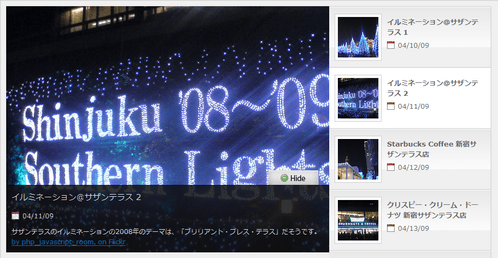 設置イメージ
<!DOCTYPE html PUBLIC "-//W3C//DTD XHTML 1.0 Transitional//EN" "http://www.w3.org/TR/xhtml1/DTD/xhtml1-transitional.dtd">
<html xmlns="http://www.w3.org/1999/xhtml" xml:lang="ja" lang="ja">
<head>
<meta http-equiv="Content-Type" content="text/html; charset=utf-8" />
<meta http-equiv="Content-Language" content="ja" />
<meta http-equiv="Content-Script-Type" content="text/javascript" />
<meta http-equiv="Content-Style-Type" content="text/css" />
<meta http-equiv="imagetoolbar" content="no" />
<title>Image Rotator | 設置サンプル</title>
<link rel="stylesheet" type="text/css" href="/content/lib/global.css" />
<!-- JS -->
<script type="text/javascript" src="http://ajax.googleapis.com/ajax/libs/jquery/1.3.2/jquery.min.js" ></script>
<script type="text/javascript">
$(function() {
//Show Banner
$(".main_image .desc").show(); //Show Banner
$(".main_image .block").animate({ opacity: 0.85 }, 1 ); //Set Opacity
//Click and Hover events for thumbnail list
$(".image_thumb ul li:first").addClass('active');
$(".image_thumb ul li").click(function(){
//Set Variables
var imgAlt = $(this).find('img').attr("alt"); //Get Alt Tag of Image
var imgTitle = $(this).find('a').attr("href"); //Get Main Image URL
var imgDesc = $(this).find('.block').html(); //Get HTML of block
var imgDescHeight = $(".main_image").find('.block').height(); //Calculate height of block
if ($(this).is(".active")) { //If it's already active, then...
return false; // Don't click through
} else {
//Animate the Teaser
$(".main_image .block").animate({ opacity: 0, marginBottom: -imgDescHeight }, 250 , function() {
$(".main_image .block").html(imgDesc).animate({ opacity: 0.85, marginBottom: "0" }, 250 );
$(".main_image img").attr({ src: imgTitle , alt: imgAlt});
});
}
$(".image_thumb ul li").removeClass('active'); //Remove class of 'active' on all lists
$(this).addClass('active'); //add class of 'active' on this list only
return false;
}) .hover(function(){
$(this).addClass('hover');
}, function() {
$(this).removeClass('hover');
});
//Toggle Teaser
$("a.collapse").click(function(){
$(".main_image .block").slideToggle();
$("a.collapse").toggleClass("show");
});
});
</script>
<!-- CSS -->
<style type="text/css">
body {
background: #1d1d1d;
color:#fff;
}
.container {
overflow: hidden;
width: 900px;
margin: 0 auto;
}
#main {
padding: 10px;
background: #f0f0f0;
border: 1px solid #ccc;
}
/*--Main Image Preview--*/
.main_image {
width: 598px; height: 456px;
float: left;
background: #333;
position: relative;
overflow: hidden;
color: #fff;
}
.main_image h2 {
font-size:15px;
font-weight: normal;
margin: 0 0 5px; padding: 10px;
}
.main_image p {
padding: 10px; margin: 0;
line-height: 1.6em;
}
.block small {
padding: 0 0 0 20px;
background: url("/content/img/ajax/icon_calendar.gif") no-repeat 0 center;
font-size: 1em;
}
.main_image .block small {margin-left: 10px;}
.main_image .desc{
position: absolute;
bottom: 0; left: 0;
width: 100%;
display: none;
}
.main_image .block{
width: 100%;
background: #111;
border-top: 1px solid #000;
}
.main_image a.collapse {
background: url("/content/img/ajax/btn_collapse.gif") no-repeat left top;
height: 27px; width: 93px;
text-indent: -99999px;
position: absolute;
top: -27px; right: 20px;
}
.main_image a.show {background-position: left bottom;}
.image_thumb {
float: left;
width: 299px;
background: #f0f0f0;
border-right: 1px solid #fff;
border-top: 1px solid #ccc;
}
.image_thumb img {
border: 1px solid #ccc;
padding: 5px;
background: #fff;
float: left;
}
.image_thumb ul {
margin: 0; padding: 0;
list-style: none;
}
.image_thumb ul li{
margin: 0; padding: 12px 10px;
background: #f0f0f0 url("/content/img/ajax/nav_a.gif") repeat-x;
width: 279px;
float: left;
border-bottom: 1px solid #ccc;
border-top: 1px solid #fff;
border-right: 1px solid #ccc;
color:#666;
}
.image_thumb ul li.hover {
background: #ddd;
cursor: pointer;
}
.image_thumb ul li.active {
background: #fff;
cursor: default;
}
html .image_thumb ul li h2 {
font-size:13px;
margin: 5px 0; padding: 0;
}
.image_thumb ul li .block {
float: left;
margin-left: 10px;
padding: 0;
width: 170px;
}
.image_thumb ul li p{display: none;}
</style>
</head>
<body>
<div id="wrap">
<h1><a href='http://designm.ag/tutorials/image-rotator-css-jquery/'>Create an Image Rotator with Description (CSS/jQuery)</a> | 設置サンプル</h1>
<!-- CODE -->
<div id="main" class="container">
<!-- メイン画像 -->
<div class="main_image">
<img src="http://farm4.static.flickr.com/3214/3142429603_9f5899513e_o.jpg" alt="- banner1" />
<div class="desc">
<a href="#" class="collapse">Close Me!</a>
<div class="block">
<h2>イルミネーション@サザンテラス 1</h2>
<small>04/10/09</small>
<p>
サザンテラスのイルミネーションはきれいですねー。17:00~24:00まで点灯タイムだそうです。「ブリリアント・ブレス・テラス」というのがテーマだそうです。木々がブルーライトでドレスアップされていて、とっても幻想的です★ <br>
<a href="http://www.flickr.com/photos/22559849@N06/3142429603/" title="イルミネーション@サザンテラス by php_javascript_room, on Flickr">by php_javascript_room, on Flickr</a>
</p>
</div>
</div>
</div>
<!-- サムネイル -->
<div class="image_thumb">
<ul>
<li>
<a href="http://farm4.static.flickr.com/3214/3142429603_9f5899513e_o.jpg"><img src="http://farm4.static.flickr.com/3214/3142429603_3b4ddd96a9_s.jpg" alt="" /></a>
<div class="block">
<h2>イルミネーション@サザンテラス 1</h2>
<small>04/10/09</small>
<p>
サザンテラスのイルミネーションはきれいですねー。17:00~24:00まで点灯タイムだそうです。木々がブルーライトでドレスアップされていて、とっても幻想的です★ <br>
<a href="http://www.flickr.com/photos/22559849@N06/3142429603/" title="イルミネーション@サザンテラス by php_javascript_room, on Flickr">by php_javascript_room, on Flickr</a>
</p>
</div>
</li>
<li>
<a href="http://farm4.static.flickr.com/3089/3143248598_ef0dfe425e_o.jpg"><img src="http://farm4.static.flickr.com/3089/3143248598_018daa38eb_s.jpg" alt="" /></a>
<div class="block">
<h2>イルミネーション@サザンテラス 2</h2>
<small>04/11/09</small>
<p>
サザンテラスのイルミネーションの2008年のテーマは、「ブリリアント・ブレス・テラス」だそうです。<br>
<a href="http://www.flickr.com/photos/22559849@N06/3143248598/" title="イルミネーション@サザンテラス by php_javascript_room, on Flickr">by php_javascript_room, on Flickr</a>
</p>
</div>
</li>
<li>
<a href="http://farm4.static.flickr.com/3244/3142386073_2997e55c5e_o.jpg"><img src="http://farm4.static.flickr.com/3244/3142386073_87c62671a5_s.jpg" alt="" /></a>
<div class="block">
<h2>Starbucks Coffee 新宿サザンテラス店</h2>
<small>04/12/09</small>
<p>
イルミネーションを見ながら、スタバでまったりしようと思ったら、大混雑で断念w<br>
<a href="http://www.flickr.com/photos/22559849@N06/3142386073/" title="Starbucks Coffee 新宿サザンテラス店 by php_javascript_room, on Flickr">by php_javascript_room, on Flickr</a>
</p>
</div>
</li>
<li>
<a href="http://farm4.static.flickr.com/3113/3142386067_4a9dbc9844_o.jpg"><img src="http://farm4.static.flickr.com/3113/3142386067_fc176636eb_s.jpg" alt="" /></a>
<div class="block">
<h2>クリスピー・クリーム・ドーナツ 新宿サザンテラス店</h2>
<small>04/13/09</small>
<p>
サザンテラスのクリスピー・クリーム・ドーナツ!クリスマス・イブイブでしたが、橋のほうまでは行列はなく、お店の前だけでした。<br>
<a href="http://www.flickr.com/photos/22559849@N06/3142386067/" title="クリスピー・クリーム・ドーナツ 新宿サザンテラス店 by php_javascript_room, on Flickr">by php_javascript_room, on Flickr</a>
</p>
</div>
</li>
<li>
<a href="http://farm4.static.flickr.com/3023/3055162547_233c4fb7fb_o.jpg"><img src="http://farm4.static.flickr.com/3023/3055162547_cde4e8921e_s.jpg" alt="" /></a>
<div class="block">
<h2>ダークチェリーモカ@STARBUCKS</h2>
<small>04/14/09</small>
<p>
ビターなチョコレートとチェリーの甘さがすごくマッチしてます。ホットで飲むとホイップクリームが溶けてとってもまろやか♪寒い日にぴったりですね!<br>
<a href="http://www.flickr.com/photos/22559849@N06/3055162547/" title="ダークチェリーモカ@STARBUCKS by php_javascript_room, on Flickr">by php_javascript_room, on Flickr</a>
</p>
</div>
</li>
<li>
<a href="http://farm4.static.flickr.com/3149/3022564482_a53f9566ba_o.jpg"><img src="http://farm4.static.flickr.com/3149/3022564482_07be72bac7_s.jpg" alt="" /></a>
<div class="block">
<h2>レ・クリスタリーヌ@南青山</h2>
<small>04/15/09</small>
<p>
ライトアップされた幻想的なアーチを抜けると、一軒家のフレンチレストランがお目見え。誰かのお屋敷に遊びに行ったような感じでくつろぎながらディナーを楽しめるすごく素敵なお店。<br>
<a href="http://www.flickr.com/photos/22559849@N06/3022564482/" title="レ・クリスタリーヌ@南青山 by php_javascript_room, on Flickr">by php_javascript_room, on Flickr</a>
</p>
</div>
</li>
</ul>
</div>
</div><!-- #main -->
<!-- / CODE -->
</div>
</body>
</html>
Creating a “Filterable” Portfolio with jQuery
カテゴリ毎にフィルタリングできるポートフォリト
2009/3/10
Creating a “Filterable” Portfolio with jQuery
jQueryを使用して、カテゴリ毎にフィルタリングして表示するポートフォリオを作成する方法が掲載されています。
フィルタリングするカテゴリは、a要素のリンクテキストとしていくつでも指定可能です(日本語不可)。
カテゴリは、li要素のクラス属性に小文字で指定します。複数のカテゴリに関連付ける場合は、半角スペース区切りで指定します。 例えば、「Japanese Food」のようにカテゴリ名に半角スペースが含まれる場合は、半角スペースをハイフンに変換して「japanese-food」のように指定します。 選択したカテゴリとこのクラス属性に指定した値とをマッチさせることでフィルタリングします。
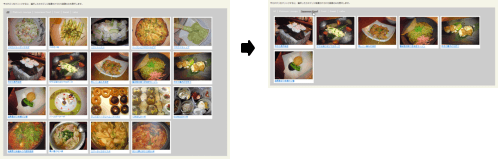 設置イメージ
<!DOCTYPE html PUBLIC "-//W3C//DTD XHTML 1.0 Transitional//EN" "http://www.w3.org/TR/xhtml1/DTD/xhtml1-transitional.dtd">
<html xmlns="http://www.w3.org/1999/xhtml" xml:lang="ja" lang="ja">
<head>
<meta http-equiv="Content-Type" content="text/html; charset=utf-8" />
<meta http-equiv="Content-Language" content="ja" />
<meta http-equiv="Content-Script-Type" content="text/javascript" />
<meta http-equiv="Content-Style-Type" content="text/css" />
<meta http-equiv="imagetoolbar" content="no" />
<title>設置サンプル</title>
<link rel="stylesheet" type="text/css" href="/content/lib/global.css" />
<!-- JS -->
<script type="text/javascript" src="http://ajax.googleapis.com/ajax/libs/jquery/1.3.2/jquery.min.js" ></script>
<script type="text/javascript" src="/content/lib/jquery/framework.js"></script>
<!-- CSS -->
<style type="text/css">
/*****Basic Layout*****/
div#container { margin:20px auto; overflow:hidden; background:#ccc; }
ul#filter { float:left; list-style:none; margin:10px 20px; padding:0; list-style:none;}
ul#filter li { border-right:1px solid #fff; float:left; margin-right:10px; padding-right:10px; }
ul#filter li:last-child { border-right:none; margin-right:0; padding-right:0; }
ul#filter a { color:#fff; text-decoration:none; }
ul#filter li.current a, ul#filter a:hover { text-decoration:underline; }
ul#filter li.current a { color:#333; font-weight:bold; }
ul#portfolio { float:left; list-style:none; margin-left:0; width:100%; }
ul#portfolio li { border:1px solid #dedede; float:left; margin:5px; width:252px; }
ul#portfolio a { display:block; padding:5px; background:#fff; }
ul#portfolio a:hover { text-decoration:none; }
ul#portfolio img { border:1px solid #dedede; display:block; }
/* for IE6 */
*html ul#portfolio li { width:240px; }
</style>
</head>
<body>
<div id="wrap">
<h1>設置サンプル</h1>
<p>参照:<a href='http://nettuts.com/tutorials/javascript-ajax/creating-a-filterable-portfolio-with-jquery/'>Creating a “Filterable” Portfolio with jQuery</a></p>
<p>▼カテゴリをクリックすると、選択したカテゴリに関連付けられた画像のみを表示します。</p>
<!-- CODE -->
<div id="container">
<ul id="filter">
<li class="current"><a href="#">All</a></li>
<li><a href="#">Platinum Lounge</a></li>
<li><a href="#">Japanese Food</a></li>
<li><a href="#">Food</a></li>
<li><a href="#">Sweet</a></li>
<li><a href="#">nabe</a></li>
</ul>
<ul id="portfolio">
<li class="food platinum-lounge"><a href="#"><img src="http://farm4.static.flickr.com/3514/3274514408_1800118ded_m.jpg" alt="" width="240" height="180" />アボガドシーザーサラダ</a></li>
<li class="food platinum-lounge"><a href="#"><img src="http://farm4.static.flickr.com/3509/3273696567_ebf4ed4381_m.jpg" alt="" width="240" height="180" />アボガド刺</a></li>
<li class="food platinum-lounge"><a href="#"><img src="http://farm4.static.flickr.com/3316/3273696493_570fdd0ee5_m.jpg" alt="" width="240" height="180" />ハニートースト</a></li>
<li class="food platinum-lounge"><a href="#"><img src="http://farm4.static.flickr.com/3427/3273696469_aa2aaf5e89_m.jpg" alt="" width="240" height="180" />ベーコンとアボガドのピザ</a></li>
<li class="food platinum-lounge"><a href="#"><img src="http://farm4.static.flickr.com/3396/3274514302_10521a0a98_m.jpg" alt="" width="240" height="180" />アボガドディップ</a></li>
<li class="food japanese-food"><a href="#"><img src="http://farm4.static.flickr.com/3197/3141927210_be00d22544_m.jpg" alt="" width="240" height="180" />白子の昆布焼き</a></li>
<li class="food japanese-food"><a href="#"><img src="http://farm4.static.flickr.com/3284/3141927120_d66a9a0304_m.jpg" alt="" width="240" height="180" />ササミ焼わさびマヨネーズ</a></li>
<li class="food japanese-food"><a href="#"><img src="http://farm4.static.flickr.com/3215/3141100545_e21269fb11_m.jpg" alt="" width="240" height="180" />白レバー串みそ焼き</a></li>
<li class="food japanese-food"><a href="#"><img src="http://farm4.static.flickr.com/3247/3141926720_08ebc48824_m.jpg" alt="" width="240" height="180" />屋台風羽根つき焼きラーメン</a></li>
<li class="food japanese-food"><a href="#"><img src="http://farm4.static.flickr.com/3015/3104684027_a215663229_m.jpg" alt="" width="240" height="180" />白子の雲丹のせ炙り</a></li>
<li class="food japanese-food"><a href="#"><img src="http://farm4.static.flickr.com/3033/3104683957_a8b91f3235_m.jpg" alt="" width="240" height="180" />自家製さつま揚げ二種</a></li>
<li class="sweet cake"><a href="#"><img src="http://farm4.static.flickr.com/3045/3053382294_07b552d467_m.jpg" alt="" width="240" height="180" />バースデーケーキ</a></li>
<li class="sweet doughnuts"><a href="#"><img src="http://farm4.static.flickr.com/3141/2973155055_4cf4370939_m.jpg" alt="" width="240" height="180" />クリスピー・クリーム・ドーナツ</a></li>
<li class="sweet cake"><a href="#"><img src="http://farm4.static.flickr.com/3222/2974008614_736e2d5b50_m.jpg" alt="" width="240" height="180" />くまさんケーキ</a></li>
<li class="sweet cake"><a href="#"><img src="http://farm4.static.flickr.com/3025/2971768652_b9b3b7ddda_m.jpg" alt="" width="240" height="180" />Giottoのケーキ</a></li>
<li class="food nabe"><a href="#"><img src="http://farm4.static.flickr.com/3283/3053111822_f5a0d19e66_m.jpg" alt="" width="240" height="180" />雑草家の特選牛の内臓地獄鍋</a></li>
<li class="food nabe"><a href="#"><img src="http://farm4.static.flickr.com/3239/3032375082_fd66d11941_m.jpg" alt="" width="240" height="180" />鳥小屋のモツ鍋</a></li>
<li class="food nabe"><a href="#"><img src="http://farm4.static.flickr.com/3154/3105515796_20cb322441_m.jpg" alt="" width="240" height="180" />スアータイのタイスキ</a></li>
<li class="food nabe"><a href="#"><img src="http://farm4.static.flickr.com/3147/2335201198_1ab0f0dcaf_m.jpg" alt="" width="240" height="180" />赤から亭の赤から鍋20辛</a></li>
</ul>
</div>
<!-- / CODE -->
</div>
</body>
</html>
Easy Display Switch with CSS and jQuery
ブロック要素の表示切替
2009/6/25
Easy Display Switch with CSS and jQuery
リスト要素に2つのスタイルをCSSで定義しておき、jQueryを使用してリストに指定するクラス名を変更することで表示を切り替える方法が掲載されています。 1つのリスト要素だけで、ギャラリーの一覧表示と詳細表示ができるというのは便利ですね!
<!DOCTYPE html PUBLIC "-//W3C//DTD XHTML 1.0 Transitional//EN" "http://www.w3.org/TR/xhtml1/DTD/xhtml1-transitional.dtd">
<html xmlns="http://www.w3.org/1999/xhtml" xml:lang="ja" lang="ja">
    <head>
        <meta http-equiv="Content-Type" content="text/html; charset=utf-8" />
        <meta http-equiv="Content-Language" content="ja" />
        <meta http-equiv="Content-Script-Type" content="text/javascript" />
        <meta http-equiv="Content-Style-Type" content="text/css" />
        <meta http-equiv="imagetoolbar" content="no" />
        <title>設置サンプル</title>
        <link rel="stylesheet" type="text/css" href="/content/lib/global.css" />
        <!-- JS -->
        <script type="text/javascript" src="http://ajax.googleapis.com/ajax/libs/jquery/1.3.2/jquery.min.js" ></script>
        <script type="text/javascript">
            $(function () {
                $("a.switch_thumb").toggle(
                    function(){
                        $(this).addClass("swap");
                        $("ul.display").fadeOut("fast", function() {
                            $(this).fadeIn("fast").addClass("thumb_view");
                        });
                    },
                    function(){
                        $(this).removeClass("swap");
                        $("ul.display").fadeOut("fast", function() {
                            $(this).fadeIn("fast").removeClass("thumb_view");
                        });
                    }
                );
            });
        </script>
        <!-- CSS -->
        <style type="text/css">
            .container {
                width:810px;
                margin:0; padding:10px;
                overflow:hidden;
                background-color:#000;
            }
            h2 a {
                font-size:13px;
                font-weight:bold;
            }
            ul.display {
                float:left;
                width:808px;
                margin:0; padding:0;
                list-style:none;
                border-top:1px solid #333;
                border-right:1px solid #333;
                background:#222;
            }
            ul.display li {
                float:left;
                width:806px;
                margin:0; padding:10px 0;
                border-top:1px solid #111;
                border-right:1px solid #111;
                border-bottom:1px solid #333;
                border-left:1px solid #333;
            }
            ul.display li a {
                color:#e7ff61;
                text-decoration:none;
            }
            ul.display li .content_block {
                padding:0 10px;
            }
            ul.display li .content_block h2 {
                margin:0; padding:5px;
                font-weight:normal;
            }
            ul.display li .content_block p {
                margin:0; padding:5px 5px 5px 260px;
                color:#fff;
            }
            ul.display li .content_block a img{
                margin:0 15px 0 0; padding:5px;
                border:2px solid #ccc;
                background:#fff;
                float:left;
            }
            ul.thumb_view li{
                width:265px;
            }
            ul.thumb_view li h2 {
                display:inline;
            }
            ul.thumb_view li p{
                display:none;
            }
            ul.thumb_view li .content_block a img {
                margin:0 0 10px;
            }
            a.switch_thumb {
                width:122px; height:26px;
                line-height:26px;
                margin:0 0 10px 0; padding:0;
                display:block;
                background:url("/content/img/ajax/switch.gif") no-repeat;
                outline:none;
                text-indent:-9999px;
            }
            a:hover.switch_thumb {
                filter:alpha(opacity=75);
                opacity:.75;
                -ms-filter:"progid:DXImageTransform.Microsoft.Alpha(Opacity=75)";
            }
            a.swap { background-position:left bottom; }
        </style>
    </head>
    <body>
        <div id="wrap">
            <h1>設置サンプル</h1>
            <p>参照:<a href='http://www.sohtanaka.com/web-design/examples/display-switch/'>Easy Display Switch with CSS and jQuery</a></p>
            <p>▼ボタンをクリックすると、リスト要素のスタイルを切り替えます。</p>
<!-- CODE -->
            <div class="container">
                <a href="#" class="switch_thumb">Switch Thumb</a>
                <ul class="display">
                    <li>
                        <div class="content_block">
                            <a href="#"><img src="http://farm4.static.flickr.com/3514/3274514408_1800118ded_m.jpg" alt="" /></a>
                            <h2><a href="#">アボカド シーザーサラダ</a></h2>
                            <p>よくわからないけどちゃんとアボガド入りです!クリーミーなシーザードレッシングとアボガドの相性がとってもよかったです。</p>
                            <p>@アボガドダイニング Platinum Lounge</p>
                        </div>
                    </li>
                    <li>
                        <div class="content_block">
                            <a href="#"><img src="http://farm4.static.flickr.com/3509/3273696567_ebf4ed4381_m.jpg" alt="" /></a>
                            <h2><a href="#">アボカド刺</a></h2>
                            <p>アボガドにお醤油がかかってるせいか、わさびをちょっとのせて食べると、マグロ入ってないのに、マグロの味がしましたw</p>
                            <p>@アボガドダイニング Platinum Lounge</p>
                        </div>
                    </li>
                    <li>
                        <div class="content_block">
                            <a href="#"><img src="http://farm4.static.flickr.com/3316/3273696493_570fdd0ee5_m.jpg" alt="" /></a>
                            <h2><a href="#">ハニートースト</a></h2>
                            <p>アボカドたっぷしのってますが、れっきとしたデザートです。ハニートーストの上にバニラアイスが乗っていて、その上にアボガドがぱらぱらと。アボカドっぽくなくて、どちらかといえば栗のような味がしました!</p>
                            <p>@アボガドダイニング Platinum Lounge</p>
                        </div>
                    </li>
                    <li>
                        <div class="content_block">
                            <a href="#"><img src="http://farm4.static.flickr.com/3427/3273696469_aa2aaf5e89_m.jpg" alt="" /></a>
                            <h2><a href="#">ベーコンとアボカドのピザ</a></h2>
                            <p>めちゃくちゃおいしかったアボカドのピザ!ピザ生地はクリスピータイプでさくさく!</p>
                            <p>@アボガドダイニング Platinum Lounge</p>
                        </div>
                    </li>
                    <li>
                        <div class="content_block">
                            <a href="#"><img src="http://farm4.static.flickr.com/3396/3274514302_10521a0a98_m.jpg" alt="" /></a>
                            <h2><a href="#">アボカドディップ</a></h2>
                            <p>アボカドディップはとってもクリーミー!ポテトじゃなくてもなんにでも合いそう♪</p>
                            <p>@アボガドダイニング Platinum Lounge</p>
                        </div>
                    </li>
                    <li>
                        <div class="content_block">
                            <a href="#"><img src="http://farm4.static.flickr.com/3215/3141100545_e21269fb11_m.jpg" alt="" /></a>
                            <h2><a href="#">白レバー串みそ焼き</a></h2>
                            <p>またまたリピしちゃいました、白レバー!今回は3人で行ったので3本。お刺身でもいけるくらい新鮮で美味しいレバーなので、レアめな感じの焼き加減に、濃厚な味噌ソースがたっぷり!コレは絶品です!</p>
                            <p>@高庵TOKYO</p>
                        </div>
                    </li>
                    <li>
                        <div class="content_block">
                            <a href="#"><img src="http://farm4.static.flickr.com/3284/3141927120_d66a9a0304_m.jpg" alt="" /></a>
                            <h2><a href="#">ササミ焼わさびマヨネーズ</a></h2>
                            <p>ジューシーなササミに、ちょっぴりわさびのきいたマヨネーズがたっぷりのってまっす!和とイタリアンの融合って感じw彩りもきれいですよね♪</p>
                            <p>@高庵TOKYO</p>
                        </div>
                    </li>
                    <li>
                        <div class="content_block">
                            <a href="#"><img src="http://farm4.static.flickr.com/3197/3141927210_be00d22544_m.jpg" alt="" /></a>
                            <h2><a href="#">白子の昆布焼き</a></h2>
                            <p>昆布の上に白子をのせて、かるーく火を通ったところで、お醤油をちょびっとたらしていただききました。白子って生でポン酢で食べることが多いけど、焼いてもトロットしてて美味しいんですねー!</p>
                            <p>@高庵TOKYO</p>
                        </div>
                    </li>
                    <li>
                        <div class="content_block">
                            <a href="#"><img src="http://farm4.static.flickr.com/3247/3141926720_08ebc48824_m.jpg" alt="" /></a>
                            <h2><a href="#">屋台風羽根つき焼きラーメン</a></h2>
                            <p>焼きラーメンってなんだろー??と思って頼んでみました。普通の焼きそばと違って、麺がやわらかめでソースが下にたまるくらいかかっていました!呑んでると、濃い目の味付けがほしくなるんですよね。そんなときにぴったりの〆メニューです!</p>
                            <p>@高庵TOKYO</p>
                        </div>
                    </li>
                    <li>
                        <div class="content_block">
                            <a href="#"><img src="http://farm4.static.flickr.com/3015/3104684027_a215663229_m.jpg" alt="" /></a>
                            <h2><a href="#">白子の雲丹のせ炙り</a></h2>
                            <p>白子にウニがたっぷりのってます★箸でつかむのがむずかしいくらい、お豆腐みたいにとろとろ!口に入れるとじゅわーっとうまみが広がります。あー幸せ!</p>
                            <p>@高庵TOKYO</p>
                        </div>
                    </li>
                    <li>
                        <div class="content_block">
                            <a href="#"><img src="http://farm4.static.flickr.com/3033/3104683957_a8b91f3235_m.jpg" alt="" /></a>
                            <h2><a href="#">自家製さつま揚げ二種</a></h2>
                            <p>黒いのはしいたけじゃありませんwさつま揚げです。箸で切らずに、そのまま揚げたてをぱくぱくいただくのが流儀のようです。味がしっかりついているので、このままいけます!</p>
                            <p>@高庵TOKYO</p>
                        </div>
                    </li>
                    <li>
                        <div class="content_block">
                            <a href="#"><img src="http://farm4.static.flickr.com/3203/3105515562_b203eee85a_m.jpg" alt="" /></a>
                            <h2><a href="#">白レバー串みそ焼き</a></h2>
                            <p>白レバーは、ほぼレア状態で口にいれるとふわっととろけます♪味噌ダレととっても合ってます。5本くらいはぺろりといけそうwフォアグラステーキより美味しいかも!?</p>
                            <p>@高庵TOKYO</p>
                        </div>
                    </li>
                </ul>
            </div><!-- .dcontainer -->
<!-- / CODE -->
        </div>
    </body>
</html>
galleria - Google Code
画像送り付きで、サムネイル画像不要のスムーズなギャラリー
unknown
galleria 1.0 beta - Google Code
Google Codeで公開されている、jQueryを使用した画像送り付きのイメージギャラリーです。 他のライブラリのように、サムネイル画像を用意する必要はなく、原寸大画像をロード時に自動的にリサイズしてサムネイル画像として表示してくれます。
デモ1
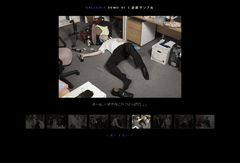 設置イメージ
<!DOCTYPE html PUBLIC "-//W3C//DTD XHTML 1.0 Transitional//EN" "http://www.w3.org/TR/xhtml1/DTD/xhtml1-transitional.dtd">
<html xmlns="http://www.w3.org/1999/xhtml" xml:lang="ja" lang="ja">
<head>
<meta http-equiv="Content-Type" content="text/html; charset=utf-8" />
<meta http-equiv="Content-Language" content="ja" />
<meta http-equiv="Content-Script-Type" content="text/javascript" />
<meta http-equiv="Content-Style-Type" content="text/css" />
<meta http-equiv="imagetoolbar" content="no" />
<title>設置サンプル</title>
<link rel="stylesheet" type="text/css" href="/content/lib/global.css" />
<!-- JS -->
<script type="text/javascript" src="http://ajax.googleapis.com/ajax/libs/jquery/1.2.6/jquery.min.js" ></script>
<script type="text/javascript" src="/content/lib/jquery/jquery.galleria.js"></script>
<script type="text/javascript">
$(function(){
$('.gallery_demo_unstyled').addClass('gallery_demo'); // adds new class name to maintain degradability
$('ul.gallery_demo').galleria({
history : true, // activates the history object for bookmarking, back-button etc.
clickNext : true, // helper for making the image clickable
insert : '#main_image', // the containing selector for our main image
onImage : function(image,caption,thumb) { // let's add some image effects for demonstration purposes
// fade in the image & caption
image.css('display','none').fadeIn(1000);
caption.css('display','none').fadeIn(1000);
// fetch the thumbnail container
var _li = thumb.parents('li');
// fade out inactive thumbnail
_li.siblings().children('img.selected').fadeTo(500,0.3);
// fade in active thumbnail
thumb.fadeTo('fast',1).addClass('selected');
// add a title for the clickable image
image.attr('title','Next image >>');
},
onThumb : function(thumb) { // thumbnail effects goes here
// fetch the thumbnail container
var _li = thumb.parents('li');
// if thumbnail is active, fade all the way.
var _fadeTo = _li.is('.active') ? '1' : '0.3';
// fade in the thumbnail when finnished loading
thumb.css({display:'none',opacity:_fadeTo}).fadeIn(1500);
// hover effects
thumb.hover(
function() { thumb.fadeTo('fast',1); },
function() { _li.not('.active').children('img').fadeTo('fast',0.3); } // don't fade out if the parent is active
)
}
});
});
</script>
<!-- CSS -->
<link href="/content/lib/jquery/galleria.css" rel="stylesheet" type="text/css">
<style media="screen,projection" type="text/css">
body{background:#000;color:#bba;}
a{color:#348;text-decoration:none;outline:none;}
a:hover{color:#67a;}
.caption{color:#887;}
.demo{position:relative;margin-top:2em;text-align:center;}
.gallery_demo{width:702px;margin:0 auto;}
.gallery_demo li{width:68px;height:50px;border:3px double #111;margin: 0 2px;background:#000;}
.gallery_demo li div{left:240px}
#main_image{margin:0 auto 60px auto;height:300px;width:700px;background:#000;}
#main_image img{margin-bottom:10px;}
.nav{padding-top:15px;clear:both;font:80%;letter-spacing:3px;text-transform:uppercase;}
.info{text-align:left;width:700px;margin:30px auto;border-top:1px dotted #221;padding-top:30px;}
.info p{margin-top:1.6em;}
</style>
</head>
<body>
<div id="wrap">
<h1>設置サンプル</h1>
<p>参照:<a href='http://code.google.com/p/galleria/'>Galleria</a> Demo 01</p>
<!-- CODE -->
<div class="demo">
<div id="main_image"></div>
<ul class="gallery_demo_unstyled">
<li><img src="/content/lib/galleryimages/christmas-party-1.jpg" alt="クリパ" title="なにやらクリスマスパーティーの打ち合わせの模様。"></li>
<li><img src="/content/lib/galleryimages/christmas-party-2.jpg" alt="クリパ" title="おべんとう食べてるw"></li>
<!-- 初期表示画像 -->
<li class="active"><img src="/content/lib/galleryimages/christmas-party-3.jpg" alt="クリパ" title="クリスマスですから、シャンパンだってラッパ飲みしちゃいます!"></li>
<li><img src="/content/lib/galleryimages/christmas-party-4.jpg" alt="クリパ" title="千鳥足でも踊れば分かりませんw"></li>
<li><img src="/content/lib/galleryimages/christmas-party-5.jpg" alt="クリパ" title="どさくさにまぎれてセクハラか!?"></li>
<li><img src="/content/lib/galleryimages/christmas-party-6.jpg" alt="クリパ" title="あーぁ。いますねこういうよっぱゲ。。"></li>
<li><img src="/content/lib/galleryimages/christmas-party-7.jpg" alt="クリパ" title="マイペースにもほどがあるとは、まさにw"></li>
<li><img src="/content/lib/galleryimages/christmas-party-8.jpg" alt="クリパ" title="リンボーダンスなんて調子に乗ってやってると怪我するよw"></li>
<li><img src="/content/lib/galleryimages/christmas-party-9.jpg" alt="クリパ" title="忙しくたって、クリスマス気分は味わえます、っていい例。"></li>
</ul>
<p class="nav"><a href="#" onclick="$.galleria.prev(); return false;">« 前へ</a> | <a href="#" onclick="$.galleria.next(); return false;">次へ »</a></p>
</div>
<!-- / CODE -->
</div>
</body>
</html>
デモ2
 設置イメージ
<!DOCTYPE html PUBLIC "-//W3C//DTD XHTML 1.0 Transitional//EN" "http://www.w3.org/TR/xhtml1/DTD/xhtml1-transitional.dtd">
<html xmlns="http://www.w3.org/1999/xhtml" xml:lang="ja" lang="ja">
<head>
<meta http-equiv="Content-Type" content="text/html; charset=utf-8" />
<meta http-equiv="Content-Language" content="ja" />
<meta http-equiv="Content-Script-Type" content="text/javascript" />
<meta http-equiv="Content-Style-Type" content="text/css" />
<meta http-equiv="imagetoolbar" content="no" />
<title>galleria - Google Code | 設置サンプル | デモ2</title>
<link href="/content/lib/jquery/galleria.css" rel="stylesheet" type="text/css">
<script type="text/javascript" src="http://ajax.googleapis.com/ajax/libs/jquery/1.2.6/jquery.min.js" ></script>
<script type="text/javascript" src="/content/lib/jquery/jquery.galleria.js"></script>
<script type="text/javascript">
$(function(){
$('.gallery_demo_unstyled').addClass('gallery_demo'); // adds new class name to maintain degradability
$('.nav').css('display','none'); // hides the nav initially
$('ul.gallery_demo').galleria({
history : false, // deactivates the history object for bookmarking, back-button etc.
clickNext : false, // helper for making the image clickable. Let's not have that in this example.
insert : undefined, // the containing selector for our main image.
// If not found or undefined (like here), galleria will create a container
// before the ul with the class .galleria_container (see CSS)
onImage : function() { $('.nav').css('display','block'); } // shows the nav when the image is showing
});
});
</script>
<style media="screen,projection" type="text/css">
*{margin:0;padding:0}
body{padding:20px;background:white;background:#000;color:#fff;font:80%/140% 'helvetica neue',sans-serif;width:900px;margin: 0 auto;}
h1,h2{font:bold 80% 'helvetica neue',sans-serif;letter-spacing:3px;text-transform:uppercase;}
a{color:#ff6699;text-decoration:none;outline:none;}
a:hover{color:#67a;}
.caption{color:#888;position:absolute;top:250px;left:3px;width:200px;}
.demo{position:relative;margin-top:2em;}
.gallery_demo{width:200px;float:left;}
.gallery_demo li{width:55px;height:70px;border:3px double #eee;margin: 0 2px 2px 0;background:#eee;}
.gallery_demo li.hover{border-color:#bbb;}
.gallery_demo li.active{border-style:solid;border-color:#222;}
.gallery_demo li div{left:240px}
.gallery_demo li div .caption{font:italic 0.7em/1.4 georgia,serif;}
.galleria_container{margin:0 auto 60px auto;height:338px;width:700px;float:right;}
.nav{padding-top:15px;clear:both;}
.info{text-align:left;margin:30px 0;border-top:1px dotted #221;padding-top:30px;clear:both;}
.info p{margin-top:1.6em;}
.nav{position:absolute;top:310px;left:0;}
</style>
</head>
<body>
<h1><a href='http://code.google.com/p/galleria/'>Galleria</a> Demo 02 | 設置サンプル</h1>
<div class="demo">
<ul class="gallery_demo_unstyled">
<li><img src="/content/lib/galleryimages/christmas-party-1.jpg" alt="クリパ" title="なにやらクリスマスパーティーの打ち合わせの模様。"></li>
<li><img src="/content/lib/galleryimages/christmas-party-2.jpg" alt="クリパ" title="おべんとう食べてるw"></li>
<!-- 初期表示画像 -->
<li class="noscale"><img src="/content/lib/galleryimages/christmas-party-3.jpg" alt="クリパ" title="クリスマスですから、シャンパンだってラッパ飲みしちゃいます!"></li>
<li><img src="/content/lib/galleryimages/christmas-party-4.jpg" alt="クリパ" title="千鳥足でも踊れば分かりませんw"></li>
<li><img src="/content/lib/galleryimages/christmas-party-5.jpg" alt="クリパ" title="どさくさにまぎれてセクハラか!?"></li>
<li><img src="/content/lib/galleryimages/christmas-party-6.jpg" alt="クリパ" title="あーぁ。いますねこういうよっぱゲ。。"></li>
<li><img src="/content/lib/galleryimages/christmas-party-7.jpg" alt="クリパ" title="マイペースにもほどがあるとは、まさにw"></li>
<li><img src="/content/lib/galleryimages/christmas-party-8.jpg" alt="クリパ" title="リンボーダンスなんて調子に乗ってやってると怪我するよw"></li>
<li><img src="/content/lib/galleryimages/christmas-party-9.jpg" alt="クリパ" title="忙しくたって、クリスマス気分は味わえます、っていい例。"></li>
</ul>
<p class="nav"><a href="#" onclick="$.galleria.prev(); return false;">前へ</a> | <a href="#" onclick="$.galleria.next(); return false;">次へ</a></p>
</div>
<br clear="all" />
</body>
</html>
How to create a stunning and smooth popup using jQuery
画面中央にページ上の要素をポップアップ表示
2008/12/21
How to create a stunning and smooth popup using jQuery
ページ上の要素を、画面中央にポップアップ(ホバーウィンドウ)表示するjQueryプラグイン。
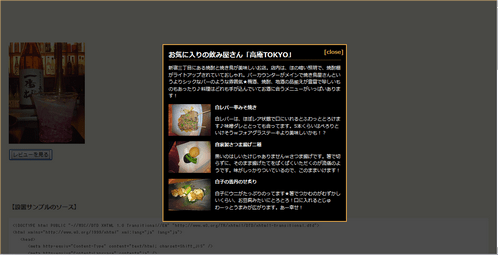 設置イメージ
<!DOCTYPE html PUBLIC "-//W3C//DTD XHTML 1.0 Transitional//EN" "http://www.w3.org/TR/xhtml1/DTD/xhtml1-transitional.dtd">
<html xmlns="http://www.w3.org/1999/xhtml" xml:lang="ja" lang="ja">
<head>
<meta http-equiv="Content-Type" content="text/html; charset=utf-8" />
<meta http-equiv="Content-Language" content="ja" />
<meta http-equiv="Content-Script-Type" content="text/javascript" />
<meta http-equiv="Content-Style-Type" content="text/css" />
<meta http-equiv="imagetoolbar" content="no" />
<title>How to create a stunning and smooth popup using jQuery | 設置サンプル</title>
<link rel="stylesheet" type="text/css" href="/content/lib/global.css" />
<!-- JS -->
<script type="text/javascript" src="http://ajax.googleapis.com/ajax/libs/jquery/1.3.2/jquery.min.js" ></script>
<script type="text/javascript" src="/content/lib/jquery/popup.js"></script>
<style type="text/css">
#backgroundPopup{
display:none;
position:fixed;
_position:absolute; /* hack for IE6 */
width:100%; height:100%;
top:0; left:0;
background:#000000;
border:1px solid #e7a847;
z-index:1;
}
#popupContact{
display:none;
position:fixed;
_position:absolute; /* hack for IE6 */
padding:12px;
width:408px; height:auto;
background:#000;
color:#fff;
border:2px solid #e7a847;
z-index:2;
font-size:13px;
}
#popupContact h2{
margin:0 0 10px 0; padding:0;
border-bottom:1px dotted #e7a847;
color:#fff;
text-align:left;
}
#popupContactClose{
display:block;
position:absolute;
right:6px; top:4px;
color:#e7a847;
font-weight:bold;
line-height:2em;
}
#contactArea {
color:#fff;
font-size:11px;
}
.imgleft {
float:left;
width:100px; height:75px;
margin:0 10px 0 0; padding:0;
}
</style>
</head>
<body>
<div id="wrap">
<h1><a href='http://www.prodevtips.com/2008/09/08/image-popups-with-jquery/'>How to create a stunning and smooth popup using jQuery</a> | 設置サンプル</h1>
<p>▼【レビューを見る】ボタンをクリックすると、画面中央にレビューがホバーウィンドウ表示されます。</p>
<!-- CODE -->
<p><img src="http://farm4.static.flickr.com/3166/3104684235_537e3463be_m.jpg" alt="高庵TOKYO"/></p>
<div id="button"><input type="submit" value="レビューを見る" /></div>
<div id="popupContact">
<a id="popupContactClose">[close]</a>
<h2>お気に入りの飲み屋さん「高庵TOKYO」</h2>
<div id="contactArea">
<p>新宿三丁目にある焼酎と焼き鳥が美味しいお店。店内は、ほの暗い照明で、焼酎棚がライトアップされていておしゃれ。バーカウンターがメインで焼き鳥屋さんというよりシックなバーのような雰囲気★梅酒、焼酎、地酒の品揃えが豊富で珍しいものもあったり♪料理はどれも手が込んでいてお酒に合うメニューがいっぱいあります!</p>
<div class='cf'>
<div class='imgleft'><a href="http://www.flickr.com/photos/22559849@N06/3105515562/" title="白レバー串みそ焼き@高庵 by php_javascript_room, on Flickr"><img src="http://farm4.static.flickr.com/3215/3141100545_e21269fb11_t.jpg" width="100" height="75" alt="白レバー串みそ焼き@高庵" /></a></div>
<h3>白レバー串みそ焼き</h3>
<p>白レバーは、ほぼレア状態で口にいれるとふわっととろけます♪味噌ダレととっても合ってます。5本くらいはぺろりといけそうwフォアグラステーキより美味しいかも!?</p>
</div>
<div class='cf'>
<div class='imgleft'><a href="http://www.flickr.com/photos/22559849@N06/3104683957/" title="自家製さつま揚げ二種@高庵 by php_javascript_room, on Flickr"><img src="http://farm4.static.flickr.com/3033/3104683957_a8b91f3235_t.jpg" width="100" height="75" alt="自家製さつま揚げ二種@高庵" /></a></div>
<h3>自家製さつま揚げ二種</h3>
<p>黒いのはしいたけじゃありませんwさつま揚げです。箸で切らずに、そのまま揚げたてをぱくぱくいただくのが流儀のようです。味がしっかりついているので、このままいけます!</p>
</div>
<div class='cf'>
<div class='imgleft'><a href="http://www.flickr.com/photos/22559849@N06/3104684027/" title="白子の雲丹のせ炙り@高庵 by php_javascript_room, on Flickr"><img src="http://farm4.static.flickr.com/3015/3104684027_a215663229_t.jpg" width="100" height="75" alt="白子の雲丹のせ炙り@高庵" /></a></div>
<h3>白子の雲丹のせ炙り</h3>
<p>白子にウニがたっぷりのってます★箸でつかむのがむずかしいくらい、お豆腐みたいにとろとろ!口に入れるとじゅわーっとうまみが広がります。あー幸せ!</p>
</div>
</div>
</div>
<div id="backgroundPopup"></div>
<!-- / CODE -->
</div>
</body>
</html>
Images Gallery using jQuery, Interface & Reflections
水面反射効果付きのギャラリー
unknown
Image Gallery using jQuery, Interface & Reflections
[JS]jquery.js v1.0.4、jquery.offset.js、jquery.gallery.js、Interface elements for jQuery、reflection.js、images.js(画像配列)、menu.js
写真が水面反射効果される、jQueryを使用したイメージギャラリーです。 「images.js」内でギャラリーとそのギャラリーに関連付ける画像のURLを連想配列で定義しています。 flickrの写真を指定する場合は、以下のようにStatic(静的)なURLを指定します。
now coding ...
/content/lib/gallery/js/images.js
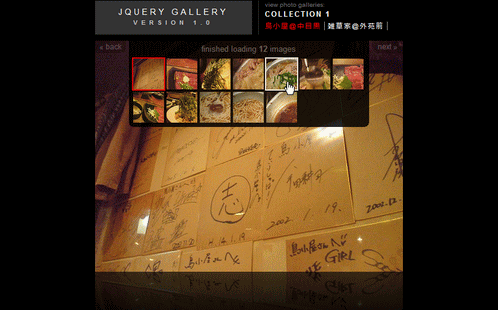 設置イメージ
<!DOCTYPE html PUBLIC "-//W3C//DTD XHTML 1.0 Transitional//EN" "http://www.w3.org/TR/xhtml1/DTD/xhtml1-transitional.dtd">
<html xmlns="http://www.w3.org/1999/xhtml" xml:lang="ja" lang="ja">
<head>
<meta http-equiv="Content-Type" content="text/html; charset=utf-8" />
<meta http-equiv="Content-Language" content="ja" />
<meta http-equiv="Content-Script-Type" content="text/javascript" />
<meta http-equiv="Content-Style-Type" content="text/css" />
<meta http-equiv="imagetoolbar" content="no" />
<title>設置サンプル</title>
<script type="text/javascript" src="/content/lib/jquery/jquery-1.0.4.js"></script>
<script type="text/javascript" src="/content/lib/jquery/jquery.offset.js"></script>
<script type="text/javascript" src="/content/lib/interface/iutil.js"></script>
<script type="text/javascript" src="/content/lib/interface/ifx.js"></script>
<script type="text/javascript" src="/content/lib/interface/ifxslide.js"></script>
<script type="text/javascript" src="/content/lib/interface/ifxblind.js"></script>
<script type="text/javascript" src="/content/lib/jquery/jquery.gallery.js"></script>
<script type="text/javascript" src="/content/lib/reflection/reflection.js"></script>
<script type="text/javascript">
Reflection.defaultHeight = .25;
Reflection.defaultOpacity = .35;
</script>
<script type="text/javascript" src="/content/lib/gallery/js/images.js"></script>
<script type="text/javascript" src="/content/lib/gallery/js/menu.js"></script>
<link rel="stylesheet" type="text/css" href="/content/lib/gallery/css/gallery.css" media="screen,projection" />
</head>
<body>
<div style="margin:1em 0; font-weight:bold; color:#eee;">
<a href="http://www.getintothis.com/blog/2006/10/12/image-gallery-using-jquery-interface-reflections/" style="color:#eee;">Image Gallery using jQuery, Interface & Reflections</a> | 設置サンプル
</div>
<div id="wrapper">
<div id="title">
<h1>jQuery Gallery<br/><strong>version 1.0</strong></h1>
</div>
<div id="mainNav" class="cf">
<small>view photo galleries:</small>
<ul>
<li class="nav" title="collection 1">
<span>Collection 1</span>
<ul>
<li class="subnav"><a href="#" title="gallery 1">鳥小屋@中目黒</a></li>
<li class="subnav"><a href="#" title="gallery 2">雑草家@外苑前</a></li>
</ul>
</li>
</ul>
</div>
<div id="gallery-1" class="gallery">
<div class="image_holder">
<img src="http://farm4.static.flickr.com/3138/3032375214_5aedffaca0.jpg" alt="" onload="Reflection.add(this);"/>
</div>
</div>
<script type="text/javascript">
init_menu($('#gallery-1').gallery());
</script>
</div>
</body>
</html>
jCarousel
メリーゴーランドのように回転式の画像ギャラリー
unknown
jCarousel v 0.2.2 - Riding carousels with jQuery
[JS]jquery.js v1.2.2、jquery.jcarousel.pack.js、thickbox
Staticタイプ
メリーゴーランドのように回転式の画像ギャラリーを実装できるjQueryプラグイン。表示スタイル(縦長、横長)やスキン(ie7、sweetie、tango)をCSSで変更可能です。また自動スクロールさせることも可能です。
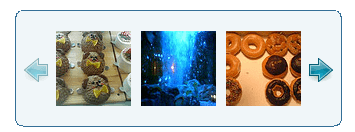 設置イメージ
<!DOCTYPE html PUBLIC "-//W3C//DTD XHTML 1.0 Transitional//EN" "http://www.w3.org/TR/xhtml1/DTD/xhtml1-transitional.dtd">
<html xmlns="http://www.w3.org/1999/xhtml" xml:lang="ja" lang="ja">
<head>
<meta http-equiv="Content-Type" content="text/html; charset=utf-8" />
<meta http-equiv="Content-Language" content="ja" />
<meta http-equiv="Content-Script-Type" content="text/javascript" />
<meta http-equiv="Content-Style-Type" content="text/css" />
<meta http-equiv="imagetoolbar" content="no" />
<title>jCarousel | 設置サンプル | Staticタイプ</title>
<script type="text/javascript" src="/content/lib/jcarousel/lib/jquery.js"></script>
<script type="text/javascript" src="/content/lib/jcarousel/lib/jquery.jcarousel.pack.js"></script><!-- jCarousel library -->
<link href="/content/lib/global.css" rel="stylesheet" type="text/css" />
<link rel="stylesheet" type="text/css" href="/content/lib/jcarousel/lib/jquery.jcarousel.css" /><!-- jCarousel core stylesheet -->
<link rel="stylesheet" type="text/css" href="/content/lib/jcarousel/skins/tango/skin.css" /><!-- jCarousel skin stylesheet -->
<script type="text/javascript">
// 自動スクロール(横長)用
function mycarousel_initCallback(carousel){
// Disable autoscrolling if the user clicks the prev or next button.
carousel.buttonNext.bind('click', function() {
carousel.startAuto(0);
});
carousel.buttonPrev.bind('click', function() {
carousel.startAuto(0);
});
// Pause autoscrolling if the user moves with the cursor over the clip.
carousel.clip.hover(function() {
carousel.stopAuto();
}, function() {
carousel.startAuto();
});
};
</script>
<script type="text/javascript">
$(function(){
// 横長
$('#mycarousel').jcarousel();
// 縦長
$('#mycarousel_vertical').jcarousel({
vertical: true,
scroll: 2
});
// 自動スクロール(横長)
$('#mycarousel_autoscroll').jcarousel({
auto: 3,
wrap: 'last',
initCallback: mycarousel_initCallback
});
});
</script>
</head>
<body>
<div id="wrap">
<h1><a href="http://sorgalla.com/projects/jcarousel/">jCarousel</a> | 設置サンプル</h1>
<p>画像サイズは、幅75px × 高さ75px。</p>
<h2>横長</h2>
<script type="text/javascript">
var photos={
"bearcake" : "むにゅっとしたクマ顔のどこから食べちゃおうか迷っちゃうケーキ。",
"deepblue" : "六本木にあるダイニングバー「Deep Blue」の店内でパチリ。",
"doughnuts" : "話題のカーネル・クリスピー・ドーナッツ。いつも長蛇の列・・・",
"food" : "恵比寿のSilver.gで食べたコース料理の前菜。ちまちましてかわゆい。しかもおいしかったw",
"gintocake" : "銀座GINTOのデザート。友達がバースデーだったのでケーキはもちろんホールサービス★",
"mac" : "マックのポテト。週1回食べないと禁断症状が(汗;",
"magicspice" : "下北沢にある激辛スープカレーの店「Magic Spice」のアクエリアス。5口目から快感になる不思議なカレー。",
"sexyleglump" : "セクシーレッグランプ。ネットで見て衝動買い。実物はかなりでかかった・・・"
};
</script>
<ul id="mycarousel" class="jcarousel-skin-tango">
<script type="text/javascript">
for(var key in photos){
document.write("<li><img src='/content/lib/galleryimages/75x75/"+key+".jpg' width='75' height='75' alt='"+photos[key]+"' \/><\/li>\n");
}
</script>
</ul>
<h2>縦長</h2>
<ul id="mycarousel_vertical" class="jcarousel-skin-tango">
<script type="text/javascript">
for(var key in photos){
document.write("<li><img src='/content/lib/galleryimages/75x75/"+key+".jpg' width='75' height='75' alt='"+photos[key]+"' \/><\/li>\n");
}
</script>
</ul>
<h2>自動スクロール(横長)</h2>
<ul id="mycarousel_autoscroll" class="jcarousel-skin-tango">
<script type="text/javascript">
for(var key in photos){
document.write("<li><img src='/content/lib/galleryimages/75x75/"+key+".jpg' width='75' height='75' alt='"+photos[key]+"' \/><\/li>\n");
}
</script>
</ul>
</div>
</body>
</html>
Dynamicタイプ
スライドに表示する画像ファイルのパスを記述した外部ファイル(dynamic_ajax.txt)を動的に読み込んでギャラリー表示しています。
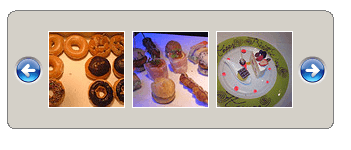 設置イメージ
<!DOCTYPE html PUBLIC "-//W3C//DTD XHTML 1.0 Transitional//EN" "http://www.w3.org/TR/xhtml1/DTD/xhtml1-transitional.dtd">
<html xmlns="http://www.w3.org/1999/xhtml" xml:lang="ja" lang="ja">
<head>
<meta http-equiv="Content-Type" content="text/html; charset=utf-8" />
<meta http-equiv="Content-Language" content="ja" />
<meta http-equiv="Content-Script-Type" content="text/javascript" />
<meta http-equiv="Content-Style-Type" content="text/css" />
<meta http-equiv="imagetoolbar" content="no" />
<title>設置サンプル</title>
<link href="/content/lib/global.css" rel="stylesheet" type="text/css" />
<!-- CSS -->
<link rel="stylesheet" type="text/css" href="/content/lib/jcarousel/lib/jquery.jcarousel.css" /><!-- jCarousel core stylesheet -->
<link rel="stylesheet" type="text/css" href="/content/lib/jcarousel/skins/ie7/skin.css" /><!-- jCarousel skin stylesheet -->
<!-- JS -->
<script type="text/javascript" src="http://ajax.googleapis.com/ajax/libs/jquery/1.2.6/jquery.min.js" ></script>
<script type="text/javascript" src="/content/lib/jcarousel/lib/jquery.jcarousel.pack.js"></script><!-- jCarousel library -->
<script type="text/javascript">
function mycarousel_itemLoadCallback(carousel, state){
// Since we get all URLs in one file, we simply add all items
// at once and set the size accordingly.
if (state != 'init') return;
jQuery.get('/content/lib/jcarousel/dynamic_ajax.txt', function(data){
mycarousel_itemAddCallback(carousel, carousel.first, carousel.last, data);
});
};
function mycarousel_itemAddCallback(carousel, first, last, data){
// Simply add all items at once and set the size accordingly.
var items = data.split('|');
for (i = 0; i < items.length; i++) {
carousel.add(i+1, mycarousel_getItemHTML(items[i]));
}
carousel.size(items.length);
};
/**
* Item html creation helper.
*/
function mycarousel_getItemHTML(url){
return '<img src="' + url + '" width="75" height="75" alt="" />';
};
$(function(){
jQuery('#mycarousel').jcarousel({
itemLoadCallback: mycarousel_itemLoadCallback
});
});
</script>
</head>
<body>
<div id="wrap">
<h1><a href="http://sorgalla.com/projects/jcarousel/">jCarousel</a> | 設置サンプル</h1>
<!-- CODE -->
<p>画像サイズは、幅75px × 高さ75px。</p>
<p>スライドに表示する画像ファイルのパスを記述した外部ファイル(dynamic_ajax.txt)を動的に読み込んでギャラリー表示しています。</p>
<div id="mycarousel" class="jcarousel-skin-ie7">
<ul><!-- コンテンツがこの部分に動的に読み込まれます --></ul>
<!-- / CODE -->
</div>
</body>
</html>
フィード(XML形式)を読み込んでテキストスクロール
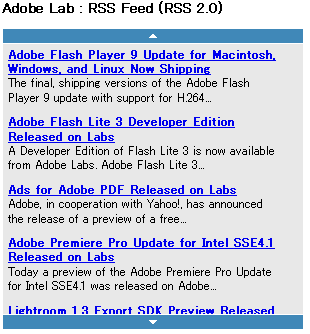 設置イメージ
<!DOCTYPE html PUBLIC "-//W3C//DTD XHTML 1.0 Transitional//EN" "http://www.w3.org/TR/xhtml1/DTD/xhtml1-transitional.dtd">
<html xmlns="http://www.w3.org/1999/xhtml" xml:lang="ja" lang="ja">
<head>
<meta http-equiv="Content-Type" content="text/html; charset=utf-8" />
<meta http-equiv="Content-Language" content="ja" />
<meta http-equiv="Content-Script-Type" content="text/javascript" />
<meta http-equiv="Content-Style-Type" content="text/css" />
<meta http-equiv="imagetoolbar" content="no" />
<title>jCarousel | 設置サンプル | テキストスクロール</title>
<script type="text/javascript" src="http://ajax.googleapis.com/ajax/libs/jquery/1.2.6/jquery.min.js" ></script>
<script type="text/javascript" src="/content/lib/jcarousel/lib/jquery.jcarousel.pack.js"></script><!-- jCarousel library -->
<link href="/content/lib/global.css" rel="stylesheet" type="text/css" />
<link rel="stylesheet" type="text/css" href="/content/lib/jcarousel/lib/jquery.jcarousel.css" /><!-- jCarousel core stylesheet -->
<style type="text/css">
.jcarousel-container-vertical {
width: 300px;
height: 300px;
background: #e8e8e8;
border: 1px solid #fff;
}
.jcarousel-clip-vertical {
top: 15px;
width: 290px;
height: 270px;
margin: 0 5px;
z-index: 20;
}
.jcarousel-item,
.jcarousel-item-placeholder {
width: 270px;
height: auto;
margin: 5px 0;
}
.jcarousel-item h3,
.jcarousel-item p {
margin: 0;
font-size: 90%;
}
.jcarousel-next-vertical {
position: absolute;
bottom: 0;
left: 0;
width: 300px;
height: 14px;
cursor: pointer;
border-top: 1px solid #fff;
background: #4088b8 url(lib/jcarousel/images/arrow-down.gif) no-repeat center;
}
.jcarousel-next-disabled-vertical {
cursor: default;
opacity: .5;
-moz-opacity: .5;
filter: alpha(opacity=50);
}
.jcarousel-prev-vertical {
position: absolute;
top: 0;
left: 0;
width: 300px;
height: 14px;
cursor: pointer;
border-bottom: 1px solid #fff;
background: #4088b8 url(lib/jcarousel/images/arrow-up.gif) no-repeat center;
}
.jcarousel-prev-disabled-vertical {
cursor: default;
opacity: .5;
-moz-opacity: .5;
filter: alpha(opacity=50);
}
.loading {
background: transparent url(lib/jcarousel/images/loading.gif) 50% 50% no-repeat;
}
</style>
<script type="text/javascript">
function mycarousel_initCallback(carousel, state){
// Lock until all items are loaded. That prevents jCarousel from
// setup correctly and we have to do that in the ajax callback
// function with carousel.setup().
// We're doing that because we don't know the exact height of each
// items until they are added to the list.
carousel.lock();
jQuery.get(
'/content/lib/jcarousel/special_textscroller.php',
{
'feed': 'http://weblogs.macromedia.com/labs/index.xml'
},
function(xml) {
mycarousel_itemAddCallback(carousel, xml);
},
'xml'
);
};
function mycarousel_itemAddCallback(carousel, xml){
var $items = jQuery('item', xml);
$items.each(function(i) {
carousel.add(i + 1, mycarousel_getItemHTML(this));
});
carousel.size($items.size());
// Unlock and setup.
carousel.unlock();
carousel.setup();
};
/**
* Item html creation helper.
*/
function mycarousel_getItemHTML(item){
return '<h3><a href="'+$('link', item).text()+'">'+$('title', item).text()+'</a></h3><p>'+mycarousel_truncate($('description', item).text(), 90)+'</p>';
};
/**
* Utility function for truncating a string without breaking words.
*/
function mycarousel_truncate(str, length, suffix) {
if (str.length <= length) {
return str;
}
if (suffix == undefined) {
suffix = '...';
}
return str.substr(0, length).replace(/\s+?(\S+)?$/g, '') + suffix;
};
jQuery(document).ready(function() {
/**
* We show a simple loading indicator
* using the jQuery ajax events
*/
jQuery().ajaxStart(function() {
jQuery(".jcarousel-clip-vertical").addClass('loading');
});
jQuery().ajaxStop(function() {
jQuery(".jcarousel-clip-vertical").removeClass('loading');
});
jQuery('#mycarousel').jcarousel({
vertical: true,
size: 0,
initCallback: mycarousel_initCallback
});
});
</script>
</head>
<body>
<h1><a href="http://sorgalla.com/projects/jcarousel/">jCarousel</a> | 設置サンプル | テキストスクロール</h1>
<p>RSSフィード(XML形式)を読み込んでテキストスクロール表示。</p>
<h2>Adobe Lab : RSS Feed (RSS 2.0)</h2>
<div id="mycarousel">
<ul>
<!-- The content will be dynamically loaded in here -->
</ul>
</div>
</body>
</html>
jCarousel Lite
マウスホイール対応カルーセル
2012/4/20
jCarousel Lite
jCarouselの軽量版。 マウスホイール対応のカスタマイズ性に富んだカルーセルプラグイン。 オプションでアニメーションの動きを細かくカスタマイズできます。 アニメーション終了時のコールバック関数も用意されています。 画像をa要素で囲めばリンクも設置できます。 画像サイズは、CSSあるいはimg要素に直接指定しておくことを忘れずに。
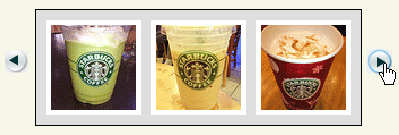 設置イメージ
<!DOCTYPE html PUBLIC "-//W3C//DTD XHTML 1.0 Transitional//EN" "http://www.w3.org/TR/xhtml1/DTD/xhtml1-transitional.dtd">
<html xmlns="http://www.w3.org/1999/xhtml" xml:lang="ja" lang="ja">
<head>
<meta http-equiv="Content-Type" content="text/html; charset=utf-8" />
<meta http-equiv="Content-Language" content="ja" />
<meta http-equiv="Content-Script-Type" content="text/javascript" />
<meta http-equiv="Content-Style-Type" content="text/css" />
<meta http-equiv="imagetoolbar" content="no" />
<title>設置サンプル</title>
<link href="/content/lib/global.css" rel="stylesheet" type="text/css" />
<!-- JS -->
<script type="text/javascript" src="http://ajax.googleapis.com/ajax/libs/jquery/1.3.2/jquery.min.js"></script>
<script type="text/javascript" src="/content/lib/jquery/jcarousellite_1.0.1.js"></script>
<script type="text/javascript" src="/content/lib/jquery/jquery.easing.1.3.js"></script>
<script type="text/javascript">
$(function() {
$(".main .jCarouselLite").jCarouselLite({
btnNext: ".next",
btnPrev: ".prev"
});
});
</script>
<style type="text/css">
#jCarouselLiteDemo .carousel {
padding:10px 0 0 0;
margin:0 0 20px 10px;
position:relative;
}
#jCarouselLiteDemo .digg {
position:absolute;
left:610px; top:110px;
}
#jCarouselLiteDemo .main {
margin-left:40px;
}
#jCarouselLiteDemo .demo em {
color:#ff3300;
font-weight:bold;
font-size:60%;
font-style:normal;
}
#jCarouselLiteDemo .carousel button { /*Don't remove this. we still use this for individual demos. only the front pages use images as of now*/
float:left;
}
#jCarouselLiteDemo .carousel a.prev, #jCarouselLiteDemo .carousel a.next {
display:block;
float:left;
width:30px; height:105px;
text-decoration:none;
background:url("/content/img/ajax/jcarousel_lite/imageNavLeft.gif") left center no-repeat;
}
#jCarouselLiteDemo .carousel a.next {
background:url("/content/img/ajax/jcarousel_lite/imageNavRight.gif") right center no-repeat;
}
#jCarouselLiteDemo .carousel a.next:hover {
background-image:url("/content/img/ajax/jcarousel_lite/imageNavRightHover.gif");
}
#jCarouselLiteDemo .carousel a.prev:hover {
background-image:url("/content/img/ajax/jcarousel_lite/imageNavLeftHover.gif");
}
#jCarouselLiteDemo .carousel a:hover, #jCarouselLiteDemo .carousel a:active {
border:none;
outline:none;
}
#jCarouselLiteDemo .carousel .jCarouselLite {
border:1px solid black;
float:left;
_padding-right:10px;
_height:115px;
background-color:#dfdfdf;
position:relative;
visibility:hidden;
left:-5000px;
}
#jCarouselLiteDemo .carousel ul {
overflow:hidden;
margin:0; padding:0;
}
#jCarouselLiteDemo .carousel li img {
background-color:#fff;
width:75px; height:75px;
_width:85px; _height:85px;
list-style:none;
margin:0; padding:5px;
overflow;hidden;
}
#jCarouselLiteDemo .carousel li {
background-color:#fff;
width:85px; height:85px;
_width:95px; _height:95px;
list-style:none;
margin:5px; padding:0;
_margin:10px 5px;
}
#jCarouselLiteDemo .widget img {
cursor:pointer;
}
#jCarouselLiteDemo .mid {
margin-left:80px;
width:400px; height:300px;
}
#jCarouselLiteDemo .vertical {
margin-left:170px;
}
#jCarouselLiteDemo .vertical .jCarouselLite { /* so that in IE 6, the carousel div doesnt expand to fill the space */
width:170px;
}
#jCarouselLiteDemo .imageSlider li img,
#jCarouselLiteDemo .imageSlider li p,
#jCarouselLiteDemo .imageSliderExt li img ,
#jCarouselLiteDemo .imageSliderExt li p {
width:400px; height:300px;
}
</style>
</head>
<body>
<div id="wrap">
<h1>設置サンプル</h1>
<p>参照:<a href='http://www.gmarwaha.com/jquery/jcarousellite/'>jCarousel Lite</a></p>
<!-- CODE -->
<div id="jCarouselLiteDemo" class="cf">
<div class="carousel main">
<a href="#" class="prev"> </a>
<div class="jCarouselLite">
<ul>
<li><img src="http://farm4.static.flickr.com/3214/3142429603_3b4ddd96a9_m.jpg" alt="" width="75" height="75" /></li>
<li><img src="http://farm4.static.flickr.com/3222/2974008614_736e2d5b50_s.jpg" alt="" width="75" height="75" /></li>
<li><img src="http://farm4.static.flickr.com/3141/2973155055_4cf4370939_s.jpg" alt="" width="75" height="75" /></li>
<li><img src="http://farm4.static.flickr.com/3224/2971760010_e4c6f7bb44_s.jpg" alt="" width="75" height="75" /></li>
<li><img src="http://farm4.static.flickr.com/3159/2971755812_cb4dc9e097_s.jpg" alt="" width="75" height="75" /></li>
<li><img src="http://farm4.static.flickr.com/3174/2973352946_d3589b717e_s.jpg" alt="" width="75" height="75" /></li>
<li><img src="http://farm4.static.flickr.com/3029/2970912983_543c9af1d2_s.jpg" alt="" width="75" height="75" /></li>
<li><img src="http://farm4.static.flickr.com/3022/3052480709_21dc575bb9_s.jpg" alt="" width="75" height="75" /></li>
<li><img src="http://farm4.static.flickr.com/3187/3053314468_406d68da67_s.jpg" alt="" width="75" height="75" /></li>
<li><img src="http://farm4.static.flickr.com/3066/3055162549_d846be528d_s.jpg" alt="" width="75" height="75" /></li>
<li><img src="http://farm4.static.flickr.com/3023/3055162547_cde4e8921e_s.jpg" alt="" width="75" height="75" /></li>
<li><img src="http://farm4.static.flickr.com/3247/3053382326_d457fa52ee_s.jpg" alt="" width="75" height="75" /></li>
<li><img src="http://farm4.static.flickr.com/3045/3053382294_07b552d467_s.jpg" alt="" width="75" height="75" /></li>
</ul>
</div>
<a href="#" class="next"> </a>
<div class="clear"></div>
</div>
</div><!-- #jCarouselLiteDemo -->
<!-- / CODE -->
</div>
</body>
</html>
マウスホイール対応、コールバック使用例
下記のサンプルは、スマートフォンアプリのスクリーンショット表示でよくみるカルーセルです。 オプションは下記のものを指定しています。
- circular
デフォルトはtrue。最後の画像までいったら、先頭の画像がループ表示されます。
最後の画像でカルーセルアニメーションを止めるにはfalseを指定。 - visible
1画面に表示する画像枚数を指定。
2枚ずつなら2を指定。 - scroll
1回のアニメーションでスクロールさせる画像数を指定。
2枚ずつなら2を指定。 - btnNext, btnPrev
次の画像へ、前の画像へのリンクを設置する際に、それぞれのクラス名を指定。
※複数カルーセルを配置する場合はクラス名の指定がかぶらないよう親要素からのクラス指定にするなど注意すること。 - afterEnd
カルーセルアニメーション終了時に発生するイベント。
各例の2つ目のサンプルでは、ではアニメーション終了時にカレントの画像を取得し、画像ファイル名によって動作を分けています。 先頭の画像(1.png)なら前へ矢印、最後の画像(d.png)なら次へ矢印非表示。
iPhoneの外観画像は、iPhone GUI PSD | Downloads | Teehan+Laxを使用しています。
例1:portrait
2画像ずつ移動、1画像ずつ移動+コールバック
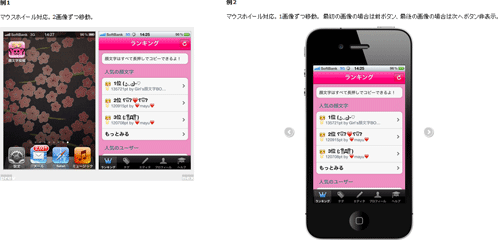 設置イメージ
<!DOCTYPE html>
<html>
<head>
<meta charset="utf-8" />
<title>設置サンプル</title>
<link rel="stylesheet" type="text/css" href="/content/lib/global.css" />
<script type="text/javascript" src="https://ajax.googleapis.com/ajax/libs/jquery/1.7.2/jquery.min.js"></script>
<script type="text/javascript" src="/content/lib/jquery/jquery.mousewheel-3.0.6.js"></script>
<script type="text/javascript" src="/content/lib/jquery/jcarousellite_1.0.1.js"></script>
<script type="text/javascript">
$(function() {
$(".carousel").jCarouselLite({
mouseWheel: true, //マウスホイール対応
visible: 2, //一度に表示する画像数
scroll: 2, // 一度にスクロールさせる数
btnNext: ".carousel .next", //次の画像へリンクのクラス名
btnPrev: ".carousel .prev", //前の画像へリンクのクラス名
circular: true, //最後の画像にいったら繰り返す
afterEnd:function(a, to, btnGo){
console.log(a.to);
}
});
$(".carousel2").jCarouselLite({
mouseWheel: true, //マウスホイール対応
visible: 1, //一度に表示する画像数
scroll: 1, // 一度にスクロールさせる数
btnNext: ".iphoneUI .next", //次の画像へリンクのクラス名
btnPrev: ".iphoneUI .prev", //前の画像へリンクのクラス名
circular: false, //最後の画像にいったら繰り返さない
afterEnd:function(a){
var src=a.find("img").attr("src");
if(src.match(/1.gif$/)){
//最初
$(".iphoneUI").find(".prev").hide();
}else{
$(".iphoneUI").find(".prev").show();
}
if(src.match(/d.gif$/)){
//最後
$(".iphoneUI").find(".next").hide();
}else{
$(".iphoneUI").find(".next").show();
}
}
});
$(".prev, .next").click(function(e){
return false;
});
});
</script>
<style type="text/css">
* { margin:0; padding:0; }
.clear {
clear:both;
float:none;
}
body {
font-size:12px;
margin:20px;
line-height:1.5;
}
/* demo1 */
.carousel {
border:1px solid #eee;
position:relative;
z-index:1;
background:#eee;
padding:5px 5px 20px 5px;
}
.carousel li img {
margin:5px;
border:1px solid #ccc;
/* 画像の高さと幅を指定。imgタグに直接でもOK*/
width:320px; height:480px;
}
.carousel .next,
.carousel .prev {
position:absolute;
text-decoration:none;
z-index:10;
width:40px; height:20px;
background:#ccc;
text-align:center;
text-decoration:none;
color:#fff;
line-height:20px;
font-weight:bold;
}
.carousel .prev {
bottom:0; left:0;
}
.carousel .next {
bottom:0; right:0;
}
.carousel .next:hover,
.carousel .prev:hover {
color:#999;
}
/* demo2 */
.iphoneUI {
margin:20px 100px; padding:0;
width:380px; height:744px;
background:url("/content/img/ajax/jCarouselLite/iphoneUI.gif") no-repeat 0 0;
position:relative;
}
.iphoneUI .inner {
position:absolute;
top:133px; left:32px;
}
.carousel2 {
position:relative;
}
.carousel2 li img {
/* 画像の高さと幅を指定。imgタグに直接でもOK*/
width:320px; height:480px;
}
.iphoneUI .next,
.iphoneUI .prev {
position:absolute;
text-decoration:none;
width:30px; height:30px;
line-height:1;
background:#ccc;
background-repeat:no-repeat;
text-align:center;
text-decoration:none;
color:#fff;
top:350px;
border:3px solid #fff;
border-radius:30px;
box-shadow:1px 1px 2px rgba(0,0,0,.33);
background-size:100% 100%;
text-indent:-9999px;
}
.iphoneUI .prev {
left:-70px;
background-image:url("/content/img/ajax/jCarouselLite/larr.png");
background-position:-1px 0;
display:none;
}
.iphoneUI .next {
right:-70px;
background-position:1px 0;
background-image:url("/content/img/ajax/jCarouselLite/rarr.png");
}
.iphoneUI .prev:hover,
.iphoneUI .next:hover {
background-color:#999;
}
</style>
</head>
<body>
<h2>設置サンプル</h2>
<p>
参照:<a href="http://www.gmarwaha.com/jquery/jcarousellite/">http://www.gmarwaha.com/jquery/jcarousellite/</a>
</p>
<p>
マウスホイール対応カルーセル。
スマートフォンアプリ紹介ページとかに便利ということでサンプルを作ってみました。
</p>
<p>
スクリーンショットは、iPhoneアプリの投稿顔文字ランキングを例に。
</p>
<h2>例1</h2>
<p>
マウスホイール対応。2画像ずつ移動。
</p>
<div class="carousel">
<div class="jCarouselLite">
<ul>
<li><img src="/content/img/ajax/jCarouselLite/kaomoji/1.gif" alt=""></li>
<li><img src="/content/img/ajax/jCarouselLite/kaomoji/2.gif" alt=""></li>
<li><img src="/content/img/ajax/jCarouselLite/kaomoji/3.gif" alt=""></li>
<li><img src="/content/img/ajax/jCarouselLite/kaomoji/4.gif" alt=""></li>
<li><img src="/content/img/ajax/jCarouselLite/kaomoji/5.gif" alt=""></li>
<li><img src="/content/img/ajax/jCarouselLite/kaomoji/6.gif" alt=""></li>
<li><img src="/content/img/ajax/jCarouselLite/kaomoji/7.gif" alt=""></li>
<li><img src="/content/img/ajax/jCarouselLite/kaomoji/8.gif" alt=""></li>
<li><a href="http://itunes.apple.com/jp/app/tou-gao-yan-wen-zirankingu/id463397728?mt=8" target="_blank"><img src="/content/img/ajax/jCarouselLite/kaomoji/d.gif" alt=""></a></li>
</ul>
</div>
<a href="#" class="prev">prev</a>
<a href="#" class="next">next</a>
<div class="clear"></div>
</div>
<h2>例2</h2>
<p>
マウスホイール対応。1画像ずつ移動。
最初の画像の場合は前ボタン、最後の画像の場合は次へボタン非表示。
</p>
<div class="iphoneUI">
<div class="inner">
<div class="carousel2">
<div class="jCarouselLite">
<ul>
<li><img src="/content/img/ajax/jCarouselLite/kaomoji/1.gif" alt=""></li>
<li><img src="/content/img/ajax/jCarouselLite/kaomoji/2.gif" alt=""></li>
<li><img src="/content/img/ajax/jCarouselLite/kaomoji/3.gif" alt=""></li>
<li><img src="/content/img/ajax/jCarouselLite/kaomoji/4.gif" alt=""></li>
<li><img src="/content/img/ajax/jCarouselLite/kaomoji/5.gif" alt=""></li>
<li><img src="/content/img/ajax/jCarouselLite/kaomoji/6.gif" alt=""></li>
<li><img src="/content/img/ajax/jCarouselLite/kaomoji/7.gif" alt=""></li>
<li><img src="/content/img/ajax/jCarouselLite/kaomoji/8.gif" alt=""></li>
<li><a href="http://itunes.apple.com/jp/app/tou-gao-yan-wen-zirankingu/id463397728?mt=8" target="_blank"><img src="/content/img/ajax/jCarouselLite/kaomoji/d.gif" alt=""></a></li>
</ul>
</div>
<div class="clear"></div>
</div>
</div>
<a href="#" class="prev">prev</a>
<a href="#" class="next">next</a>
</div>
</body>
</html>
例2: landscape
2画像ずつ移動、1画像ずつ移動+コールバック
 設置イメージ
<!DOCTYPE html>
<html>
<head>
<meta charset="utf-8" />
<title>設置サンプル</title>
<link rel="stylesheet" type="text/css" href="/content/lib/global.css" />
<script type="text/javascript" src="https://ajax.googleapis.com/ajax/libs/jquery/1.7.2/jquery.min.js"></script>
<script type="text/javascript" src="/content/lib/jquery/jquery.mousewheel-3.0.6.js"></script>
<script type="text/javascript" src="/content/lib/jquery/jcarousellite_1.0.1.js"></script>
<script type="text/javascript">
$(function() {
$(".carousel").jCarouselLite({
mouseWheel: true, //マウスホイール対応
visible: 2, //一度に表示する画像数
scroll: 2, // 一度にスクロールさせる数
btnNext: ".carousel .next", //次の画像へリンクのクラス名
btnPrev: ".carousel .prev", //前の画像へリンクのクラス名
circular: true, //最後の画像にいったら繰り返す
afterEnd:function(a, to, btnGo){
console.log(a.to);
}
});
$(".carousel2").jCarouselLite({
mouseWheel: true, //マウスホイール対応
visible: 1, //一度に表示する画像数
scroll: 1, // 一度にスクロールさせる数
btnNext: ".iphoneUI .next", //次の画像へリンクのクラス名
btnPrev: ".iphoneUI .prev", //前の画像へリンクのクラス名
circular: false, //最後の画像にいったら繰り返さない
afterEnd:function(a){
var src=a.find("img").attr("src");
if(src.match(/1.gif$/)){
//最初
$(".iphoneUI").find(".prev").hide();
}else{
$(".iphoneUI").find(".prev").show();
}
if(src.match(/d.gif$/)){
//最後
$(".iphoneUI").find(".next").hide();
}else{
$(".iphoneUI").find(".next").show();
}
}
});
$(".prev2, .next2, .prev, .next").click(function(e){
return false;
});
});
</script>
<style type="text/css">
* { margin:0; padding:0; }
.clear {
clear:both;
float:none;
}
body {
font-size:12px;
margin:20px;
line-height:1.5;
}
/* demo1 */
.carousel {
border:1px solid #eee;
position:relative;
z-index:1;
background:#eee;
padding:5px 5px 20px 5px;
}
.carousel li img {
margin:5px;
border:1px solid #ccc;
/* 画像の高さと幅を指定。imgタグに直接でもOK*/
width:480px; height:320px;
}
.carousel .next,
.carousel .prev {
position:absolute;
text-decoration:none;
z-index:10;
width:40px; height:20px;
background:#ccc;
text-align:center;
text-decoration:none;
color:#fff;
line-height:20px;
font-weight:bold;
}
.carousel .prev {
bottom:0; left:0;
}
.carousel .next {
bottom:0; right:0;
}
.carousel .next:hover,
.carousel .prev:hover {
color:#999;
}
/* demo2 */
.iphoneUI {
margin:20px 100px; padding:0;
width:744px; height:380px;
background:url("/content/img/ajax/jCarouselLite/iphoneUI_landscape.gif") no-repeat 0 0;
position:relative;
}
.iphoneUI .inner {
position:absolute;
top:32px; left:133px;
}
.carousel2 {
position:relative;
}
.carousel2 li img {
/* 画像の高さと幅を指定。imgタグに直接でもOK*/
width:480px; height:320px;
}
.iphoneUI .next,
.iphoneUI .prev {
position:absolute;
text-decoration:none;
width:30px; height:30px;
line-height:1;
background:#ccc;
background-repeat:no-repeat;
text-align:center;
text-decoration:none;
color:#fff;
top:350px;
border:3px solid #fff;
border-radius:30px;
box-shadow:1px 1px 2px rgba(0,0,0,.33);
background-size:100% 100%;
text-indent:-9999px;
}
.iphoneUI .prev {
left:-70px;
background-image:url("/content/img/ajax/jCarouselLite/larr.png");
background-position:-1px 0;
display:none;
}
.iphoneUI .next {
right:-70px;
background-position:1px 0;
background-image:url("/content/img/ajax/jCarouselLite/rarr.png");
}
.iphoneUI .prev:hover,
.iphoneUI .next:hover {
background-color:#999;
}
</style>
</head>
<body>
<h2>設置サンプル</h2>
<p>
参照:<a href="http://www.gmarwaha.com/jquery/jcarousellite/">http://www.gmarwaha.com/jquery/jcarousellite/</a>
</p>
<p>
マウスホイール対応カルーセル。
スマートフォンアプリ紹介ページとかに便利ということでサンプルを作ってみました。
</p>
<p>
スクリーンショットは、iPhoneアプリのアングリーバードを例に。
</p>
<h2>例1</h2>
<p>
マウスホイール対応。2画像ずつ移動。
</p>
<div class="carousel">
<div class="jCarouselLite">
<ul>
<li><img src="/content/img/ajax/jCarouselLite/angrybirds/1.gif" alt=""></li>
<li><img src="/content/img/ajax/jCarouselLite/angrybirds/2.gif" alt=""></li>
<li><img src="/content/img/ajax/jCarouselLite/angrybirds/3.gif" alt=""></li>
<li><img src="/content/img/ajax/jCarouselLite/angrybirds/4.gif" alt=""></li>
<li><img src="/content/img/ajax/jCarouselLite/angrybirds/5.gif" alt=""></li>
<li><img src="/content/img/ajax/jCarouselLite/angrybirds/6.gif" alt=""></li>
<li><img src="/content/img/ajax/jCarouselLite/angrybirds/7.gif" alt=""></li>
<li><img src="/content/img/ajax/jCarouselLite/angrybirds/8.gif" alt=""></li>
<li><a href="http://itunes.apple.com/jp/app/angry-birds-seasons/id398157641?mt=8" target="_blank"><img src="/content/img/ajax/jCarouselLite/angrybirds/d.gif" alt=""></a></li>
</ul>
</div>
<a href="#" class="prev">prev</a>
<a href="#" class="next">next</a>
<div class="clear"></div>
</div>
<h2>例2</h2>
<p>
マウスホイール対応。1画像ずつ移動。
最初の画像の場合は前ボタン、最後の画像の場合は次へボタン非表示。
</p>
<div class="iphoneUI">
<div class="inner">
<div class="carousel2">
<div class="jCarouselLite">
<ul>
<li><img src="/content/img/ajax/jCarouselLite/angrybirds/1.gif" alt=""></li>
<li><img src="/content/img/ajax/jCarouselLite/angrybirds/2.gif" alt=""></li>
<li><img src="/content/img/ajax/jCarouselLite/angrybirds/3.gif" alt=""></li>
<li><img src="/content/img/ajax/jCarouselLite/angrybirds/4.gif" alt=""></li>
<li><img src="/content/img/ajax/jCarouselLite/angrybirds/5.gif" alt=""></li>
<li><img src="/content/img/ajax/jCarouselLite/angrybirds/6.gif" alt=""></li>
<li><img src="/content/img/ajax/jCarouselLite/angrybirds/7.gif" alt=""></li>
<li><img src="/content/img/ajax/jCarouselLite/angrybirds/8.gif" alt=""></li>
<li><a href="http://itunes.apple.com/jp/app/angry-birds-seasons/id398157641?mt=8" target="_blank"><img src="/content/img/ajax/jCarouselLite/angrybirds/d.gif" alt=""></a></li>
</ul>
</div>
<div class="clear"></div>
</div>
</div>
<a href="#" class="prev">prev</a>
<a href="#" class="next">next</a>
</div>
</body>
</html>
Jquery Gallery Plugin - By noth
Thickboxを使用したキャプション付きのシンプルな画像ギャラリー
2008/12/14
Jquery Gallery Plugin - By noth
Thickboxを使用したキャプション付きのシンプルなギャラリーを実装できるjQueryプラグイン。 キャプションの内容は、img要素のtitle属性、alt属性に指定します。 サムネイル画像(小)、サムネイル画像(大)、元画像の3つの画像を指定可能です。 ならんでいるサムネイル画像(小)をクリックするとサムネイル画像(大)画像が表示されます。 Thickboxを使用して、サムネイル画像(大)をクリックした時に、元画像が同一画面上にポップアップ表示されるようになっています。
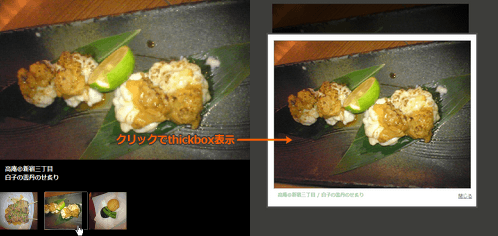 設置イメージ
<!DOCTYPE html PUBLIC "-//W3C//DTD XHTML 1.0 Transitional//EN" "http://www.w3.org/TR/xhtml1/DTD/xhtml1-transitional.dtd">
<html xmlns="http://www.w3.org/1999/xhtml" xml:lang="ja" lang="ja">
<head>
<meta http-equiv="Content-Type" content="text/html; charset=utf-8" />
<meta http-equiv="Content-Language" content="ja" />
<meta http-equiv="Content-Script-Type" content="text/javascript" />
<meta http-equiv="Content-Style-Type" content="text/css" />
<meta http-equiv="imagetoolbar" content="no" />
<title>Jquery-Gallery - by noth | 設置サンプル</title>
<link href="/content/lib/global.css" rel="stylesheet" type="text/css" />
<!-- JS -->
<script type="text/javascript" src="http://ajax.googleapis.com/ajax/libs/jquery/1.3.2/jquery.min.js" ></script>
<script type="text/javascript" src="/content/lib/thickbox3/thickbox.js"></script>
<script type="text/javascript" src="/content/lib/jquery/jquery-gallery.js" type="text/javascript"></script>
<!-- CSS -->
<link rel="stylesheet" href="/content/lib/jquery/jquery-gallery.css" type="text/css" media="screen" >
<link rel="stylesheet" href="/content/lib/thickbox3/thickbox.css" type="text/css" media="screen" >
</head>
<body>
<div id="wrap">
<!-- CODE -->
<div id="pagina">
<h1><a href='http://www.noth.es/jquery/mis_plugins/jquery-gallery-0-2-by-noth/'>Jquery Gallery Plugin - By noth</a> | 設置サンプル</h1>
<dl class="slideShowGallery">
<dt><a class="thickbox" href="http://farm4.static.flickr.com/3215/3141100545_1891c4c3ab_o.jpg" title="高庵@新宿三丁目"> <img src="http://farm4.static.flickr.com/3215/3141100545_e21269fb11.jpg" title="高庵@新宿三丁目" alt="白レバー串みそ焼き" /></a></dt>
<dd>
<!-- <a href="元画像URL" rev="サムネイル画像(大)URL"><img src="サムネイル画像(小)URL" title="タイトル" alt="説明文" /></a> -->
<a href="http://farm4.static.flickr.com/3215/3141100545_1891c4c3ab_o.jpg" rev='http://farm4.static.flickr.com/3215/3141100545_e21269fb11.jpg'> <img src="http://farm4.static.flickr.com/3215/3141100545_e21269fb11_s.jpg" title="高庵@新宿三丁目" alt="白レバー串みそ焼き" /></a>
<a href="http://farm4.static.flickr.com/3015/3104684027_578ca1f68c_o.jpg" rev='http://farm4.static.flickr.com/3015/3104684027_a215663229.jpg'> <img src="http://farm4.static.flickr.com/3015/3104684027_a215663229_s.jpg" title="高庵@新宿三丁目" alt="白子の雲丹のせ炙り" /></a>
<a href="http://farm4.static.flickr.com/3033/3104683957_8afb7af62e_o.jpg" rev='http://farm4.static.flickr.com/3033/3104683957_a8b91f3235.jpg'> <img src="http://farm4.static.flickr.com/3033/3104683957_a8b91f3235_s.jpg" title="高庵@新宿三丁目" alt="自家製さつま揚げ二種" /></a>
</dd>
</dl>
</div>
<!-- / CODE -->
</div>
</body>
</html>
jQuery Image Strip
1枚の画像の表示位置を移動させてスライドショー
unknown
jQuery Image Strip
1枚の画像の表示位置を移動させてスライドショーにみせるjQueryプラグイン。 移動する幅やスライドするスピードの指定ができます。
 設置イメージ
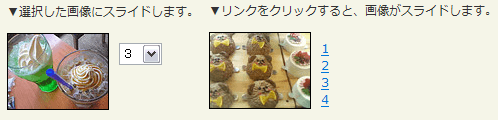 設置イメージ
<!DOCTYPE html PUBLIC "-//W3C//DTD XHTML 1.0 Transitional//EN" "http://www.w3.org/TR/xhtml1/DTD/xhtml1-transitional.dtd">
<html xmlns="http://www.w3.org/1999/xhtml" xml:lang="ja" lang="ja">
<head>
<meta http-equiv="Content-Type" content="text/html; charset=utf-8" />
<meta http-equiv="Content-Language" content="ja" />
<meta http-equiv="Content-Script-Type" content="text/javascript" />
<meta http-equiv="Content-Style-Type" content="text/css" />
<meta http-equiv="imagetoolbar" content="no" />
<title>jQuery Image Strip | 設置サンプル</title>
<link rel="stylesheet" type="text/css" href="/content/lib/global.css" />
<script type="text/javascript" src="/content/lib/jquery/jquery-1.0.4.js"></script>
<script type="text/javascript" src="/content/lib/jquery_image_strip/strip.js"></script>
<script type="text/javascript">
var mystrip;
$(function(){
mystrip = new ImageStrip('#stripdiv',100,800);
mystripsel = new ImageStrip('#stripsel',100,800);
});
</script>
<style type="text/css">
.strip { position:relative; overflow:hidden; border:solid 1px black; height:75px; width:100px; float:left; }
.strip img { position:absolute; left:0; top:0; }
.snav { margin:10px 0 10px 10px; padding:0; list-style:none; float:left; line-height:1; }
.snav li { margin:0; padding:0 0 5px 0; display:block; }
select { margin:10px 0 10px 10px; padding:0; float:left; }
div.clear { clear:both; }
</style>
</head>
<body>
<div id="wrap">
<h1><a href='http://blog.joshuaeichorn.com/archives/2007/01/11/jquery-image-strip/'>jQuery Image Strip</a> | 設置サンプル</h1>
<p>▼選択した画像にスライドします。</p>
<div class="strip" id="stripsel"><img src="/content/lib/jquery_image_strip/strip.png"></div>
<select onchange="mystripsel.move(this.value)">
<option value="1">1</option>
<option value="2">2</option>
<option value="3">3</option>
<option value="4">4</option>
</select>
<div class="clear"></div>
<p>▼リンクをクリックすると、画像がスライドします。</p>
<div class="strip" id="stripdiv"><img src="/content/lib/jquery_image_strip/strip.png"></div>
<ul class="snav">
<li><a href="#1" onclick="mystrip.move(1); return false">1</a></li>
<li><a href="#2" onclick="mystrip.move(2); return false">2</a></li>
<li><a href="#3" onclick="mystrip.move(3); return false">3</a></li>
<li><a href="#4" onclick="mystrip.move(4); return false">4</a></li>
</ul>
</div class="clear"></div>
</div>
</body>
</html>
jQuery lightBox plugin
jQuery版lightBox
unknown
jQuery lightBox plugin v0.5
[CSS]jquery.lightbox-0.5.css
Lightboxのような画像スライドショーが実装できるjQueryプラグイン。
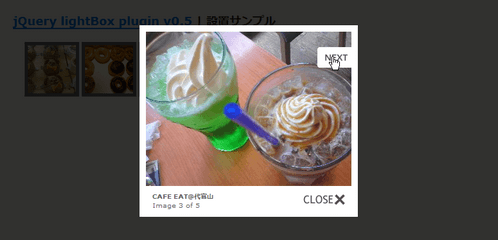 設置イメージ
<!DOCTYPE html PUBLIC "-//W3C//DTD XHTML 1.0 Transitional//EN" "http://www.w3.org/TR/xhtml1/DTD/xhtml1-transitional.dtd">
<html xmlns="http://www.w3.org/1999/xhtml" xml:lang="ja" lang="ja">
<head>
<meta http-equiv="Content-Type" content="text/html; charset=utf-8" />
<meta http-equiv="Content-Language" content="ja" />
<meta http-equiv="Content-Script-Type" content="text/javascript" />
<meta http-equiv="Content-Style-Type" content="text/css" />
<meta http-equiv="imagetoolbar" content="no" />
<title>jQuery lightBox plugin v0.5 | 設置サンプル</title>
<link rel="stylesheet" type="text/css" href="/content/lib/global.css" />
<link rel="stylesheet" type="text/css" href="/content/lib/jquery/jquery.lightbox-0.5.css" />
<!-- Arquivos utilizados pelo jQuery lightBox plugin -->
<script type="text/javascript" src="http://ajax.googleapis.com/ajax/libs/jquery/1.3.2/jquery.min.js" ></script>
<script type="text/javascript" src="/content/lib/jquery/jquery.lightbox-0.5.js"></script>
<script type="text/javascript">
$(function() {
$('#gallery a').lightBox();
});
</script>
<style type="text/css">
#gallery ul { list-style:none; }
#gallery ul li { display:inline; }
#gallery ul img { border:5px solid #666; }
#gallery ul a:hover img { border:5px solid #ff6699; color:#fff; }
#gallery ul a:hover { color:#fff; }
</style>
</head>
<body>
<div id="wrap">
<h1><a href='http://leandrovieira.com/projects/jquery/lightbox/'>jQuery lightBox plugin v0.5</a> | 設置サンプル</h1>
<div id="gallery">
<ul>
<li>
<a href="http://farm4.static.flickr.com/3222/2974008614_f4b59bf651_o.png" title="くまさんケーキ">
<img src="http://farm4.static.flickr.com/3222/2974008614_736e2d5b50_s.jpg" width="75" height="75" alt="" />
</a>
</li>
<li>
<a href="http://farm4.static.flickr.com/3141/2973155055_385036c286_o.png" title="クリスピー・クリーム・ドーナツ">
<img src="http://farm4.static.flickr.com/3141/2973155055_4cf4370939_s.jpg" width="75" height="75" alt="" />
</a>
</li>
<li>
<a href="http://farm4.static.flickr.com/3159/2971755812_6b3d0d3666_o.jpg" title="カフェオレ@CAFE EAT代官山">
<img src="http://farm4.static.flickr.com/3159/2971755812_cb4dc9e097_s.jpg" width="75" height="75" alt="" />
</a>
</li>
<li>
<a href="http://farm4.static.flickr.com/3174/2973352946_3814779ceb_o.jpg" title="メロンソーダとカフェオレ@CAFE EAT代官山">
<img src="http://farm4.static.flickr.com/3174/2973352946_d3589b717e_s.jpg" width="75" height="75" alt="メロンソーダとカフェオレ@CAFE EAT代官山" /></a>
</a>
</li>
<li>
<a href="http://farm4.static.flickr.com/3224/2971760010_939762ce95_o.jpg" title="みかん星人">
<img src="http://farm4.static.flickr.com/3224/2971760010_e4c6f7bb44_s.jpg" width="75" height="75" alt="" />
</a>
</li>
</ul>
</div>
</div>
</body>
</html>
f
カードを切るように画像をシャッフル
unknown
jQuery: jqShuffle
カードを切るように画像をシャッフルさせるjQueryプラグイン。
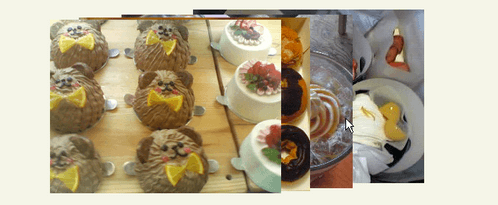 設置イメージ
<!DOCTYPE html PUBLIC "-//W3C//DTD XHTML 1.0 Transitional//EN" "http://www.w3.org/TR/xhtml1/DTD/xhtml1-transitional.dtd">
<html xmlns="http://www.w3.org/1999/xhtml" xml:lang="ja" lang="ja">
<head>
<meta http-equiv="Content-Type" content="text/html; charset=utf-8" />
<meta http-equiv="Content-Language" content="ja" />
<meta http-equiv="Content-Script-Type" content="text/javascript" />
<meta http-equiv="Content-Style-Type" content="text/css" />
<meta http-equiv="imagetoolbar" content="no" />
<title>jQuery: jqShuffle | 設置サンプル</title>
<link rel="stylesheet" type="text/css" href="/content/lib/global.css" />
<script type="text/javascript" src="http://ajax.googleapis.com/ajax/libs/jquery/1.3.2/jquery.min.js" ></script>
<script type="text/javascript" src="/content/lib/jquery/jqshuffle.js"></script>
<script type="text/javascript">
$(function(){
$('.sample').jqShuffle();
});
</script>
<style type="text/css">
.sample { margin:0 auto; padding:0; text-align:center; list-style:none; }
</style>
</head>
<body>
<div id="wrap">
<h1><a href='http://benjaminsterling.com/jquery-jqshuffle/'>jQuery: jqShuffle</a> | 設置サンプル</h1>
<p>画像をクリックすると、カードを切るように画像がシャッフルします。</p>
<ul class="sample">
<li><span><img src="http://farm4.static.flickr.com/3222/2974008614_736e2d5b50.jpg" alt="" /></span></li>
<li><span><img src="http://farm4.static.flickr.com/3141/2973155055_4cf4370939.jpg" alt="" /></span></li>
<li><span><img src="http://farm4.static.flickr.com/3174/2973352946_d3589b717e.jpg" alt="" /></span></li>
<li><span><img src="http://farm4.static.flickr.com/3025/2971768652_b9b3b7ddda.jpg" alt="" /></span></li>
<li><span><img src=" " alt="" /></span></li>
<li><span><img src=" " alt="" /></span></li>
<li><span><img src=" " alt="" /></span></li>
<li><span><img src=" " alt="" /></span></li>
<li><span><img src=" " alt="" /></span></li>
<li><span><img src=" " alt="" /></span></li>
<li><span><img src=" " alt="" /></span></li>
<li><span><img src=" " alt="" /></span></li>
</ul>
</div>
</body>
</html>
jQuery.flyout
サムネイル画像をクリックすると、元画像をフライアウトしながら拡大表示
unknown
jQuery.flyout
サムネイル画像をクリックすると、元画像をフライアウトしながら拡大表示するライブラリ。 ローディングアニメーション付など3タイプのデモが公開されています。
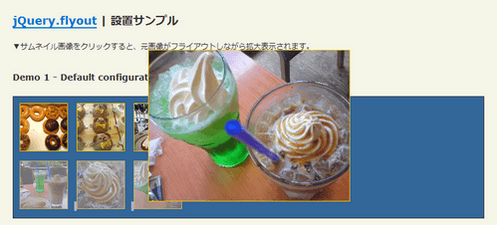 設置イメージ
<!DOCTYPE html PUBLIC "-//W3C//DTD XHTML 1.0 Transitional//EN" "http://www.w3.org/TR/xhtml1/DTD/xhtml1-transitional.dtd">
<html xmlns="http://www.w3.org/1999/xhtml" xml:lang="ja" lang="ja">
<head>
<meta http-equiv="Content-Type" content="text/html; charset=utf-8" />
<meta http-equiv="Content-Language" content="ja" />
<meta http-equiv="Content-Script-Type" content="text/javascript" />
<meta http-equiv="Content-Style-Type" content="text/css" />
<meta http-equiv="imagetoolbar" content="no" />
<title>jQuery.flyout | 設置サンプル</title>
<link rel="stylesheet" type="text/css" href="/content/lib/global.css" />
<script type="text/javascript" src="http://ajax.googleapis.com/ajax/libs/jquery/1.3.2/jquery.min.js" ></script>
<script type="text/javascript" src="/content/lib/jquery/jquery.easing.1.3.js"></script>
<script type="text/javascript" src="/content/lib/jquery/jquery.flyout.js"></script>
<script type="text/javascript">
$(function() {
$('#default_gallery a').flyout();
$('#demo_gallery_1 a').flyout({loadingSrc:'/content/img/ajax/thumb-loading.gif',
outEase:'easeInCirc',
inEase:'easeOutBounce'});
$('#demo_gallery_2 a').flyout({loadingSrc:'/content/img/ajax//thumb-loading2.gif',
outEase:'easeOutQuad',
inEase:'easeInBack',
loader:'loader2',
widthMargin:300,
heightMargin:300});
});
</script>
<style type="text/css">
.gallery { position:relative; border:1px solid #333; background-color:#336699; margin-top:20px; width:280px; }
.gallery ul { margin:10px 0; padding:0 0 0 10px; list-style:none; }
.gallery li { display:inline; margin:0; padding:0 10px 0 0; height:1px;}
.gallery a { display:inline; margin:0; padding:0;}
.gallery img { position:relative; margin:0; border:1px solid #fc0; }
#loader { border:1px solid #fc0;}
#loader2 { background-color:#fff; border:2px dashed #909;}
.fineprint {font-size:.8em;font-weight:bold;}
</style>
</head>
<body>
<div id="wrap">
<h1><a href='http://www.nixbox.com/demos/jquery.flyout.php'>jQuery.flyout</a> | 設置サンプル</h1>
<p>▼サムネイル画像をクリックすると、元画像がフライアウトしながら拡大表示されます。</p>
<h2>Demo 1 - Default configuration</h2>
<div id="default_gallery" class="gallery">
<ul>
<li><a href="http://farm4.static.flickr.com/3141/2973155055_385036c286_o.png" title="クリスピー・クリーム・ドーナツ"><img src="http://farm4.static.flickr.com/3141/2973155055_4cf4370939_s.jpg" alt="クリスピー・クリーム・ドーナツ" /></a></li>
<li><a href="http://farm4.static.flickr.com/3222/2974008614_f4b59bf651_o.png" title="くまさんケーキ"><img src="http://farm4.static.flickr.com/3222/2974008614_736e2d5b50_s.jpg" alt="くまさんケーキ" /></a></li>
<li><a href="http://farm3.static.flickr.com/2389/2232216877_daa2fcaf7c_o.jpg" title="チーズムース"><img src="http://farm3.static.flickr.com/2389/2232216877_8240771cde_s.jpg" alt="チーズムース" /></a></li>
</ul>
<ul>
<li><a href="http://farm4.static.flickr.com/3029/2970912983_6a7632aa8a_o.jpg" title="CAFE EAT@1"><img src="http://farm4.static.flickr.com/3029/2970912983_543c9af1d2_s.jpg" alt="CAFE EAT@1" /></a></li>
<li><a href="http://farm4.static.flickr.com/3159/2971755812_6b3d0d3666_o.jpg" title="CAFE EAT@2"><img src="http://farm4.static.flickr.com/3159/2971755812_cb4dc9e097_s.jpg" alt="CAFE EAT@2" /></a></li>
<li><a href="http://farm4.static.flickr.com/3174/2973352946_3814779ceb_o.jpg" title="CAFE EAT@3"><img src="http://farm4.static.flickr.com/3174/2973352946_d3589b717e_s.jpg" alt="CAFE EAT@3" /></a></li>
</ul>
</div>
<h2>Demo 2 - Easing and Loading Animation Demo</h2>
<div id="demo_gallery_1" class="gallery">
<ul>
<li><a href="http://farm4.static.flickr.com/3141/2973155055_385036c286_o.png" title="クリスピー・クリーム・ドーナツ"><img src="http://farm4.static.flickr.com/3141/2973155055_4cf4370939_s.jpg" alt="クリスピー・クリーム・ドーナツ" /></a></li>
<li><a href="http://farm4.static.flickr.com/3222/2974008614_f4b59bf651_o.png" title="くまさんケーキ"><img src="http://farm4.static.flickr.com/3222/2974008614_736e2d5b50_s.jpg" alt="くまさんケーキ" /></a></li>
<li><a href="http://farm3.static.flickr.com/2389/2232216877_daa2fcaf7c_o.jpg" title="チーズムース"><img src="http://farm3.static.flickr.com/2389/2232216877_8240771cde_s.jpg" alt="チーズムース" /></a></li>
</ul>
<ul>
<li><a href="http://farm4.static.flickr.com/3029/2970912983_6a7632aa8a_o.jpg" title="CAFE EAT@1"><img src="http://farm4.static.flickr.com/3029/2970912983_543c9af1d2_s.jpg" alt="CAFE EAT@1" /></a></li>
<li><a href="http://farm4.static.flickr.com/3159/2971755812_6b3d0d3666_o.jpg" title="CAFE EAT@2"><img src="http://farm4.static.flickr.com/3159/2971755812_cb4dc9e097_s.jpg" alt="CAFE EAT@2" /></a></li>
<li><a href="http://farm4.static.flickr.com/3174/2973352946_3814779ceb_o.jpg" title="CAFE EAT@3"><img src="http://farm4.static.flickr.com/3174/2973352946_d3589b717e_s.jpg" alt="CAFE EAT@3" /></a></li>
</ul>
</div>
<h2>Demo 3 - Custom Margins, Custom Loader and More Easing</h2>
<div id="demo_gallery_2" class="gallery">
<ul>
<li><a href="http://farm4.static.flickr.com/3141/2973155055_385036c286_o.png" title="クリスピー・クリーム・ドーナツ"><img src="http://farm4.static.flickr.com/3141/2973155055_4cf4370939_s.jpg" alt="クリスピー・クリーム・ドーナツ" /></a></li>
<li><a href="http://farm4.static.flickr.com/3222/2974008614_f4b59bf651_o.png" title="くまさんケーキ"><img src="http://farm4.static.flickr.com/3222/2974008614_736e2d5b50_s.jpg" alt="くまさんケーキ" /></a></li>
<li><a href="http://farm3.static.flickr.com/2389/2232216877_daa2fcaf7c_o.jpg" title="チーズムース"><img src="http://farm3.static.flickr.com/2389/2232216877_8240771cde_s.jpg" alt="チーズムース" /></a></li>
</ul>
<ul>
<li><a href="http://farm4.static.flickr.com/3029/2970912983_6a7632aa8a_o.jpg" title="CAFE EAT@1"><img src="http://farm4.static.flickr.com/3029/2970912983_543c9af1d2_s.jpg" alt="CAFE EAT@1" /></a></li>
<li><a href="http://farm4.static.flickr.com/3159/2971755812_6b3d0d3666_o.jpg" title="CAFE EAT@2"><img src="http://farm4.static.flickr.com/3159/2971755812_cb4dc9e097_s.jpg" alt="CAFE EAT@2" /></a></li>
<li><a href="http://farm4.static.flickr.com/3174/2973352946_3814779ceb_o.jpg" title="CAFE EAT@3"><img src="http://farm4.static.flickr.com/3174/2973352946_d3589b717e_s.jpg" alt="CAFE EAT@3" /></a></li>
</ul>
</div>
</div>
</body>
</html>
jQuery.popeye - an inline lightbox alternative
画像送り機能、拡大表示機能付きのスライドショー
2009/2/11
jQuery.popeye - an inline lightbox alternative
[CSS]styling.css、jquery.popeye.css
前後の画像へ移動できる画像送り機能と、サムネイル画像の元画像をポップアップ表示する拡大機能がついたスライドショーを実装できるjQueryプラグイン。
現在の画像/画像数といったページングも表示されます。 ボタン表示とアイコン表示の2タイプのスタイルが用意されています。 スライドショーの動作は、オプションが用意されているので、引数を変更するだけでカスタマイズすることができます。
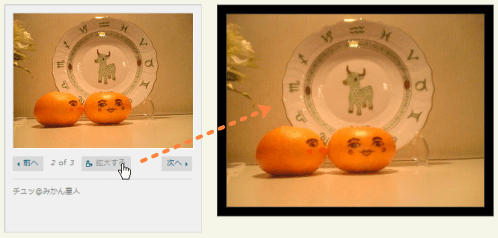 設置イメージ
<!DOCTYPE html PUBLIC "-//W3C//DTD XHTML 1.0 Transitional//EN" "http://www.w3.org/TR/xhtml1/DTD/xhtml1-transitional.dtd">
<html xmlns="http://www.w3.org/1999/xhtml" xml:lang="ja" lang="ja">
<head>
<meta http-equiv="Content-Type" content="text/html; charset=utf-8" />
<meta http-equiv="Content-Language" content="ja" />
<meta http-equiv="Content-Script-Type" content="text/javascript" />
<meta http-equiv="Content-Style-Type" content="text/css" />
<meta http-equiv="imagetoolbar" content="no" />
<title>jQuery.popeye - an inline lightbox alternative | 設置サンプル</title>
<link rel="stylesheet" type="text/css" href="/content/lib/global.css" />
<!-- JS -->
<script type="text/javascript" src="http://ajax.googleapis.com/ajax/libs/jquery/1.3.2/jquery.min.js" ></script>
<script type="text/javascript" src="/content/lib/jquery/jquery.easing.1.3.js"></script>
<script type="text/javascript" src="/content/lib/jquery/jquery.popeye/jquery.popeye-0.2.1.js"></script>
<script type="text/javascript">
$(function() {
var options1 = {
easing:'easeInOutCirc'
}
var options2 = {
direction: 'right',
duration:230
}
$('#popeye1').popeye(options1); /* ボタン表示タイプ */
$('#popeye2').popeye(options2); /* アイコン表示タイプ */
});
</script>
<!-- CSS -->
<link rel="stylesheet" href="/content/lib/jquery/jquery.popeye/jquery.popeye.css" type="text/css" />
<link rel="stylesheet" href="/content/lib/jquery/jquery.popeye/styling.css" type="text/css" />
</head>
<body>
<div id="wrap">
<h1><a href='http://herr-schuessler.de/blog/jquerypopeye-an-inline-lightbox-alternative/'>jQuery.popeye - an inline lightbox alternative</a> | 設置サンプル</h1>
<!-- CODE -->
<div class="cf">
<div id="popeye1">
<ul>
<li><a href="http://farm4.static.flickr.com/3327/3190782567_9e9ab73498_o.jpg"><img src="http://farm4.static.flickr.com/3327/3190782567_01fd8855f0_m.jpg" alt="出会い@みかん星人"></a></li>
<li><a href="http://farm4.static.flickr.com/3336/3190782595_199e43d52b_o.jpg"><img src="http://farm4.static.flickr.com/3336/3190782595_f789def132_m.jpg" alt="チュッ@みかん星人"></a></li>
<li><a href="http://farm4.static.flickr.com/3317/3191630438_dd1ca39eb8_o.jpg"><img src="http://farm4.static.flickr.com/3317/3191630438_f057b231a3_m.jpg" alt="合体@みかん星人"></a></li>
</ul>
</div>
<div id="popeye2">
<ul>
<li><a href="http://farm4.static.flickr.com/3327/3190782567_9e9ab73498_o.jpg"><img src="http://farm4.static.flickr.com/3327/3190782567_01fd8855f0_m.jpg" alt="出会い@みかん星人"></a></li>
<li><a href="http://farm4.static.flickr.com/3336/3190782595_199e43d52b_o.jpg"><img src="http://farm4.static.flickr.com/3336/3190782595_f789def132_m.jpg" alt="チュッ@みかん星人"></a></li>
<li><a href="http://farm4.static.flickr.com/3317/3191630438_dd1ca39eb8_o.jpg"><img src="http://farm4.static.flickr.com/3317/3191630438_f057b231a3_m.jpg" alt="合体@みかん星人"></a></li>
</ul>
</div>
</div>
<!-- CODE / -->
</div>
</body>
</html>
Photo Slider
サムネイルの表示がFlashっぽいスライドショー
unknown
Photo Slider 1.1
[JS]jquery.js v1.2.6、photoslider.js
サムネイルの表示がFlashっぽいスライドショーです。現在表示されている画像のサムネイル画像が中央に表示されます。 画像とサムネイル画像の名前の規則性がないといけませんが、ライブラリはいじらずに、以下のようにページ側で変数をオーバーライドすればOKです。
<script type="text/javascript">
$(function(){
    //change the 'baseURL' to reflect the host and or path to your images
    FOTO.Slider.loadingURL    = 'loading.gif',
    FOTO.Slider.baseURL        = '../galleryimages/',
    FOTO.Slider.thumbURL    = 'christmas-party-{ID}t.jpg',
    FOTO.Slider.mainURL        = 'christmas-party-{ID}.jpg',

    //set images by filling our bucket directly
    FOTO.Slider.bucket = {
        'default': {
            0: {'thumb': '1t.jpg', 'main': '1.jpg', 'caption': 'Christmas Party no.1'},
            1: {'thumb': '2t.jpg', 'main': '2.jpg'},
            2: {'thumb': '3t.jpg', 'main': '3.jpg', 'caption': 'Christmas Party no.3'},
            3: {'thumb': '4t.jpg', 'main': '4.jpg', 'caption': 'Christmas Party no.4'},
            4: {'thumb': '5t.jpg', 'main': '5.jpg', 'caption': 'Christmas Party no.5'},
            5: {'thumb': '6t.jpg', 'main': '6.jpg', 'caption': 'Christmas Party no.6'},
            6: {'thumb': '7t.jpg', 'main': '7.jpg', 'caption': 'Christmas Party no.7'},
            7: {'thumb': '8t.jpg', 'main': '8.jpg', 'caption': 'Christmas Party no.8'},
            8: {'thumb': '9t.jpg', 'main': '9.jpg', 'caption': 'Christmas Party no.9'}
        }
    };
    //or set our images by the bucket importer
    var ids = new Array(1,2,3,4,5,6,7,8,9);
    FOTO.Slider.importBucketFromIds('default',ids);
    FOTO.Slider.reload('default');
    FOTO.Slider.preloadImages('default');
    FOTO.Slider.enableSlideshow('default');
});
</script>
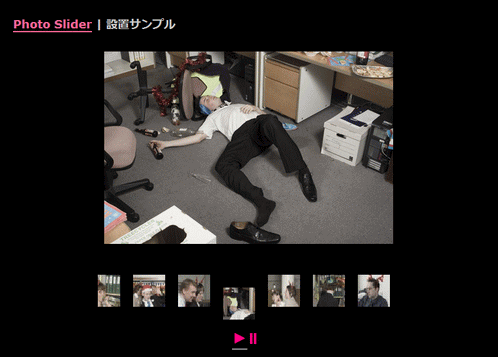 設置イメージ
<!DOCTYPE html PUBLIC "-//W3C//DTD XHTML 1.0 Transitional//EN" "http://www.w3.org/TR/xhtml1/DTD/xhtml1-transitional.dtd">
<html xmlns="http://www.w3.org/1999/xhtml" xml:lang="ja" lang="ja">
<head>
<meta http-equiv="Content-Type" content="text/html; charset=utf-8" />
<meta http-equiv="Content-Language" content="ja" />
<meta http-equiv="Content-Script-Type" content="text/javascript" />
<meta http-equiv="Content-Style-Type" content="text/css" />
<meta http-equiv="imagetoolbar" content="no" />
<title>Photo Slider | 設置サンプル</title>
<link rel="stylesheet" type="text/css" href="/content/lib/global.css" />
<link rel="stylesheet" type="text/css" media="screen" href="/content/lib/photoslider/photoslider.css" />
<script type="text/javascript" src="http://ajax.googleapis.com/ajax/libs/jquery/1.2.6/jquery.min.js" ></script>
<script type="text/javascript" src="/content/lib/photoslider/photoslider.js"></script>
</head>
<body class="black">
<div id="wrap">
<h1><a href="http://opiefoto.com/articles/photoslider">Photo Slider</a> | 設置サンプル</h1>
<div id="content">
<div class="photoslider" id="default"></div>
<script type="text/javascript">
$(function(){
//change the 'baseURL' to reflect the host and or path to your images
FOTO.Slider.loadingURL = 'loading.gif',
FOTO.Slider.baseURL = '/content/lib/galleryimages/',
FOTO.Slider.thumbURL = 'christmas-party-{ID}t.jpg',
FOTO.Slider.mainURL = 'christmas-party-{ID}.jpg',
//set images by filling our bucket directly
FOTO.Slider.bucket = {
'default': {
0: {'thumb': '1t.jpg', 'main': '1.jpg', 'caption': 'Christmas Party no.1'},
1: {'thumb': '2t.jpg', 'main': '2.jpg'},
2: {'thumb': '3t.jpg', 'main': '3.jpg', 'caption': 'Christmas Party no.3'},
3: {'thumb': '4t.jpg', 'main': '4.jpg', 'caption': 'Christmas Party no.4'},
4: {'thumb': '5t.jpg', 'main': '5.jpg', 'caption': 'Christmas Party no.5'},
5: {'thumb': '6t.jpg', 'main': '6.jpg', 'caption': 'Christmas Party no.6'},
6: {'thumb': '7t.jpg', 'main': '7.jpg', 'caption': 'Christmas Party no.7'},
7: {'thumb': '8t.jpg', 'main': '8.jpg', 'caption': 'Christmas Party no.8'},
8: {'thumb': '9t.jpg', 'main': '9.jpg', 'caption': 'Christmas Party no.9'}
}
};
//or set our images by the bucket importer
var ids = new Array(1,2,3,4,5,6,7,8,9);
FOTO.Slider.importBucketFromIds('default',ids);
FOTO.Slider.reload('default');
FOTO.Slider.preloadImages('default');
FOTO.Slider.enableSlideshow('default');
});
</script>
<p>写真素材:<a href="http://www.nwyhstockimages.com/">NWYH Stock Image Library</a></p>
</div><!-- div#wrap/div#content -->
</div><!-- div#wrap -->
</body>
</html>
Portfolio Layout Idea Using jQuery
ポートフォリオ
2009/2/24
Portfolio Layout Idea Using jQuery
ポートフォリオ風のレイアウトをjQueryを使用して作成する、思わずなるほど!といってしまう面白いレイアウトです。
dt要素にサムネイル画像、dd要素に拡大画像と説明文を記述し、jQueryで左右に均等に配置させています。 dt要素をクリックすると、dd要素が中央にアニメーション表示されます。
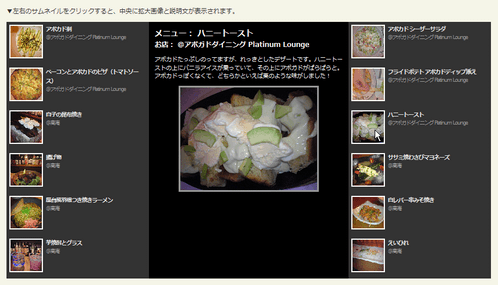 設置イメージ
<!DOCTYPE html PUBLIC "-//W3C//DTD XHTML 1.0 Transitional//EN" "http://www.w3.org/TR/xhtml1/DTD/xhtml1-transitional.dtd">
<html xmlns="http://www.w3.org/1999/xhtml" xml:lang="ja" lang="ja">
<head>
<meta http-equiv="Content-Type" content="text/html; charset=utf-8" />
<meta http-equiv="Content-Language" content="ja" />
<meta http-equiv="Content-Script-Type" content="text/javascript" />
<meta http-equiv="Content-Style-Type" content="text/css" />
<meta http-equiv="imagetoolbar" content="no" />
<title>simplyScroll | 設置サンプル</title>
<link rel="stylesheet" type="text/css" href="/content/lib/global.css" />
<!-- JS -->
<script type="text/javascript" src="http://ajax.googleapis.com/ajax/libs/jquery/1.3.2/jquery.min.js" ></script>
<script type="text/javascript" src="/content/lib/jquery/jquery.easing.1.3.js"></script>
<script type="text/javascript">
$(function(){
var hght = 0;
$('dt')
.addClass('dt')
.each(function(i){
if(i%2){
$(this).addClass('left').css('top',hght);
hght+=75;
}
else{
$(this).addClass('right').css('top',hght);
}
})
.click(function(){
if( $('#portfolio dd:animated').size()) return false;
var that = $(this);
$('#portfolio dd.showing')
.animate({top:-455}, 750, 'easeOutQuad', function(){
$(this).removeClass('showing');
that.next().animate({top:0}, 750, 'easeInQuad').addClass('showing');
});
})
.eq(0)
.next()
.animate({top:0}, 750, 'easeInQuad').addClass('showing');
});
</script>
<!-- CSS -->
<style type="text/css">
#demo {
width:850px; height:450px;
overflow:hidden;
position:relative;
}
#portfolio {
margin:0; padding:0;
}
#portfolio dt {
width:240px; height:65px;
background:#333;
font-weight:normal;
color:#999;
margin:0; padding:5px;
letter-spacing:-1px;
}
#portfolio dd {
position:absolute;
left:250px; top:-455px;
width:330px; height:430px;
margin:0; padding:0; background:#000;
padding:10px;
}
#portfolio dt img {
border:2px solid #fff;
width:55px; height:55px;
float:left;
margin-right:5px;
}
#portfolio dt strong {
display:block;
color:#e8e8e8;
margin:0; padding:0;
font-size:1.2em;
font-weight:bold;
text-decoration:none;
}
#portfolio dt.left {
position:absolute;
top:0; left:0;
font-size:.8em;
}
#portfolio dt.right {
position:absolute;
top:0; right:0;
font-size:.8em;
}
#portfolio dd h3 {
color:#fff;
font-size:1.3em;
margin:0; padding:0;
}
#portfolio dd h4 {
font-size:1.1em;
color:#fff;
margin:0; padding:0;
}
#portfolio dd p {
color:#fff;
font-size:.9em;
line-height:1.5;
}
#portfolio dd img{
display:block;
margin:0 auto; border:3px solid #999;
}
</style>
</head>
<body>
<div id="wrap">
<h1><a href='http://benjaminsterling.com/portolio-layout-idea-using-jquery/'>Portfolio Layout Idea Using jQuery</a> | 設置サンプル</h1>
<p>▼左右のサムネイルをクリックすると、中央に拡大画像と説明文が表示されます。</p>
<!-- CODE -->
<div id="demo" class="cf">
<dl id="portfolio">
<dt>
<img src="http://farm4.static.flickr.com/3514/3274514408_1800118ded_s.jpg" alt="" />
<strong>アボカド シーザーサラダ</strong>
@アボガドダイニング Platinum Lounge
</dt>
<dd>
<h3><span>メニュー:</span> アボカド シーザーサラダ</h3>
<h4><span>お店:</span> @アボガドダイニング Platinum Lounge</h4>
<p>よくわからないけどちゃんとアボガド入りです!クリーミーなシーザードレッシングとアボガドの相性がとってもよかったです。</p>
<img src="http://farm4.static.flickr.com/3514/3274514408_1800118ded_m.jpg" alt="" />
</dd>
<dt>
<img src="http://farm4.static.flickr.com/3509/3273696567_ebf4ed4381_s.jpg" alt="" />
<strong>アボカド刺</strong>
@アボガドダイニング Platinum Lounge
</dt>
<dd>
<h3><span>メニュー:</span> アボカド刺</h3>
<h4><span>お店:</span> @アボガドダイニング Platinum Lounge</h4>
<p>アボガドにお醤油がかかってるせいか、わさびをちょっとのせて食べると、マグロ入ってないのに、マグロの味がしましたw</p>
<img src="http://farm4.static.flickr.com/3509/3273696567_ebf4ed4381_m.jpg" alt="" />
</dd>
<dt>
<img src="http://farm4.static.flickr.com/3324/3273696401_f4ea6c7677_s.jpg" alt="" />
<strong>フライドポテト アボカドディップ添え</strong>
@アボガドダイニング Platinum Lounge
</dt>
<dd>
<h3><span>メニュー:</span> フライドポテト アボカドディップ添え</h3>
<h4><span>お店:</span> @アボガドダイニング Platinum Lounge</h4>
<p>アボカドディップはとってもクリーミー!ポテトじゃなくてもなんにでも合いそう♪</p>
<img src="http://farm4.static.flickr.com/3324/3273696401_f4ea6c7677_m.jpg" alt="" />
</dd>
<dt>
<img src="http://farm4.static.flickr.com/3427/3273696469_aa2aaf5e89_s.jpg" alt="" />
<strong>ベーコンとアボカドのピザ(トマトソース)</strong>
@アボガドダイニング Platinum Lounge
</dt>
<dd>
<h3><span>メニュー:</span> ベーコンとアボカドのピザ(トマトソース)</h3>
<h4><span>お店:</span> @アボガドダイニング Platinum Lounge</h4>
<p>めちゃくちゃおいしかったアボカドのピザ!ピザ生地はクリスピータイプでさくさく!</p>
<img src="http://farm4.static.flickr.com/3427/3273696469_aa2aaf5e89_m.jpg" alt="" />
</dd>
<dt>
<img src="http://farm4.static.flickr.com/3316/3273696493_570fdd0ee5_s.jpg" alt="" />
<strong>ハニートースト</strong>
@アボガドダイニング Platinum Lounge
</dt>
<dd>
<h3><span>メニュー:</span> ハニートースト</h3>
<h4><span>お店:</span> @アボガドダイニング Platinum Lounge</h4>
<p>アボカドたっぷしのってますが、れっきとしたデザートです。ハニートーストの上にバニラアイスが乗っていて、その上にアボガドがぱらぱらと。アボカドっぽくなくて、どちらかといえば栗のような味がしました!</p>
<img src="http://farm4.static.flickr.com/3316/3273696493_570fdd0ee5_m.jpg" alt="" />
</dd>
<dt>
<img src="http://farm4.static.flickr.com/3197/3141927210_be00d22544_s.jpg" alt="" />
<strong>白子の昆布焼き</strong>
@高庵
</dt>
<dd>
<h3><span>メニュー:</span> 白子の昆布焼き</h3>
<h4><span>お店:</span> 高庵</h4>
<p>昆布の上に白子をのせて、かるーく火を通ったところで、お醤油をちょびっとたらしていただききました。白子って生でポン酢で食べることが多いけど、焼いてもトロットしてて美味しいんですねー!</p>
<img src="http://farm4.static.flickr.com/3197/3141927210_be00d22544_m.jpg" alt="" />
</dd>
<dt>
<img src="http://farm4.static.flickr.com/3284/3141927120_d66a9a0304_s.jpg" alt="" />
<strong>ササミ焼わさびマヨネーズ</strong>
@高庵
</dt>
<dd>
<h3><span>メニュー:</span> ササミ焼わさびマヨネーズ</h3>
<h4><span>お店:</span> 高庵</h4>
<p>ジューシーなササミに、ちょっぴりわさびのきいたマヨネーズがたっぷりのってまっす!和とイタリアンの融合って感じw彩りもきれいですよね♪</p>
<img src="http://farm4.static.flickr.com/3284/3141927120_d66a9a0304_m.jpg" alt="" />
</dd>
<dt>
<img src="http://farm4.static.flickr.com/3196/3141100631_c244dbe4a4_s.jpg" alt="" />
<strong>揚げ物</strong>
@高庵
</dt>
<dd>
<h3><span>メニュー:</span> 揚げ物</h3>
<h4><span>お店:</span> 高庵</h4>
<p>メニューの名前をわすれてしまった(汗;鶏肉を骨ごとぶつ切りにしてあげた唐揚げ!衣にしっかり味がついていて、食べた感じはカラッよりもふっくら!肉汁があふれでますw</p>
<img src="http://farm4.static.flickr.com/3196/3141100631_c244dbe4a4_m.jpg" alt="" />
</dd>
<dt>
<img src="http://farm4.static.flickr.com/3215/3141100545_e21269fb11_s.jpg" alt="" />
<strong>白レバー串みそ焼き</strong>
@高庵
</dt>
<dd>
<h3><span>メニュー:</span> 揚げ物</h3>
<h4><span>お店:</span> 高庵</h4>
<p>またまたリピしちゃいました、白レバー!今回は3人で行ったので3本。お刺身でもいけるくらい新鮮で美味しいレバーなので、レアめな感じの焼き加減に、濃厚な味噌ソースがたっぷり!コレは絶品です!</p>
<img src="http://farm4.static.flickr.com/3215/3141100545_e21269fb11_m.jpg" alt="" />
</dd>
<dt>
<img src="http://farm4.static.flickr.com/3247/3141926720_08ebc48824_s.jpg" alt="" />
<strong>屋台風羽根つき焼きラーメン</strong>
@高庵
</dt>
<dd>
<h3><span>メニュー:</span> 屋台風羽根つき焼きラーメン</h3>
<h4><span>お店:</span> 高庵</h4>
<p>焼きラーメンってなんだろー??と思って頼んでみました。普通の焼きそばと違って、麺がやわらかめでソースが下にたまるくらいかかっていました!呑んでると、濃い目の味付けがほしくなるんですよね。そんなときにぴったりの〆メニューです!</p>
<img src="http://farm4.static.flickr.com/3247/3141926720_08ebc48824_m.jpg" alt="" />
</dd>
<dt>
<img src="http://farm4.static.flickr.com/3278/3141100261_e0139b971e_s.jpg" alt="" />
<strong>えいひれ</strong>
@高庵
</dt>
<dd>
<h3><span>メニュー:</span> えいひれ</h3>
<h4><span>お店:</span> 高庵</h4>
<p>えいひれ大好きなんだけど、これは今まで食べたことがない感じで美味しかった!ジューシーといういかとっても肉厚でやわらかいんですよねー!日本酒の肴にもってこい♪</p>
<img src="http://farm4.static.flickr.com/3278/3141100261_e0139b971e_m.jpg" alt="" />
</dd>
<dt>
<img src="http://farm4.static.flickr.com/3031/3141100435_24ebb86016_s.jpg" alt="" />
<strong>芋焼酎とグラス</strong>
@高庵
</dt>
<dd>
<h3><span>メニュー:</span> 芋焼酎とグラス</h3>
<h4><span>お店:</span> 高庵</h4>
<p>中身は芋焼酎ですw高庵は、グラスがとってもお洒落!頼むたびに、お酒に合ったデザインのグラスに入れてくれるので、お酒もグラスも楽しめます。</p>
<img src="http://farm4.static.flickr.com/3031/3141100435_24ebb86016_m.jpg" alt="" />
</dd>
</dl>
</div>
<!-- / CODE -->
</div>
</body>
</html>
s3Slider jQuery plugin
説明文の表示位置を上下左右自由に指定可能なかっこいいスライドショー
2008/11/30
s3Slider jQuery plugin
説明文を指定した場所(上下左右)に半透明のレイヤーで表示するかっこいいスライドショーを実装できるjQueryプラグイン。 説明文を表示する場所は、説明文を指定するspan要素にCSSのクラス名(left or right or bottom or top)を指定するだけです。 説明文が飛び出ないように、スライド枠部分のサイズは、画像の幅・高さと同じサイズを指定する必要があります。 スライドするスピードもミリ秒単位指定可能です。
 設置イメージ
<!DOCTYPE html PUBLIC "-//W3C//DTD XHTML 1.0 Transitional//EN" "http://www.w3.org/TR/xhtml1/DTD/xhtml1-transitional.dtd">
<html xmlns="http://www.w3.org/1999/xhtml" xml:lang="ja" lang="ja">
<head>
<meta http-equiv="Content-Type" content="text/html; charset=utf-8" />
<meta http-equiv="Content-Language" content="ja" />
<meta http-equiv="Content-Script-Type" content="text/javascript" />
<meta http-equiv="Content-Style-Type" content="text/css" />
<meta http-equiv="imagetoolbar" content="no" />
<title>slider jQuery plugin | 設置サンプル</title>
<link rel="stylesheet" type="text/css" href="/content/lib/global.css" />
<!-- JS -->
<script type="text/javascript" src="http://ajax.googleapis.com/ajax/libs/jquery/1.3.2/jquery.min.js" ></script>
<script type="text/javascript" src="/content/lib/jquery/s3Slider.js"></script>
<script type="text/javascript">
$(function() {
/* 例1 */
$('#slider').s3Slider({ timeOut: 3000 });
/* 例2 */
$('#slider1').s3Slider({ timeOut: 3000 });
/* 例3 */
$('#slider2').s3Slider({ timeOut: 3000 });
});
</script>
<!-- CSS -->
<style type="text/css">
ul, li { margin:0; padding:0; list-style:none; }
/* 例1~3 */
#sliderContent, #slider1Content, #slider2Content {
width:320px;
position:absolute;
top:0;
margin-left:0;
}
.sliderImage, .slider1Image, .slider2Image {
float:left;
position:relative;
display:none;
}
/* 例1 */
#slider {
width:320px; /* 画像の幅 */
height:240px; /* 画像の高さ */
position:relative;
overflow:hidden;
}
.sliderImage span {
position:absolute;
font:10px/15px Arial, Helvetica, sans-serif;
padding:10px;
width:300px; /* 画像の幅 - 左右内余白 320-(10*2) */
background-color:#000;
filter:alpha(opacity=70);
-moz-opacity:0.7;
-khtml-opacity:0.7;
opacity:0.7;
color:#fff;
display:none;
}
/* 例2~3 */
#slider1, #slider2 {
width:320px; /* 画像の幅 */
height:240px; /* 画像の高さ */
position:relative;
overflow:hidden;
}
.slider1Image span, .slider2Image span {
position:absolute;
font:10px/15px Arial, Helvetica, sans-serif;
padding:10px;
width:300px; /* 画像の幅 - 左右内余白 320-(10*2) */
background-color:#000;
filter:alpha(opacity=70);
-moz-opacity:0.7;
-khtml-opacity:0.7;
opacity:0.7;
color:#fff;
display:none;
}
.clear { clear:both; }
.sliderImage span strong, .slider1Image span strong, .slider2Image span strong { font-size:14px; }
.top { top:0; left:0; }
.bottom { bottom:0; left:0; }
.left { top:0; left:0; width:110px !important; height:220px; }
.right { right:0; bottom:5px; width:90px !important; height:220px; }
</style>
</head>
<body>
<div id="wrap">
<h1><a href='http://www.serie3.info/slider/'>slider jQuery plugin</a> | 設置サンプル</h1>
<!-- CODE -->
<!-- 例1 -->
<h2>例1</h2>
<p>説明文入りの半透明レイヤー上下の順に表示</p>
<div id="slider">
<ul id="sliderContent">
<li class="sliderImage">
<img src="http://farm4.static.flickr.com/3222/2974008614_f4b59bf651_o.png" />
<span class="top"><strong>くまさんケーキ</strong><br>むにゅっとした顔がちょっとムカつく、くまの顔をしたケーキ。新宿アルタの地下で見かけて思わず激写!どこから食べようか考えちゃうよね。とりあえず耳からいっておきますかw</span>
</li>
<li class="sliderImage">
<img src="http://farm4.static.flickr.com/3141/2973155055_385036c286_o.png" />
<span class="top"><strong>Krispy Kreme Doughnuts</strong><br>新宿サザンテラスにいつも長蛇の列を作っている人気のドーナツ屋さん。ドーナツの箱がピザの箱みたいでアメリカン!すごく甘いのかと思ってたら、意外とほどよい甘さでした。</span>
</li>
<li class="sliderImage">
<img src="http://farm4.static.flickr.com/3174/2973352946_d3589b717e.jpg" />
<span class="bottom"><strong>CAFE EAT@代官山</strong><br>代官山アドレスにあるCafe eat。メロンソーダーとアイス・カフェオーレ!ドリンクが大きくて長居にはもってこい♪</span>
</li>
<li class="sliderImage">
<img src="http://farm4.static.flickr.com/3025/2971768652_b9b3b7ddda.jpg" />
<span class="bottom"><strong>Giottoのケーキ</strong><br>ジョトォ 三越銀座店のケーキ。そびえたつモンブランが有名!上品なお味ですw</span>
</li>
<div class="clear sliderImage"></div>
</ul>
</div>
<!-- 例1 / -->
<!-- 例2 -->
<h2>例2</h2>
<p>説明文入りの半透明レイヤーを左または右に表示 <code><span class="left or left"></code></p>
<div id="slider1">
<ul id="slider1Content">
<li class="slider1Image">
<img src="http://farm4.static.flickr.com/3222/2974008614_f4b59bf651_o.png" />
<span class="left"><strong>くまさんケーキ</strong><br>むにゅっとした顔がちょっとムカつく、くまの顔をしたケーキ。新宿アルタの地下で見かけて思わず激写!どこから食べようか考えちゃうよね。とりあえず耳からいっておきますかw</span>
</li>
<li class="slider1Image">
<img src="http://farm4.static.flickr.com/3141/2973155055_385036c286_o.png" />
<span class="right"><strong>Krispy Kreme Doughnuts</strong><br>新宿サザンテラスにいつも長蛇の列を作っている人気のドーナツ屋さん。ドーナツの箱がピザの箱みたいでアメリカン!すごく甘いのかと思ってたら、意外とほどよい甘さでした。</span>
</li>
<li class="slider1Image">
<img src="http://farm4.static.flickr.com/3174/2973352946_d3589b717e.jpg" />
<span class="right"><strong>CAFE EAT@代官山</strong><br>代官山アドレスにあるCafe eat。メロンソーダーとアイス・カフェオーレ!ドリンクが大きくて長居にはもってこい♪</span>
</li>
<li class="slider1Image">
<img src="http://farm4.static.flickr.com/3025/2971768652_b9b3b7ddda.jpg" />
<span class="left"><strong>Giottoのケーキ</strong><br>ジョトォ 三越銀座店のケーキ。そびえたつモンブランが有名!上品なお味ですw</span>
</li>
<div class="clear slider1Image"></div>
</ul>
</div>
<!-- 例2 / -->
<!-- 例3 -->
<h2>例3</h2>
<p>説明文入りの半透明レイヤーを左右上下に表示 <code><span class="left or left or bottom or top"></code></p>
<div id="slider2">
<ul id="slider2Content">
<li class="slider2Image">
<img src="http://farm4.static.flickr.com/3222/2974008614_f4b59bf651_o.png" />
<span class="top"><strong>くまさんケーキ</strong><br>むにゅっとした顔がちょっとムカつく、くまの顔をしたケーキ。新宿アルタの地下で見かけて思わず激写!どこから食べようか考えちゃうよね。とりあえず耳からいっておきますかw</span>
</li>
<li class="slider2Image">
<img src="http://farm4.static.flickr.com/3141/2973155055_385036c286_o.png" />
<span class="left"><strong>Krispy Kreme Doughnuts</strong><br>新宿サザンテラスにいつも長蛇の列を作っている人気のドーナツ屋さん。ドーナツの箱がピザの箱みたいでアメリカン!すごく甘いのかと思ってたら、意外とほどよい甘さでした。</span>
</li>
<li class="slider2Image">
<img src="http://farm4.static.flickr.com/3174/2973352946_d3589b717e.jpg" />
<span class="bottom"><strong>CAFE EAT@代官山</strong><br>代官山アドレスにあるCafe eat。メロンソーダーとアイス・カフェオーレ!ドリンクが大きくて長居にはもってこい♪</span></li>
<li class="slider2Image">
<img src="http://farm4.static.flickr.com/3025/2971768652_b9b3b7ddda.jpg" />
<span class="right"><strong>Giottoのケーキ</strong><br>ジョトォ 三越銀座店のケーキ。そびえたつモンブランが有名!上品なお味ですw</span>
</li>
<div class="clear slider2Image"></div>
</ul>
</div>
<!-- 例3 / -->
<!-- CODE / -->
</div>
</body>
</html>
Scroll your HTML with jquery.scrollable.js
スライドショー
unknown
Scroll your HTML with jquery.scrollable.js
[JS]jquery.min.js、jquery.scrollable.js、jquery.mousewheel.js
リンクをクリックすると、該当する画像まで水平方向にスムーズにスライド表示するjQueryプラグイン。 リンクにマウスオーバーした時に画像のタイトルをツールチップを表示することもできます。 また、スライドの見せ方も2パターンあります。
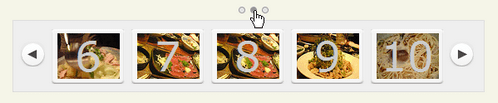 設置イメージ
<!DOCTYPE html PUBLIC "-//W3C//DTD XHTML 1.0 Transitional//EN" "http://www.w3.org/TR/xhtml1/DTD/xhtml1-transitional.dtd">
<html xmlns="http://www.w3.org/1999/xhtml" xml:lang="ja" lang="ja">
<head>
<meta http-equiv="Content-Type" content="text/html; charset=utf-8" />
<meta http-equiv="Content-Language" content="ja" />
<meta http-equiv="Content-Script-Type" content="text/javascript" />
<meta http-equiv="Content-Style-Type" content="text/css" />
<meta http-equiv="imagetoolbar" content="no" />
<title>Scroll your HTML with jquery.scrollable.js | 設置サンプル</title>
<link rel="stylesheet" type="text/css" href="/content/lib/global.css" />
<link rel="stylesheet" type="text/css" href="/content/lib/jquery/scrollable/scrollable.css" />
<script type="text/javascript" src="http://ajax.googleapis.com/ajax/libs/jquery/1.3.2/jquery.min.js" ></script>
<script type="text/javascript" src="/content/lib/jquery/jquery.scrollable.js"></script>
<script type="text/javascript" src="/content/lib/jquery/jquery.mousewheel.js"></script>
<style type="text/css">
/* over-write */
#scrollable { margin-top:4em; }
.items span {
display:block;
background-color:transparent;
background-repeat:no-repeat;
background-position:center 5px;
height:60px;
}
.items span.s1 { background-image:url("http://farm4.static.flickr.com/3138/3032375214_5aedffaca0_s.jpg"); }
.items span.s2 { background-image:url("http://farm4.static.flickr.com/3064/3031535599_2f8b454232_s.jpg"); }
.items span.s3 { background-image:url("http://farm4.static.flickr.com/3217/3031535573_6e541be249_s.jpg"); }
.items span.s4 { background-image:url("http://farm4.static.flickr.com/3223/3032375140_5eba53f7e9_s.jpg"); }
.items span.s5 { background-image:url("http://farm4.static.flickr.com/3239/3032375082_fd66d11941_s.jpg"); }
.items span.s6 { background-image:url("http://farm4.static.flickr.com/3151/3032375106_226d2a6d52_s.jpg"); }
.items span.s7 { background-image:url("http://farm4.static.flickr.com/3068/3032375032_aab0a7b581_s.jpg"); }
.items span.s8 { background-image:url("http://farm4.static.flickr.com/3068/3032375032_aab0a7b581_s.jpg"); }
.items span.s9 { background-image:url("http://farm4.static.flickr.com/3143/3032374956_30e2874e30_s.jpg"); }
.items span.s10 { background-image:url("http://farm4.static.flickr.com/3171/3032374922_8fcb4ea43d_s.jpg"); }
.items span.s11 { background-image:url("http://farm4.static.flickr.com/3177/3032374882_7b7553fff5_s.jpg"); }
.items span.s12 { background-image:url("http://farm4.static.flickr.com/3243/3032374798_cec6385d35_s.jpg"); }
</style>
</head>
<body>
<div id="wrap">
<h1><a href='http://www.flowplayer.org/tools/scrollable.html'>Scroll your HTML with jquery.scrollable.js</a> | 設置サンプル</h1>
<script>
$(function() {
$("#scrollable").scrollable({horizontal:true});
});
</script>
<div id="scrollable">
<div class="navi"><span class="active" page="0"></span><span class="" page="1"></span><span class="" page="2"></span></div>
<a class="prev"></a>
<div class="items">
<a href="http://www.flickr.com/photos/22559849@N06/3032375214/"><span class="s1">1</span></a>
<a href="http://www.flickr.com/photos/22559849@N06/3031535599/"><span class="s2">2</span></a>
<a href="http://www.flickr.com/photos/22559849@N06/3031535573/"><span class="s3">3</span></a>
<a href="http://www.flickr.com/photos/22559849@N06/3032375140/"><span class="s4">4</span></a>
<a href="http://www.flickr.com/photos/22559849@N06/3032375082/"><span class="s5">5</span></a>
<a href="http://www.flickr.com/photos/22559849@N06/3032375106/"><span class="s6">6</span></a>
<a href="http://www.flickr.com/photos/22559849@N06/3031535435/"><span class="s7">7</span></a>
<a href="http://www.flickr.com/photos/22559849@N06/3032375032/"><span class="s8">8</span></a>
<a href="http://www.flickr.com/photos/22559849@N06/3032374956/"><span class="s9">9</span></a>
<a href="http://www.flickr.com/photos/22559849@N06/3032374922/"><span class="s10">10</span></a>
<a href="http://www.flickr.com/photos/22559849@N06/3032374882/"><span class="s11">11</span></a>
<a href="http://www.flickr.com/photos/22559849@N06/3032374798/"><span class="s12">12</span></a>
</div>
<a class="next"></a>
</div>
<br clear="all"/>
</div>
</body>
</html>
Simple Controls Gallery
半透明のシンプルなコントロールパネル付きの画像ギャラリー
2008/12/15
Simple Controls Gallery - Dynamic Drive DHTML Scripts
画像にマウスオーバーすると、半透明のシンプルなコントロールパネル付きの画像ギャラリーを実装できるjQueryプラグイン。 コントロールパネルは、ページ送りとボタンで構成されており、ボタン部分は再生・一時停止・停止がクリックで切り替わるようになっています。 自動再生の有無、スピード、画像などは、すべてsimplegallery.jsに記述します。
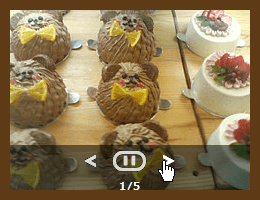 設置イメージ
<!DOCTYPE html PUBLIC "-//W3C//DTD XHTML 1.0 Transitional//EN" "http://www.w3.org/TR/xhtml1/DTD/xhtml1-transitional.dtd">
<html xmlns="http://www.w3.org/1999/xhtml" xml:lang="ja" lang="ja">
<head>
<meta http-equiv="Content-Type" content="text/html; charset=utf-8" />
<meta http-equiv="Content-Language" content="ja" />
<meta http-equiv="Content-Script-Type" content="text/javascript" />
<meta http-equiv="Content-Style-Type" content="text/css" />
<meta http-equiv="imagetoolbar" content="no" />
<title>Simple Controls Gallery | 設置サンプル</title>
<link rel="stylesheet" type="text/css" href="/content/lib/global.css" />
<script type="text/javascript" src="http://ajax.googleapis.com/ajax/libs/jquery/1.3.2/jquery.min.js" ></script>
<script type="text/javascript" src="/content/lib/jquery/simplegallery.js"></script>
<script type="text/javascript">
$(function() {
var mygallery=new simpleGallery({
wrapperid: "simplegallery1", /* ギャラリーを表示する要素のID名 */
dimensions: [240, 180], /* 画像の幅、高さ(単位:ピクセル) */
imagearray: [
/* [画像URL、リンク先URL、_new] */
["http://farm4.static.flickr.com/3222/2974008614_736e2d5b50_m.jpg", "http://www.flickr.com/photos/22559849@N06/2974008614/", ""],
["http://farm4.static.flickr.com/3141/2973155055_4cf4370939_m.jpg","http://www.flickr.com/photos/22559849@N06/2973155055/", ""],
["http://farm4.static.flickr.com/3113/3104684709_6911f58648_m.jpg", "http://www.flickr.com/photos/22559849@N06/3104684709/", ""],
["http://farm4.static.flickr.com/3023/3055162547_cde4e8921e_m.jpg","http://www.flickr.com/photos/22559849@N06/3055162547/",""],
["http://farm4.static.flickr.com/3174/2973352946_d3589b717e_m.jpg","http://www.flickr.com/photos/22559849@N06/2973352946/",""]
],
autoplay: true, /* 自動再生の有無 */
persist: false,
pause: 3500, /* スライドする間隔(ミリ秒) */
fadeduration: 2000, /* フェードする移行時間(ミリ秒) */
oninit:function(){
//event that fires when gallery has initialized/ ready to run
},
onslide:function(curslide, i){ //event that fires after each slide is shown
//curslide: returns DOM reference to current slide's DIV (ie: try alert(curslide.innerHTML)
//i: integer reflecting current image within collection being shown (0=1st image, 1=2nd etc)
}
})
});
</script>
<!-- CSS -->
<style type="text/css">
#simplegallery1 {
position:relative; /*keep this intact*/
visibility:hidden; /*keep this intact*/
border:10px solid #5e3a16;
width:320px;
}
</style>
</head>
<body>
<div id="wrap">
<h1><a href='http://www.dynamicdrive.com/dynamicindex4/simplegallery.htm'>Simple Controls Gallery - Dynamic Drive DHTML Scripts</a> | 設置サンプル</h1>
<p>画像にマウスオーバーすると、半透明のコントロールパネルが表示されます。</p>
<!-- CODE -->
<div id="simplegallery1"></div>
<!-- / CODE -->
</div>
</body>
</html>
simplyScroll
水平・垂直方向に滑らかにスクロールするギャラリー
2009/2/21
simplyScroll v1 - a scroll-tastic jQuery plugin
要素セットを自動または手動でアニメーションしながら水平・垂直方向にスクロールすることができるjQueryプラグイン。
自動再生する場合は、autoModeパラメータに'loop'を指定します。 スクロールスピードは、sppedパラメータに数値で秒単位で指定可能です。 垂直方向にスクロールする場合は、horizontalパラメータにFALSEを指定します。 その他、オプションのパラメータがあるので簡単にカスタマイズすることができます。
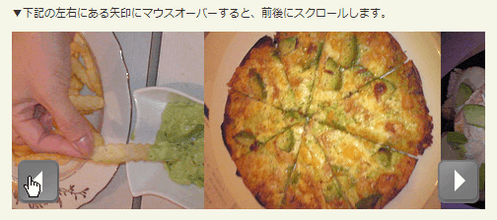 設置イメージ
<!DOCTYPE html PUBLIC "-//W3C//DTD XHTML 1.0 Transitional//EN" "http://www.w3.org/TR/xhtml1/DTD/xhtml1-transitional.dtd">
<html xmlns="http://www.w3.org/1999/xhtml" xml:lang="ja" lang="ja">
<head>
<meta http-equiv="Content-Type" content="text/html; charset=utf-8" />
<meta http-equiv="Content-Language" content="ja" />
<meta http-equiv="Content-Script-Type" content="text/javascript" />
<meta http-equiv="Content-Style-Type" content="text/css" />
<meta http-equiv="imagetoolbar" content="no" />
<title>simplyScroll | 設置サンプル</title>
<link rel="stylesheet" type="text/css" href="/content/lib/global.css" />
<!-- JS -->
<script type="text/javascript" src="http://ajax.googleapis.com/ajax/libs/jquery/1.3.2/jquery.min.js" ></script>
<script type="text/javascript" src="/content/lib/jquery/jquery.simplyscroll.js"></script>
<script type="text/javascript">
$(function(){
/* 要素を水平方向にスクロール(自動) */
$("#horizontal_scroller_auto").simplyScroll({
autoMode:'loop'
});
/* 要素を水平方向にスクロール(手動、スピード=5) */
$("#horizontal_scroller").simplyScroll({
speed:5
});
/* 要素を垂直方向にスクロール(手動、スピード=5) */
$("#vertical_scroller_auto").simplyScroll({
className:'vert',
horizontal:false,
frameRate:20,
speed:5
});
/* カスタマイズコンテンツ(自動、スピード=2) */
$("#scroller_custom").simplyScroll({
className:'gighit',
autoMode:'loop',
pauseOnHover:false,
frameRate:20,
speed:2
});
});
</script>
<!-- CSS -->
<link rel="stylesheet" type="text/css" href="/content/lib/jquery/jquery.simplyscroll/jquery.simplyscroll.css" />
<style type="text/css">
/* カスタマイズコンテンツ用 */
.gighit {
width:240px; height:180px;
background-color:#000;
margin:0 0 1em 0;
border:10px solid #000;
}
.gighit .simply-scroll-clip {
width:240px; height:180px;
}
.gighit .section {
float:left;
width:240px; height:180px;
}
.gighit .hp-highlight {
height:180px;
margin:-10px 10px 10px 0;
}
.gighit .feature-headline {
position:relative;
top:130px;
width:220px;
background:url("/content/lib/jquery/jquery.simplyscroll/bgd-90pct.png");
margin:10px 10px 20px 10px; padding:10px 10px 10px 10px;
}
.gighit .feature-headline a {
font-weight:bold;
text-decoration:none;
color:#cc0000;
display:block;
width:240px;
}
.gighit h1 {
font-weight:normal;
font-size:12px;
margin:0; padding:0;
}
.gighit p {
margin:0; padding:0;
font-size:.8em;
color:#666;
}
</style>
</head>
<body>
<div id="wrap">
<h1><a href='http://logicbox.net/jquery/simplyscroll/'>simplyScroll</a> | 設置サンプル</h1>
<!-- CODE -->
<h2>要素を水平方向にスクロール(自動)</h2>
<p>▼写真にマウスオーバーするとスクロールが一時停止し、マウスアウトするとスクロールが再開されます。</p>
<ul id="horizontal_scroller_auto">
<li><img src="http://farm4.static.flickr.com/3514/3274514408_1800118ded_m.jpg" width="240" height="180" alt="アボガドシーザーサラダ" /></li>
<li><img src="http://farm4.static.flickr.com/3509/3273696567_ebf4ed4381_m.jpg" width="240" height="180" alt="アボカド刺" /></li>
<li><img src="http://farm4.static.flickr.com/3396/3274514302_10521a0a98_m.jpg" width="240" height="180" alt="アボカドディップ" /></li>
<li><img src="http://farm4.static.flickr.com/3324/3273696401_f4ea6c7677_m.jpg" width="240" height="180" alt="フライドポテト アボカドディップ添え" /></li>
<li><img src="http://farm4.static.flickr.com/3427/3273696469_aa2aaf5e89_m.jpg" width="240" height="180" alt="ベーコンとアボカドのピザ(トマトソース)" /></li>
<li><img src="http://farm4.static.flickr.com/3316/3273696493_570fdd0ee5_m.jpg" width="240" height="180" alt="ハニートースト" /></li>
</ul>
<h2>要素を水平方向にスクロール(手動、スピード=5)</h2>
<p>▼下記の左右にある矢印にマウスオーバーすると、前後にスクロールします。</p>
<ul id="horizontal_scroller">
<li><img src="http://farm4.static.flickr.com/3514/3274514408_1800118ded_m.jpg" width="240" height="180" alt="アボガドシーザーサラダ" /></li>
<li><img src="http://farm4.static.flickr.com/3509/3273696567_ebf4ed4381_m.jpg" width="240" height="180" alt="アボカド刺" /></li>
<li><img src="http://farm4.static.flickr.com/3396/3274514302_10521a0a98_m.jpg" width="240" height="180" alt="アボカドディップ" /></li>
<li><img src="http://farm4.static.flickr.com/3324/3273696401_f4ea6c7677_m.jpg" width="240" height="180" alt="フライドポテト アボカドディップ添え" /></li>
<li><img src="http://farm4.static.flickr.com/3427/3273696469_aa2aaf5e89_m.jpg" width="240" height="180" alt="ベーコンとアボカドのピザ(トマトソース)" /></li>
<li><img src="http://farm4.static.flickr.com/3316/3273696493_570fdd0ee5_m.jpg" width="240" height="180" alt="ハニートースト" /></li>
</ul>
<h2>要素を垂直方向にスクロール(手動、スピード=5)</h2>
<p>▼下記の左右にある矢印にマウスオーバーすると、前後にスクロールします。</p>
<ul id="vertical_scroller_auto">
<li><img src="http://farm4.static.flickr.com/3514/3274514408_1800118ded_m.jpg" width="240" height="180" alt="アボガドシーザーサラダ" /></li>
<li><img src="http://farm4.static.flickr.com/3509/3273696567_ebf4ed4381_m.jpg" width="240" height="180" alt="アボカド刺" /></li>
<li><img src="http://farm4.static.flickr.com/3396/3274514302_10521a0a98_m.jpg" width="240" height="180" alt="アボカドディップ" /></li>
<li><img src="http://farm4.static.flickr.com/3324/3273696401_f4ea6c7677_m.jpg" width="240" height="180" alt="フライドポテト アボカドディップ添え" /></li>
<li><img src="http://farm4.static.flickr.com/3427/3273696469_aa2aaf5e89_m.jpg" width="240" height="180" alt="ベーコンとアボカドのピザ(トマトソース)" /></li>
<li><img src="http://farm4.static.flickr.com/3316/3273696493_570fdd0ee5_m.jpg" width="240" height="180" alt="ハニートースト" /></li>
</ul>
<h2>カスタマイズコンテンツ(自動、スピード=2)</h2>
<div id="scroller_custom">
<div class="section">
<div class="hp-highlight" style="background:url(http://farm4.static.flickr.com/3514/3274514408_1800118ded_m.jpg) no-repeat 0 0">
<div class="feature-headline">
<h1><a href="http://www.flickr.com/photos/22559849@N06/3274514408/" title="アボガドシーザーサラダ" rel="external">アボガドシーザーサラダ</a></h1>
<p>@アボガドダイニング Platinum Lounge</p>
</div>
</div>
</div>
<div class="section">
<div class="hp-highlight" style="background:url(http://farm4.static.flickr.com/3509/3273696567_ebf4ed4381_m.jpg) no-repeat 0 0">
<div class="feature-headline">
<h1><a href="http://www.flickr.com/photos/22559849@N06/3273696567/" title="アボガド刺" rel="external">アボガド刺</a></h1>
<p>@アボガドダイニング Platinum Lounge</p>
</div>
</div>
</div>
<div class="section">
<div class="hp-highlight" style="background:url(http://farm4.static.flickr.com/3396/3274514302_10521a0a98_m.jpg) no-repeat 0 0">
<div class="feature-headline">
<h1><a href="http://www.flickr.com/photos/22559849@N06/3274514302/" title="アボカドディップ" rel="external">アボカドディップ</a></h1>
<p>@アボガドダイニング Platinum Lounge</p>
</div>
</div>
</div>
<div class="section">
<div class="hp-highlight" style="background:url(http://farm4.static.flickr.com/3324/3273696401_f4ea6c7677_m.jpg) no-repeat 0 0">
<div class="feature-headline">
<h1><a href="http://www.flickr.com/photos/22559849@N06/3273696401/" title="フライドポテト アボカドディップ添え" rel="external">フライドポテト アボカドディップ添え</a></h1>
<p>@アボガドダイニング Platinum Lounge</p>
</div>
</div>
</div>
<div class="section">
<div class="hp-highlight" style="background:url(http://farm4.static.flickr.com/3427/3273696469_aa2aaf5e89_m.jpg) no-repeat 0 0">
<div class="feature-headline">
<h1><a href="http://www.flickr.com/photos/22559849@N06/3273696469/" title="ベーコンとアボカドのピザ" rel="external">ベーコンとアボカドのピザ</a></h1>
<p>@アボガドダイニング Platinum Lounge</p>
</div>
</div>
</div>
<div class="section">
<div class="hp-highlight" style="background:url(http://farm4.static.flickr.com/3316/3273696493_570fdd0ee5_m.jpg) no-repeat 0 0">
<div class="feature-headline">
<h1><a href="http://www.flickr.com/photos/22559849@N06/3273696493/" title="ハニートースト" rel="external">ハニートースト</a></h1>
<p>@アボガドダイニング Platinum Lounge</p>
</div>
</div>
</div>
</div>
<!-- / CODE -->
</div>
</body>
</html>
Slideshow - Interface plugin for jQuery
自動スライドショー
unknown
Slideshow - Interface plugin for jQuery
jQueryプラグイン「Interface.js」を使用した画像ノスライドショー。 スライドショーの下には、画像のタイトルが表示されます。 またリンクや前後の画像へ切り替えるボタンにマウスオーバーすると、該当する画像のタイトルがツールチップ表示されます。 ランダムにスライドさせたり、切り替えるスピードの設定など、パラメータで細かく指定できます。
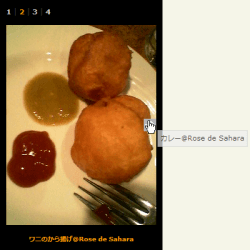 設置イメージ
<!DOCTYPE html PUBLIC "-//W3C//DTD XHTML 1.0 Transitional//EN" "http://www.w3.org/TR/xhtml1/DTD/xhtml1-transitional.dtd">
<html xmlns="http://www.w3.org/1999/xhtml" xml:lang="ja" lang="ja">
<head>
<meta http-equiv="Content-Type" content="text/html; charset=utf-8" />
<meta http-equiv="Content-Language" content="ja" />
<meta http-equiv="Content-Script-Type" content="text/javascript" />
<meta http-equiv="Content-Style-Type" content="text/css" />
<meta http-equiv="imagetoolbar" content="no" />
<title>Slideshow demo - Interface plugin for jQuery | 設置サンプル</title>
<link rel="stylesheet" type="text/css" href="/content/lib/global.css" />
<script type="text/javascript" src="http://ajax.googleapis.com/ajax/libs/jquery/1.3.2/jquery.min.js" ></script>
<script type="text/javascript" src="/content/lib/jquery/interface/interface-1.2.js"></script>
<style type="text/css">
#slideShow1 {
width:240px;
height:380px;
padding:10px;
background-color:#000;
margin:10px;
}
#slideShow2 {
width:240px;
height:380px;
padding:10px;
background-color:#000;
margin:10px;
}
#slideShow1 a,
#slideShow2 a {
text-decoration:none;
}
.pagelinks a {
font-weight:bold;
color:#ccc;
font-size:11px;
}
.slideCaption {
background-color:#000;
text-align:center;
font-weight:bold;
color:#f90;
font-size:10px;
}
.pagelinks a.activeSlide {
color:#f90;
}
/* this is for IE so the prev/next links can be hovered*/
.nextSlide,
.prevSlide {
background-image:url(lib/galleryimages/spacer.gif);
}
.nextSlide:hover {
background-image:url(lib/galleryimages/nextslide.jpg);
background-repeat:no-repeat;
background-position:right center;
}
.prevSlide:hover {
background-image:url(lib/galleryimages/prevslide.jpg);
background-repeat:no-repeat;
background-position:left center;
}
.inputsTooltip {
border:1px solid #ccc;
background-color:#eee;
padding:4px;
color:#000;
font-size:11px;
filter:alpha(opacity=70);
-moz-opacity:.70;
opacity:.70;
}
#tooltipURL {
display:none;
}
</style>
</head>
<body>
<div id="wrap">
<h1><a href="http://interface.eyecon.ro/">Slideshow - Interface plugin for jQuery</a> | 設置サンプル</h1>
<h2>ランダムにスライドショー</h2>
<div id="slideShow1"></div>
<h2>順番どおりにスライドショー</h2>
<div id="slideShow2"></div>
<script type="text/javascript">
$(function(){
$.slideshow({
container:'slideShow1',
loader:'/content/lib/galleryimages/loading.gif',
linksPosition:'top',
linksClass:'pagelinks',
linksSeparator:' | ',
fadeDuration:400,
activeLinkClass:'activeSlide',
nextslideClass:'nextSlide',
prevslideClass:'prevSlide',
captionPosition:'bottom',
captionClass:'slideCaption',
autoplay:5,
random:true,
images:[
{
src:'http://farm4.static.flickr.com/3184/3025576118_50cfd53a2e_o.jpg',
caption:'ダチョウの卵の殻に入ったカクテル@Rose de Sahara'
},
{
src:'http://farm4.static.flickr.com/3235/3024747537_7d388975a4_o.jpg',
caption:'ワニのから揚げ@Rose de Sahara'
},
{
src:'http://farm4.static.flickr.com/3250/3024747513_69f14e618f_o.jpg',
caption:'カレー@Rose de Sahara'
},
{
src:'http://farm4.static.flickr.com/3180/3024747493_dea983d9b8_o.jpg',
caption:'ジャンバラヤ@Rose de Sahara'
}
]
})
$.slideshow({
container:'slideShow2',
loader:'/content/lib/galleryimages/loading.gif',
linksPosition:'top',
linksClass:'pagelinks',
linksSeparator:' | ',
fadeDuration:400,
activeLinkClass:'activeSlide',
nextslideClass:'nextSlide',
prevslideClass:'prevSlide',
captionPosition:'bottom',
captionClass:'slideCaption',
autoplay:5,
random:false,
images:[
{
src:'http://farm4.static.flickr.com/3184/3025576118_50cfd53a2e_o.jpg',
caption:'ダチョウの卵の殻に入ったカクテル@Rose de Sahara'
},
{
src:'http://farm4.static.flickr.com/3235/3024747537_7d388975a4_o.jpg',
caption:'ワニのから揚げ@Rose de Sahara'
},
{
src:'http://farm4.static.flickr.com/3250/3024747513_69f14e618f_o.jpg',
caption:'カレー@Rose de Sahara'
},
{
src:'http://farm4.static.flickr.com/3180/3024747493_dea983d9b8_o.jpg',
caption:'ジャンバラヤ@Rose de Sahara'
}
]
});
$('a').ToolTip({
className:'inputsTooltip',
position:'mouse'
});
});
</script>
</div>
</body>
</html>
SlideViewer 1.1
画像のタイトルをツールチップする、水平方向にスムーズにスライドする画像スライドショー
unknown
slideViewer 1.1
リンクをクリックすると、該当する画像まで水平方向にスムーズにスライド表示するjQueryプラグイン。 リンクにマウスオーバーした時に画像のタイトルをツールチップを表示することもできます。 また、スライドの見せ方も2パターンあります。
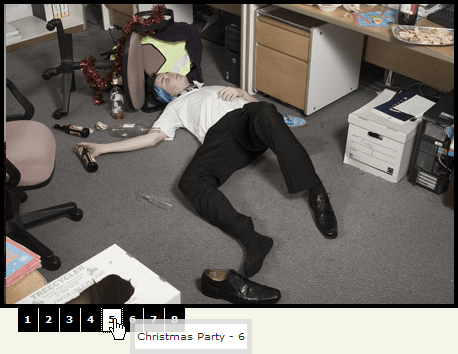 設置イメージ
<!DOCTYPE html PUBLIC "-//W3C//DTD XHTML 1.0 Transitional//EN" "http://www.w3.org/TR/xhtml1/DTD/xhtml1-transitional.dtd">
<html xmlns="http://www.w3.org/1999/xhtml" xml:lang="ja" lang="ja">
<head>
<meta http-equiv="Content-Type" content="text/html; charset=utf-8" />
<meta http-equiv="Content-Language" content="ja" />
<meta http-equiv="Content-Script-Type" content="text/javascript" />
<meta http-equiv="Content-Style-Type" content="text/css" />
<meta http-equiv="imagetoolbar" content="no" />
<title>jQuery slideViewer 1.1 | 設置サンプル</title>
<link rel="stylesheet" type="text/css" href="/content/lib/global.css" />
<script src="/content/lib/jquery/jquery-1.2.1.min.js" type="text/javascript" charest="utf-8"></script>
<script src="/content/lib/jquery/jquery.easing.1.3.js" type="text/javascript" charest="utf-8"></script>
<script src="/content/lib/jquery/jquery.tooltip.js" type="text/javascript" charest="utf-8"></script>
<script src="/content/lib/jquery/jquery.slideviewer.1.1.js" type="text/javascript" charest="utf-8"></script>
<style type="text/css">
/* slideViewer 1.0 default styles */
.svw { width:50px; height:20px; background:#fff;}
.svw ul{position:relative; left:-999em;}
.stripViewer { /* this is the DIV container for your UL of images */
position:relative;
overflow:hidden;
background:#000;
border:4px solid #000; /* this is the border. should have the same value for the links */
}
.stripViewer ul { /* this is your UL of images */
margin:0; padding:0;
position:relative;
left:0;
top:0;
width:1%;
list-style-type:none;
}
.stripViewer ul li { /* each image is arranged horizontally */
margin:0; padding:0;
float:left;
}
.stripTransmitter { /* this is the DIV for your transmitter (the UL generated at run time that commands the list)*/
overflow:auto;
width:1%;
}
.stripTransmitter ul { /* the auto-generated set of links */
position:relative;
list-style-type:none;
}
.stripTransmitter ul li{ /* in this list too, each LI is arranged horizontally */
width:20px;
float:left;
margin:0 1px 1px 0;
}
.stripTransmitter a{ /* the links. */
font:bold 10px Verdana, Arial;
text-align:center;
line-height:22px;
background:#000;
color:#fff;
text-decoration:none;
display:block;
border:1px solid #000;
}
.stripTransmitter a:hover { /* hover */
background:#ff8800;
color:#fff;
border:1px solid #ff8800;
}
.stripTransmitter a.current, .stripTransmitter a.current:hover { /* current */
background:#fff;
color:#000;
border:1px solid #000;
}
/* end slideViewer default styles */
#tooltip {
background:#fff;
color:#000;
opacity:0.85;
border:5px solid #dedede;
}
#tooltip h3 {
font:normal 10px Verdana;
margin:0;
padding:6px 2px;
border:0;
}
</style>
<script type="text/javascript">
$(window).bind("load", function() {
$("div#mygallery").slideView({toolTip:true});
$("div#mygallery2").slideView({toolTip:true,easeFunc:"easeInOutBack", easeTime:1200});
});
</script>
</head>
<body>
<div id="wrap">
<h1><a href='http://www.gcmingati.net/wordpress/wp-content/lab/jquery/imagestrip/imageslide-plugin.html'>slideViewer 1.1</a> | 設置サンプル</h1>
<p>▼数字リンクにマウスオーバーすると、画像のタイトルがツールチップ表示されます。数字リンクをクリックすると、その数値の画像までスライドします。</p>
<h2>easeInOutBack指定なし</h2>
<div id="mygallery" class="svw">
<ul>
<li><img alt="Christmas Party - 1" src="/content/lib/galleryimages/christmas-party-1.jpg" /></li>
<li><img alt="Christmas Party - 2" src="/content/lib/galleryimages/christmas-party-2.jpg" /></li>
<li><img alt="Christmas Party - 4" src="/content/lib/galleryimages/christmas-party-4.jpg" /></li>
<li><img alt="Christmas Party - 5" src="/content/lib/galleryimages/christmas-party-5.jpg" /></li>
<li><img alt="Christmas Party - 6" src="/content/lib/galleryimages/christmas-party-6.jpg" /></li>
<li><img alt="Christmas Party - 7" src="/content/lib/galleryimages/christmas-party-7.jpg" /></li>
<li><img alt="Christmas Party - 8" src="/content/lib/galleryimages/christmas-party-8.jpg" /></li>
<li><img alt="Christmas Party - 9" src="/content/lib/galleryimages/christmas-party-9.jpg" /></li>
</ul>
</div>
<h2>easeInOutBack指定あり</h2>
<div id="mygallery2" class="svw">
<ul>
<li><img alt="Christmas Party - 1" src="/content/lib/galleryimages/christmas-party-1.jpg" /></li>
<li><img alt="Christmas Party - 2" src="/content/lib/galleryimages/christmas-party-2.jpg" /></li>
<li><img alt="Christmas Party - 4" src="/content/lib/galleryimages/christmas-party-4.jpg" /></li>
<li><img alt="Christmas Party - 5" src="/content/lib/galleryimages/christmas-party-5.jpg" /></li>
<li><img alt="Christmas Party - 6" src="/content/lib/galleryimages/christmas-party-6.jpg" /></li>
<li><img alt="Christmas Party - 7" src="/content/lib/galleryimages/christmas-party-7.jpg" /></li>
<li><img alt="Christmas Party - 8" src="/content/lib/galleryimages/christmas-party-8.jpg" /></li>
<li><img alt="Christmas Party - 9" src="/content/lib/galleryimages/christmas-party-9.jpg" /></li>
</ul>
</div>
</div>
</body>
</html>
Spacegallery
画像が手前にズームアップして消えていく奥行きのある画像ギャラリー
2008/12/14
Spacegallery
画像をクリックすると、画像がズームアップして消えていく奥行きのある画像ギャラリーを実装できるjQueryプラグイン。
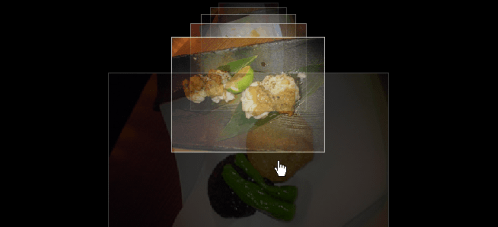
<!DOCTYPE html PUBLIC "-//W3C//DTD XHTML 1.0 Transitional//EN" "http://www.w3.org/TR/xhtml1/DTD/xhtml1-transitional.dtd">
<html xmlns="http://www.w3.org/1999/xhtml" xml:lang="ja" lang="ja">
    <head>
        <meta http-equiv="Content-Type" content="text/html; charset=utf-8" />
        <meta http-equiv="Content-Language" content="ja" />
        <meta http-equiv="Content-Script-Type" content="text/javascript" />
        <meta http-equiv="Content-Style-Type" content="text/css" />
        <meta http-equiv="imagetoolbar" content="no" />
        <title>Spacegallery | 設置サンプル</title>
        <link href="/content/lib/global.css" rel="stylesheet" type="text/css" />
        <!-- JS -->
        <script type="text/javascript" src="http://ajax.googleapis.com/ajax/libs/jquery/1.3.2/jquery.min.js" ></script>
        <script type="text/javascript" src="/content/lib/jquery/spacegallery/eye.js"></script>
        <script type="text/javascript" src="/content/lib/jquery/spacegallery/utils.js"></script>
        <script type="text/javascript" src="/content/lib/jquery/spacegallery/spacegallery.js"></script>
        <script type="text/javascript">
            (function($){
                var initLayout = function() {
                    $('#myGallery').spacegallery({loadingClass: 'loading'});
                };
                EYE.register(initLayout, 'init');
            })(jQuery);
        </script>
        <!-- CSS -->
        <link rel="stylesheet" type="text/css" href="/content/lib/jquery/spacegallery/spacegallery.css" />
        <style type="text/css">
            .spacegallery { position:relative; overflow:hidden; }
            .spacegallery img { position:absolute; left:50%; border:1px solid #fff; }
            .spacegallery a { position:absolute; z-index:1000; display:block; top:0; left:0; width:100%; height:100%; background:transpaent url("/content/lib/jquery/spacegallery/blank.gif") repeat 0 0; }
            #myGallery { width:100%; height:300px; background:#000; }
            a.loading { background:#fff url("/content/lib/jquery/spacegallery/ajax_small.gif") no-repeat center; }
        </style>
    </head>
    <body>
        <div id="wrap">
            <h1><a href='http://eyecon.ro/spacegallery/'>Spacegallery</a> | 設置サンプル</h1>
            <p>▼画像をクリックすると、画像が手前にズームアップして消えていきます。</p>
<!-- CODE -->
            <div id="myGallery" class="spacegallery">
                <img src="http://farm4.static.flickr.com/3203/3105515562_0f2fbea858_m.jpg" alt="" />
                <img src="http://farm4.static.flickr.com/3015/3104684027_a215663229_m.jpg" alt="" />
                <img src="http://farm4.static.flickr.com/3033/3104683957_a8b91f3235_m.jpg" alt="" />
                <img src="http://farm4.static.flickr.com/3203/3105515562_0f2fbea858_m.jpg" alt="" />
                <img src="http://farm4.static.flickr.com/3015/3104684027_a215663229_m.jpg" alt="" />
                <img src="http://farm4.static.flickr.com/3033/3104683957_a8b91f3235_m.jpg" alt="" />
            </div>
<!-- / CODE -->
        </div>
    </body>
</html>
Making a Mosaic Slideshow With jQuery & CSS
モザイク効果で切り替わるスライドショー
2011/6/19
Making a Mosaic Slideshow With jQuery & CSS
指定した画像URLをスライド表示し、タイル状のモザイク効果で切り替え表示するjQueryを使用したスライドショー。 スライドに表示する画像は、slides配列に指定します。 最初に表示するスライドの番号(1始まり)や、自動切り替え時間(デフォルトは10秒)等を指定できます。
下記のサンプルでは、iPhoneアプリの写真SNS「instagr.am」に投稿した写真をモザイクスライドショーとして表示してみました。 モザイクスライドショーのCSSやスクリプトは、instagr.amの画像サイズ(306x306)に合わせてタイルサイズまわりをカスタマイズしています。
※instagr.amのRSSは、RSS.stagramで取得しました。
※上記のRSSをPHPのSimpleXMLでパースし、画像URLをJavaScriptの配列「slides」に格納するよう出力しています。
<?php
    /* PHPのSimpleXMLElementでXMLを取得し、instagr.amの写真URLを配列に追加 */
    $feed = file_get_contents('http://rss.stagram.tk/feed.php?id=120757&username=cocoism&rss');
    $xml = new SimpleXMLElement($feed);
    $xml->registerXPathNamespace('media', 'http://search.yahoo.com/mrss/');
    $res =$xml->xpath('//item/media:content');
    foreach($res as $k=>$v){
		echo "slides[".$k."]='".$v["url"]."';\n";
    }
?>
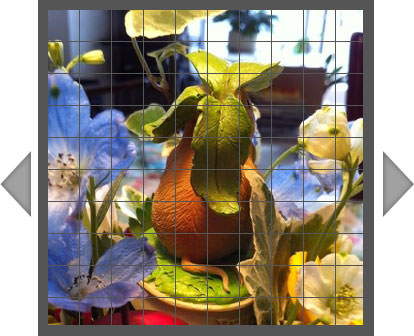 設置イメージ
<!DOCTYPE html PUBLIC "-//W3C//DTD XHTML 1.0 Transitional//EN" "http://www.w3.org/TR/xhtml1/DTD/xhtml1-transitional.dtd">
<html xmlns="http://www.w3.org/1999/xhtml" xml:lang="ja" lang="ja">
<head>
<meta http-equiv="Content-Type" content="text/html; charset=utf-8" />
<meta http-equiv="Content-Language" content="ja" />
<meta http-equiv="Content-Script-Type" content="text/javascript" />
<meta http-equiv="Content-Style-Type" content="text/css" />
<meta http-equiv="imagetoolbar" content="no" />
<title>設置サンプル</title>
<link rel="stylesheet" type="text/css" href="/content/lib/global.css" />
<!-- JS -->
<script type="text/javascript" src="http://ajax.googleapis.com/ajax/libs/jquery/1.6.1/jquery.min.js" ></script>
<script type="text/javascript">
/*
Making a Mosaic Slideshow With jQuery & CSS
http://tutorialzine.com/2010/03/mosaic-slideshow-jquery-css/
*/
/* スライドに表示する画像パスを配列で指定 */
var slides = new Array();
<?php
/* PHPのSimpleXMLElementでXMLを取得し、instagr.amの写真URLを配列に追加 */
$feed = file_get_contents('http://rss.stagram.tk/feed.php?id=120757&username=cocoism&rss');
$xml = new SimpleXMLElement($feed);
$xml->registerXPathNamespace('media', 'http://search.yahoo.com/mrss/');
$res =$xml->xpath('//item/media:content');
foreach($res as $k=>$v){
echo "slides[".$k."]='".$v["url"]."';\n";
}
?>
$(function(){
/* 左矢印をクリックした時 */
$('.arrow.left').click(function(){
prev();
clearInterval(auto);
});
$('.arrow.right').click(function(){
next();
clearInterval(auto);
});
/* 画像のプレロード */
for(var i=0;i<slides.length;i++){
(new Image()).src=slides[i];
}
/* 最初に表示する画像(1始まり) */
transition(1);
/* 10秒おきに自動切り替え */
var auto;
auto=setInterval(function(){
next();
},5*1000);
});
var current = {};
/* スライドを表示. */
function transition(id){
if(!slides[id-1]) return false;
if(current.id) {
if(current.id == id) return false;
/* 現在のスライドを最前面に表示 */
current.layer.css('z-index',10);
/* 他のスライドレイヤを全て削除 */
$('.mosaic-slide').not(current.layer).remove();
}
/* グリッド生成 */
var newLayer = $('<div class="mosaic-slide">').html(generateGrid({rows:10,cols:10,image:slides[id-1]}));
/* 現在のスライドを背後に移動 */
newLayer.css('z-index',1);
$('#mosaic-slideshow').append(newLayer);
if(current.layer){
/* 現在のスライドの各タイルを非表示にし、新しいスライドを表示 */
$('.tile',current.layer).each(function(i){
var tile = $(this);
setTimeout(function(){
tile.css('visibility','hidden');
},i*10);
})
}
/* 現在のオブジェクトに現在のIDと新レイヤの要素を追加 */
current.id = id;
current.layer = newLayer;
}
/* 次へ移動 */
function next(){
if(current.id) {
transition(current.id%slides.length+1);
}
}
/* 前へ移動 */
function prev(){
if(current.id) {
transition((current.id+(slides.length-2))%slides.length+1);
}
}
/* タイルのサイズ */
var tabwidth=31, tabheight=31;
/* グリッド表示処理 */
function generateGrid(param){
/* スライド画像の各タイルをグリッド表示 */
/* Creating an empty jQuery object: */
var elem = $([]),tmp;
for(var i=0;i<param.rows;i++){
for(var j=0;j<param.cols;j++){
tmp = $('<div>', {
"class":"tile",
"css":{
"background":'#555 url('+param.image+') no-repeat '+(-j*tabwidth)+'px '+(-i*tabheight)+'px'
}
});
/* jQueryオブジェクトにタイルを追加 */
elem = elem.add(tmp);
}
/* 各行の終わりでまわり込み解除 */
elem = elem.add('<div class="clear"></div>');
}
return elem;
}
</script>
<!-- CSS -->
<link href="/content/lib/jquery/galleria.css" rel="stylesheet" type="text/css">
<style media="screen,projection" type="text/css">
#main {
width:418px; height:418px;
}
#mosaic-slideshow{
/* The slideshow container div */
width:418px; height:418px;
margin:0 auto;
position:relative;
overflow:hidden;
}
.mosaic-slide {
/* This class is shared between all the slides */
position:absolute;
top:25px; left:40px;
border:10px solid #555;
border-width:10px 6px 6px 10px;
}
.tile{
/* The individual tiles */
width:31px; height:31px;
float:left;
border:1px solid #555;
border-width:0 1px 1px 0;
background-color:#555;
}
.arrow{
/* The prev/next arrows */
width:35px; height:70px;
background:url("/content/img/ajax/mosaic_arrows.png") no-repeat;
position:absolute;
cursor:pointer;
top:50%;
margin-top:-35px;
}
.arrow.left { left:0; background-position:center top; }
.arrow.left:hover { background-position:center -70px; }
.arrow.right { right:0; background-position:center -140px; }
.arrow.right:hover { background-position:center -210px; }
.clear { clear:both; }
#mosaic-slideshow img {
width:306px; height:306px;
}
</style>
</head>
<body>
<div id="wrap">
<h1>設置サンプル</h1>
<p>instagr.amのRSSをモザイクギャラリー表示してみました。</p>
<p>参照:<a href='http://rss.stagram.tk/'>RSS.stagram</a>(instagr.amのRSS取得)、<a href='http://tutorialzine.com/2010/03/mosaic-slideshow-jquery-css/' target='_blank'>Making a Mosaic Slideshow With jQuery & CSS</a>(モザイクギャラリー)</p>
<!-- CODE -->
<div id="main"> <div id="mosaic-slideshow">
<div class="arrow left"></div>
<div class="arrow right"></div>
</div>
</div>
<!-- / CODE -->
</div>
</body>
</html>
Thumbnails Preview Slider with jQuery
サムネイルをツールチップ風にプレビュー表示
2011/6/19
Thumbnails Preview Slider with jQuery
[IMG] dot.png、triangle.png
写真のサムネイルを横並びに連結させ、各サムネイルをツールチップ風におしゃれに表示するjQueryプラグイン。 サムネイルのサイズ、ズーム効果、切替スピード、easing効果、ズームのレベルとスピードなどをカスタマイズできます。
下記のサンプルでは、Flickrに投稿した写真のサムネイルを表示してみました。 投稿写真は、Flickrのフィード(JSON形式)をgetJSONで取得しています。 ●アイコンをクリックすると、Flickrの写真ページに遷移するようにしています。
※Flickrのフィードは下記の形式になります。
例)http://api.flickr.com/services/feeds/photos_public.gne?id=22559849@N06&lang=en-us&format=json
http://api.flickr.com/services/feeds/photos_public.gne?
id=ユーザー名&lang=en-us&format=json
 設置イメージ
<!DOCTYPE html PUBLIC "-//W3C//DTD XHTML 1.0 Transitional//EN" "http://www.w3.org/TR/xhtml1/DTD/xhtml1-transitional.dtd">
<html xmlns="http://www.w3.org/1999/xhtml" xml:lang="ja" lang="ja">
<head>
<meta http-equiv="Content-Type" content="text/html; charset=utf-8" />
<meta http-equiv="Content-Language" content="ja" />
<meta http-equiv="Content-Script-Type" content="text/javascript" />
<meta http-equiv="Content-Style-Type" content="text/css" />
<meta http-equiv="imagetoolbar" content="no" />
<title>設置サンプル</title>
<link rel="stylesheet" type="text/css" href="/content/lib/global.css" />
<link rel="stylesheet" type="text/css" href="/content/lib/jquery/ThumbnailsPreviewSlider/thumbnail_slider.css" />
<!-- JS -->
<script type="text/javascript" src="http://ajax.googleapis.com/ajax/libs/jquery/1.6.1/jquery.min.js" ></script>
<script type="text/javascript" src="/content/lib/jquery/jquery.easing.1.3.js"></script>
<script type="text/javascript">
$(function(){
var url="http://api.flickr.com/services/feeds/photos_public.gne?id=22559849@N06&lang=en-us&format=json";
$.getJSON(url+"&jsoncallback=?", function(data){
$.each(data.items, function(i,item){
var thumb=item.media.m;
var link=item.link;
var size_square=thumb.replace("_m.jpg","_s.jpg");
$("ul.ts_preview").append("<img src='"+size_square+"' />");
$("#demo1 ul.ts_container").prepend("<li><a href='"+link+"' target='_blank'>Image</a></li>");
});
$('#demo1').thumbnailSlider({
speed:1000,
easing:'easeOutExpo'
});
});
});
</script>
<script type="text/javascript">
(function($) {
$.fn.thumbnailSlider = function(options) {
var opts = $.extend({}, $.fn.thumbnailSlider.defaults, options);
return this.each(function() {
var $this = $(this),
o = $.meta ? $.extend({}, opts, $pxs_container.data()) : opts;
var $ts_container = $this.children('.ts_container'),
$ts_thumbnails = $ts_container.children('.ts_thumbnails'),
$nav_elems = $ts_container.children('li').not($ts_thumbnails),
total_elems = $nav_elems.length,
$ts_preview_wrapper = $ts_thumbnails.children('.ts_preview_wrapper'),
$arrow = $ts_thumbnails.children('span'),
$ts_preview = $ts_preview_wrapper.children('.ts_preview');
/*
calculate sizes for $ts_thumbnails:
width -> width thumbnail + border (2*5)
height -> height thumbnail + border + triangle height(6)
top -> -(height plus margin of 5)
left -> leftDot - 0.5*width + 0.5*widthNavDot
this will be set when hovering the nav,
and the default value will correspond to the first nav dot
*/
var w_ts_thumbnails = o.thumb_width + 2*5,
h_ts_thumbnails = o.thumb_height + 2*5 + 6,
t_ts_thumbnails = -(h_ts_thumbnails + 5),
$first_nav = $nav_elems.eq(0),
l_ts_thumbnails = $first_nav.position().left - 0.5*w_ts_thumbnails + 0.5*$first_nav.width();
$ts_thumbnails.css({
width : w_ts_thumbnails + 'px',
height : h_ts_thumbnails + 'px',
top : t_ts_thumbnails + 'px',
left : l_ts_thumbnails + 'px'
});
/*
calculate the top and left for the arrow of the tooltip
top -> thumb height + border(2*5)
left -> (thumb width + border)/2 -width/2
*/
var t_arrow = o.thumb_height + 2*5,
l_arrow = (o.thumb_width + 2*5) / 2 - $arrow.width() / 2;
$arrow.css({
left : l_arrow + 'px',
top : t_arrow + 'px'
});
/*
calculate the $ts_preview width -> thumb width times number of thumbs
*/
$ts_preview.css('width' , total_elems*o.thumb_width + 'px');
/*
set the $ts_preview_wrapper width and height -> thumb width / thumb height
*/
$ts_preview_wrapper.css({
width : o.thumb_width + 'px',
height : o.thumb_height + 'px'
});
//hover the nav elems
$nav_elems.bind('mouseenter',function(){
var $nav_elem = $(this),
idx = $nav_elem.index();
/*
calculate the new left
for $ts_thumbnails
*/
var new_left = $nav_elem.position().left - 0.5*w_ts_thumbnails + 0.5*$nav_elem.width();
$ts_thumbnails.stop(true)
.show()
.animate({
left : new_left + 'px'
},o.speed,o.easing);
/*
animate the left of the $ts_preview to show the right thumb
*/
$ts_preview.stop(true)
.animate({
left : -idx*o.thumb_width + 'px'
},o.speed,o.easing);
//zoom in the thumb image if zoom is true
if(o.zoom && o.zoomratio > 1){
var new_width = o.zoomratio * o.thumb_width,
new_height = o.zoomratio * o.thumb_height;
//increase the $ts_preview width in order to fit the zoomed image
var ts_preview_w = $ts_preview.width();
$ts_preview.css('width' , (ts_preview_w - o.thumb_width + new_width) + 'px');
$ts_preview.children().eq(idx).find('img').stop().animate({
width : new_width + 'px',
height : new_height + 'px'
},o.zoomspeed);
}
}).bind('mouseleave',function(){
//if zoom set the width and height to defaults
if(o.zoom && o.zoomratio > 1){
var $nav_elem = $(this),
idx = $nav_elem.index();
$ts_preview.children().eq(idx).find('img').stop().css({
width : o.thumb_width + 'px',
height : o.thumb_height + 'px'
});
}
$ts_thumbnails.stop(true)
.hide();
}).bind('click',function(){
var $nav_elem = $(this),
idx = $nav_elem.index();
o.onClick(idx);
});
});
};
$.fn.thumbnailSlider.defaults = {
speed : 100,//speed of each slide animation
easing : 'jswing',//easing effect for the slide animation
thumb_width : 75,//your photos width
thumb_height: 75,//your photos height
zoom : false,//zoom animation for the thumbs
zoomratio : 1.3,//multiplicator for zoom (must be > 1)
zoomspeed : 15000,//speed of zoom animation
onClick : function(){return false;}//click callback
};
})(jQuery);
</script>
<!-- CSS -->
<style media="screen,projection" type="text/css">
#demo1 { margin:100px 50px; }
/* over-write */
ul.ts_container { width:100%; }
</style>
</head>
<body>
<div id="wrap">
<h1>設置サンプル</h1>
<p>参照:<a href='http://tympanus.net/codrops/2011/01/27/thumbnails-preview-slider/'>Thumbnails Preview Slider with jQuery</a></p>
<p>Flickrに投稿した写真のサムネイルを表示してみました。●アイコンにマウスオーバーでサムネイルをツールチップ風に表示し、●アイコンをクリックすると、Flickrの写真ページに遷移します。</p>
<!-- CODE -->
<div id="demo1" class="demo">
<ul class="ts_container">
<li class="ts_thumbnails"><!-- animate to slide frame -->
<div class="ts_preview_wrapper">
<ul class="ts_preview"><!-- animate left to slide to the right thumb --></ul>
</div>
<span></span>
</li>
</ul>
</div>
<!-- / CODE -->
</div>
</body>
</html>

