参照:http://www.gmarwaha.com/jquery/jcarousellite/
マウスホイール対応カルーセル。 スマートフォンアプリ紹介ページとかに便利ということでサンプルを作ってみました。
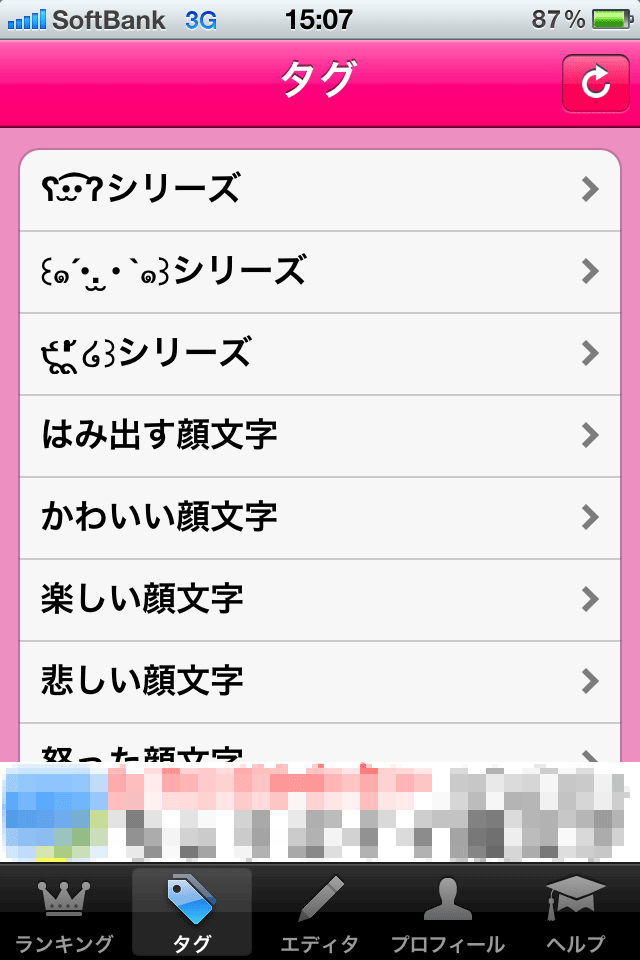
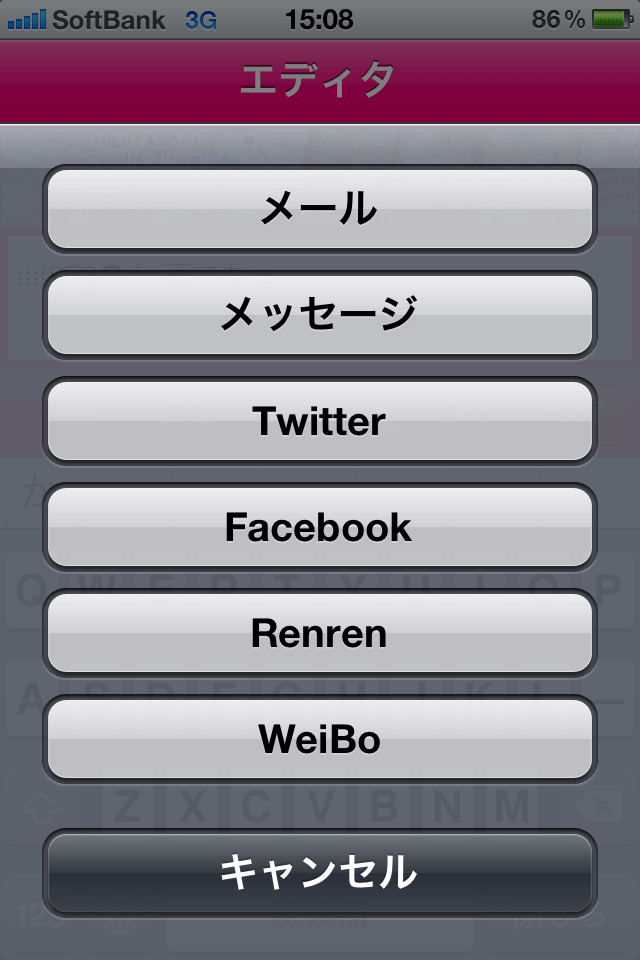
スクリーンショットは、iPhoneアプリの投稿顔文字ランキングを例に。
マウスホイール対応。2画像ずつ移動。
マウスホイール対応。1画像ずつ移動。 最初の画像の場合は前ボタン、最後の画像の場合は次へボタン非表示。
<!DOCTYPE html>
<html>
<head>
<meta charset="utf-8" />
<title>設置サンプル</title>
<link rel="stylesheet" type="text/css" href="/content/lib/global.css" />
<script type="text/javascript" src="https://ajax.googleapis.com/ajax/libs/jquery/1.7.2/jquery.min.js"></script>
<script type="text/javascript" src="/content/lib/jquery/jquery.mousewheel-3.0.6.js"></script>
<script type="text/javascript" src="/content/lib/jquery/jcarousellite_1.0.1.js"></script>
<script type="text/javascript">
$(function() {
$(".carousel").jCarouselLite({
mouseWheel: true, //マウスホイール対応
visible: 2, //一度に表示する画像数
scroll: 2, // 一度にスクロールさせる数
btnNext: ".carousel .next", //次の画像へリンクのクラス名
btnPrev: ".carousel .prev", //前の画像へリンクのクラス名
circular: true, //最後の画像にいったら繰り返す
afterEnd:function(a, to, btnGo){
console.log(a.to);
}
});
$(".carousel2").jCarouselLite({
mouseWheel: true, //マウスホイール対応
visible: 1, //一度に表示する画像数
scroll: 1, // 一度にスクロールさせる数
btnNext: ".iphoneUI .next", //次の画像へリンクのクラス名
btnPrev: ".iphoneUI .prev", //前の画像へリンクのクラス名
circular: false, //最後の画像にいったら繰り返さない
afterEnd:function(a){
var src=a.find("img").attr("src");
if(src.match(/1.gif$/)){
//最初
$(".iphoneUI").find(".prev").hide();
}else{
$(".iphoneUI").find(".prev").show();
}
if(src.match(/d.gif$/)){
//最後
$(".iphoneUI").find(".next").hide();
}else{
$(".iphoneUI").find(".next").show();
}
}
});
$(".prev, .next").click(function(e){
return false;
});
});
</script>
<style type="text/css">
* { margin:0; padding:0; }
.clear {
clear:both;
float:none;
}
body {
font-size:12px;
margin:20px;
line-height:1.5;
}
/* demo1 */
.carousel {
border:1px solid #eee;
position:relative;
z-index:1;
background:#eee;
padding:5px 5px 20px 5px;
}
.carousel li img {
margin:5px;
border:1px solid #ccc;
/* 画像の高さと幅を指定。imgタグに直接でもOK*/
width:320px; height:480px;
}
.carousel .next,
.carousel .prev {
position:absolute;
text-decoration:none;
z-index:10;
width:40px; height:20px;
background:#ccc;
text-align:center;
text-decoration:none;
color:#fff;
line-height:20px;
font-weight:bold;
}
.carousel .prev {
bottom:0; left:0;
}
.carousel .next {
bottom:0; right:0;
}
.carousel .next:hover,
.carousel .prev:hover {
color:#999;
}
/* demo2 */
.iphoneUI {
margin:20px 100px; padding:0;
width:380px; height:744px;
background:url("/content/img/ajax/jCarouselLite/iphoneUI.gif") no-repeat 0 0;
position:relative;
}
.iphoneUI .inner {
position:absolute;
top:133px; left:32px;
}
.carousel2 {
position:relative;
}
.carousel2 li img {
/* 画像の高さと幅を指定。imgタグに直接でもOK*/
width:320px; height:480px;
}
.iphoneUI .next,
.iphoneUI .prev {
position:absolute;
text-decoration:none;
width:30px; height:30px;
line-height:1;
background:#ccc;
background-repeat:no-repeat;
text-align:center;
text-decoration:none;
color:#fff;
top:350px;
border:3px solid #fff;
border-radius:30px;
box-shadow:1px 1px 2px rgba(0,0,0,.33);
background-size:100% 100%;
text-indent:-9999px;
}
.iphoneUI .prev {
left:-70px;
background-image:url("/content/img/ajax/jCarouselLite/larr.png");
background-position:-1px 0;
display:none;
}
.iphoneUI .next {
right:-70px;
background-position:1px 0;
background-image:url("/content/img/ajax/jCarouselLite/rarr.png");
}
.iphoneUI .prev:hover,
.iphoneUI .next:hover {
background-color:#999;
}
</style>
<link rel="stylesheet" type="text/css" href="/common/css/example.css"></head>
<body id='example3' class='example'><div class="ads" style="margin:32px auto;text-align:center;"></div><h1 class='h'><a href='/'>PHP & JavaScript Room</a> :: 設置サンプル</h1>
<h3 class='h'>実行結果</h3>
<h2>設置サンプル</h2>
<p>
参照:<a href="http://www.gmarwaha.com/jquery/jcarousellite/">http://www.gmarwaha.com/jquery/jcarousellite/</a>
</p>
<p>
マウスホイール対応カルーセル。
スマートフォンアプリ紹介ページとかに便利ということでサンプルを作ってみました。
</p>
<p>
スクリーンショットは、iPhoneアプリの投稿顔文字ランキングを例に。
</p>
<h2>例1</h2>
<p>
マウスホイール対応。2画像ずつ移動。
</p>
<div class="carousel">
<div class="jCarouselLite">
<ul>
<li><img src="/content/img/ajax/jCarouselLite/kaomoji/1.gif" alt=""></li>
<li><img src="/content/img/ajax/jCarouselLite/kaomoji/2.gif" alt=""></li>
<li><img src="/content/img/ajax/jCarouselLite/kaomoji/3.gif" alt=""></li>
<li><img src="/content/img/ajax/jCarouselLite/kaomoji/4.gif" alt=""></li>
<li><img src="/content/img/ajax/jCarouselLite/kaomoji/5.gif" alt=""></li>
<li><img src="/content/img/ajax/jCarouselLite/kaomoji/6.gif" alt=""></li>
<li><img src="/content/img/ajax/jCarouselLite/kaomoji/7.gif" alt=""></li>
<li><img src="/content/img/ajax/jCarouselLite/kaomoji/8.gif" alt=""></li>
<li><a href="http://itunes.apple.com/jp/app/tou-gao-yan-wen-zirankingu/id463397728?mt=8" target="_blank"><img src="/content/img/ajax/jCarouselLite/kaomoji/d.gif" alt=""></a></li>
</ul>
</div>
<a href="#" class="prev">prev</a>
<a href="#" class="next">next</a>
<div class="clear"></div>
</div>
<h2>例2</h2>
<p>
マウスホイール対応。1画像ずつ移動。
最初の画像の場合は前ボタン、最後の画像の場合は次へボタン非表示。
</p>
<div class="iphoneUI">
<div class="inner">
<div class="carousel2">
<div class="jCarouselLite">
<ul>
<li><img src="/content/img/ajax/jCarouselLite/kaomoji/1.gif" alt=""></li>
<li><img src="/content/img/ajax/jCarouselLite/kaomoji/2.gif" alt=""></li>
<li><img src="/content/img/ajax/jCarouselLite/kaomoji/3.gif" alt=""></li>
<li><img src="/content/img/ajax/jCarouselLite/kaomoji/4.gif" alt=""></li>
<li><img src="/content/img/ajax/jCarouselLite/kaomoji/5.gif" alt=""></li>
<li><img src="/content/img/ajax/jCarouselLite/kaomoji/6.gif" alt=""></li>
<li><img src="/content/img/ajax/jCarouselLite/kaomoji/7.gif" alt=""></li>
<li><img src="/content/img/ajax/jCarouselLite/kaomoji/8.gif" alt=""></li>
<li><a href="http://itunes.apple.com/jp/app/tou-gao-yan-wen-zirankingu/id463397728?mt=8" target="_blank"><img src="/content/img/ajax/jCarouselLite/kaomoji/d.gif" alt=""></a></li>
</ul>
</div>
<div class="clear"></div>
</div>
</div>
<a href="#" class="prev">prev</a>
<a href="#" class="next">next</a>
</div>
</body>
</html>