jQuery plugin要素置換

- jQIR〔jQueryでテキストを画像に置換〕
jQIR
jQueryでテキストを画像に置換
2009/11/23
jQIR
jquery.js/jquery-jqir.js
見出しやテキストを画像に置換するjQueryプラグイン。
画像の拡張子を除くファイル名部分を要素のID名に指定すると、ページを読込時に、ID名に指定した画像をその要素内にimg要素として挿入し、テキスト部分は画像の代替テキストになります。 要素内にリンクを含む場合も問題なく置換されます。 オプションで画像フォルダへのパスも指定できます。
▼ソース
<h1 id='heading1' class='jqir'>見出し1</h1>
<h2 class='jqir {src:heading2.png}'>見出し2</h2>
<h3 id='heading3' class='jqir'><a href='http://jquery.com'>見出し3</a></h3>
▼置換後のソース
<h1 id='heading1' class='jqir'>
	<img src='/content/img/ajax/heading1.png' alt='見出し1'>
</h1>
<h2 id='heading2' class='jqir {src:heading2.png}'>
	<img src='/content/img/ajax/heading2.png' alt='見出し2'>
</h2>
<h3 id='heading3' class='jqir {src:heading2.png}'>
	<a href='http://jquery.com'><img src='/content/img/ajax/heading3.png' alt='見出し3'></a>
</h3>
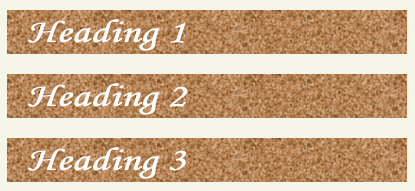 設置イメージ
設置サンプルサンプルを見る
<!DOCTYPE html PUBLIC "-//W3C//DTD XHTML 1.0 Transitional//EN" "http://www.w3.org/TR/xhtml1/DTD/xhtml1-transitional.dtd">
<html xmlns="http://www.w3.org/1999/xhtml" xml:lang="ja" lang="ja">
    <head>
        <meta http-equiv="Content-Type" content="text/html; charset=utf-8" />
        <meta http-equiv="Content-Language" content="ja" />
        <meta http-equiv="Content-Script-Type" content="text/javascript" />
        <meta http-equiv="Content-Style-Type" content="text/css" />
        <meta http-equiv="imagetoolbar" content="no" />
        <title>jQIR | 設置サンプル</title>
        <link rel="stylesheet" href="/content/lib/global.css" type="text/css" />
        <!-- JS -->
        <script src="https://ajax.googleapis.com/ajax/libs/jquery/1.3.2/jquery.min.js"></script>
        <script type="text/javascript" src="/content/lib/jquery/jquery-jqir.js"></script>
        <script type="text/javascript">
            $(function(){
                $(".jqir").jQIR("png", "/content/img/ajax/");
            });
        </script>
        <style type="text/css">
            h1, h2 ,h3 { margin:20px 0; }
        </style>
    </head>
    <body>
        <div id="wrap">
            <h1><a href='http://www.texotela.co.uk/code/jquery/jQIR/'>jQIR</a> | 設置サンプル</h1>
<!-- CODE -->
<h1 id="heading1" class="jqir">見出し1</h1>
<h2 class="jqir {src:heading2.png}">見出し2</h2>
<h3 id="heading3" class="jqir"><a href="http://jquery.com">見出し3</a></h2>
<!-- / CODE -->
        </div>
    </body>
</html>

