Slideshow: A Javascript class for Mootools | 設置サンプル
自動的に写真が入れ替わります。
スライドショー
スライドショー(Push)
スライドショー(Wipe)
スライドショー(Fade)
スライドショー(Pan)
スライドショー(Zoom)
スライドショー(Combo)
スライドショー(Arrow)
サムネイル(Thumbnail)
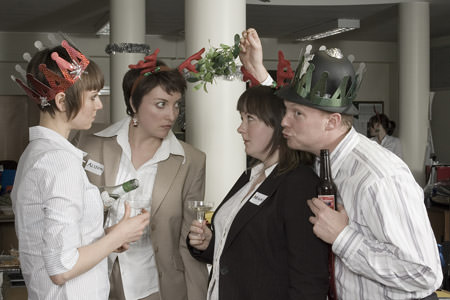
設置サンプルのソース
<!DOCTYPE html PUBLIC "-//W3C//DTD XHTML 1.0 Transitional//EN" "http://www.w3.org/TR/xhtml1/DTD/xhtml1-transitional.dtd">
<html xmlns="http://www.w3.org/1999/xhtml" xml:lang="ja" lang="ja">
<head>
<meta http-equiv="Content-Type" content="text/html; charset=utf-8" />
<meta http-equiv="Content-Language" content="ja" />
<meta http-equiv="Content-Script-Type" content="text/javascript" />
<meta http-equiv="Content-Style-Type" content="text/css" />
<meta http-equiv="imagetoolbar" content="no" />
<title>Slideshow: A Javascript class for Mootools | 設置サンプル</title>
<link rel="stylesheet" href="/content/lib/global.css" type="text/css" media="all" />
<script type="text/javascript" src="/content/lib/mootools/mootools.v1.11.js"></script>
<script type="text/javascript" src="/content/lib/mootools/slideshow.rc1.packed.js"></script>
<script type="text/javascript">
window.onload=function(){
/* Basic */
myShow1=new Slideshow(
'my_slideshow1',
{
hu:'/content/lib/galleryimages/thumbnail/christmas-party-',
images:['1.jpg','2.jpg','3.jpg','4.jpg','5.jpg','6.jpg','7.jpg','8.jpg','9.jpg']
}
);
/* Pan and zoom options */
myShow2=new Slideshow(
'my_slideshow2',
{
type: 'combo', pan: 'rand', zoom: 'rand', duration: [2000, 4000],
width: 140, height: 120,
images:['1.jpg','2.jpg','3.jpg','4.jpg','5.jpg','6.jpg','7.jpg','8.jpg','9.jpg'],
hu:'/content/lib/galleryimages/thumbnail/christmas-party-'
}
);
/* Push */
myShow_push=new Slideshow(
'my_slideshow_push',
{
type:'push', duration: [1000, 2000], width:140, height:120,
images:['1.jpg','2.jpg','3.jpg','4.jpg','5.jpg','6.jpg','7.jpg','8.jpg','9.jpg'],
hu:'/content/lib/galleryimages/thumbnail/christmas-party-'
}
);
/* Wipe */
myShow_wipe=new Slideshow(
'my_slideshow_wipe',
{
type:'wipe', duration: [1000, 2000], width:140, height:120,
images:['1.jpg','2.jpg','3.jpg','4.jpg','5.jpg','6.jpg','7.jpg','8.jpg','9.jpg'],
hu:'/content/lib/galleryimages/thumbnail/christmas-party-'
}
);
/* Fade */
myShow_fade=new Slideshow(
'my_slideshow_fade',
{
type: 'fade', duration: [2000, 4000], width:140, height:120,
images:['1.jpg','2.jpg','3.jpg','4.jpg','5.jpg','6.jpg','7.jpg','8.jpg','9.jpg'],
hu:'/content/lib/galleryimages/thumbnail/christmas-party-'
}
);
/* Pan */
myShow_pan=new Slideshow(
'my_slideshow_pan',
{
type: 'pan', duration: [2000, 4000], width:140, height:120,
images:['1.jpg','2.jpg','3.jpg','4.jpg','5.jpg','6.jpg','7.jpg','8.jpg','9.jpg'],
hu:'/content/lib/galleryimages/thumbnail/christmas-party-'
}
);
/* Zoom */
myShow_zoom=new Slideshow(
'my_slideshow_zoom',
{
type: 'zoom', duration: [2000, 4000], width:140, height:120,
images:['1.jpg','2.jpg','3.jpg','4.jpg','5.jpg','6.jpg','7.jpg','8.jpg','9.jpg'],
hu:'/content/lib/galleryimages/thumbnail/christmas-party-'
}
);
/* Combo */
myShow_combo=new Slideshow(
'my_slideshow_combo',
{
type: 'combo', duration: [2000, 4000], width:140, height:120,
images:['1.jpg','2.jpg','3.jpg','4.jpg','5.jpg','6.jpg','7.jpg','8.jpg','9.jpg'],
hu:'/content/lib/galleryimages/thumbnail/christmas-party-'
}
);
/* Arrow */
myShow_arrow=new Slideshow(
'my_slideshow_arrow',
{
type:'push', navigation:'arrows', transition:Fx.Transitions.bounceOut, duration: [1000, 2000], width:140, height:120,
images:['1.jpg','2.jpg','3.jpg','4.jpg','5.jpg','6.jpg','7.jpg','8.jpg','9.jpg'],
hu:'/content/lib/galleryimages/thumbnail/christmas-party-'
}
);
/* Thumbnail */
myShow_thumbnail=new Slideshow(
'my_slideshow_thumbnail',
{
type:'combo', navigation:'thumbnails', duration:[2000, 4000], width:450, height:300,
images:['1.jpg','2.jpg','3.jpg','4.jpg','5.jpg','6.jpg','7.jpg','8.jpg','9.jpg'],
hu:'/content/lib/galleryimages/christmas-party-'
}
);
}
</script>
<style type="text/css">
.slideshow { margin:1em; }
.slideshow p { padding-top:9px; }
.slideshow ul { background-color:#fff; bottom:-13px; right:0; position:absolute; overflow:hidden; padding:5px 0; z-index: 10001; }
.slideshow ul a { background-position:50% 50%; cursor:pointer; display:block; width:30px; height:25px; margin-right:5px; opacity:0.5; }
.slideshow ul a.active,
.slideshow ul a:hover { opacity:1; }
.slideshow ul li { float:left; list-style:none; }
/* Thumbnail */
#my_slideshow_thumbnail { border:1px solid #ccc; background-color:#fff; padding:20px 20px 0 20px; }
#my_slideshow_thumbnail ul { position:relative; top:0; left:0; padding-left:5px; }
/* Arrow */
#my_slideshow_arrow ul a { cursor: pointer; display: block; float: left; margin: 0 4px 0 0; height: 10px; overflow: hidden; width: 11px; }
#my_slideshow_arrow ul a.prev { background-image:url(/content/img/icon/panL.gif); width:11px; }
#my_slideshow_arrow ul a.next { background-image:url(/content/img/icon/panR.gif); margin-right:0; width:11px; }
#my_slideshow_arrow ul a.active,
#my_slideshow_arrow ul a.prev:hover,
#my_slideshow_arrow ul a.next:hover { background-position:0 -11px; }
#my_slideshow_arrow ul li { float:left; list-style:none; }
</style>
<link rel="stylesheet" type="text/css" href="/common/css/example.css"></head>
<body id='example3' class='example'><div class="ads" style="margin:32px auto;text-align:center;"></div><h1 class='h'><a href='/'>PHP & JavaScript Room</a> :: 設置サンプル</h1>
<h3 class='h'>実行結果</h3>
<div id="wrap">
<h1><a href="http://www.electricprism.com/aeron/slideshow/">Slideshow: A Javascript class for Mootools</a> | 設置サンプル</h1>
<p>自動的に写真が入れ替わります。</p>
<h2>スライドショー</h2>
<div id="my_slideshow1" class="slideshow">
<img src="/content/lib/galleryimages/thumbnail/christmas-party-1.jpg" alt="Christmas Party" />
</div>
<div class="cf">
<div style="float:left; width:460px;">
<h2>スライドショー(Pan and zoom options)</h2>
<div id="my_slideshow2" class="slideshow">
<div><!-- this is the slideshow element -->
<img src="/content/lib/galleryimages/thumbnail/christmas-party-1.jpg" alt="Christmas Party" width="450" height="300" />
</div>
<ul><!-- this is the navigation element -->
<li><a class="prev"></a></li>
<li><a class="next"></a></li>
</ul>
<p></p><!-- this is the captions element -->
</div>
</div>
</div>
<div class="cf">
<div style="float:left; width:460px;">
<h2>スライドショー(Push)</h2>
<div id="my_slideshow_push" class="slideshow">
<img src="/content/lib/galleryimages/thumbnail/christmas-party-1.jpg" alt="Christmas Party" />
</div>
<h2>スライドショー(Wipe)</h2>
<div id="my_slideshow_wipe" class="slideshow">
<img src="/content/lib/galleryimages/thumbnail/christmas-party-1.jpg" alt="Christmas Party" />
</div>
<h2>スライドショー(Fade)</h2>
<div id="my_slideshow_fade" class="slideshow">
<img src="/content/lib/galleryimages/thumbnail/christmas-party-1.jpg" alt="Christmas Party" />
</div>
<h2>スライドショー(Pan)</h2>
<div id="my_slideshow_pan" class="slideshow">
<img src="/content/lib/galleryimages/thumbnail/christmas-party-1.jpg" alt="Christmas Party" />
</div>
<h2>スライドショー(Zoom)</h2>
<div id="my_slideshow_zoom" class="slideshow">
<img src="/content/lib/galleryimages/thumbnail/christmas-party-1.jpg" alt="Christmas Party" />
</div>
<h2>スライドショー(Combo)</h2>
<div id="my_slideshow_combo" class="slideshow">
<img src="/content/lib/galleryimages/thumbnail/christmas-party-1.jpg" alt="Christmas Party" />
</div>
<h2>スライドショー(Arrow)</h2>
<div id="my_slideshow_arrow" class="slideshow">
<img src="/content/lib/galleryimages/thumbnail/christmas-party-1.jpg" alt="Christmas Party" />
</div>
<br clear="all" />
<h2>サムネイル(Thumbnail)</h2>
<div id="my_slideshow_thumbnail" class="slideshow">
<img src="/content/lib/galleryimages/christmas-party-1.jpg" alt="Christmas Party" />
</div>
<br clear="all" />
<p>写真素材:<a href="http://www.nwyhstockimages.com/">NWYH Stock Image Library</a></p>
</div>
</body>
</html>