画像をドラッグすると、共有ボタンが表示されます。例えば、Tweetボタンにドロップすると、Twitterに現在のページを投稿できます。
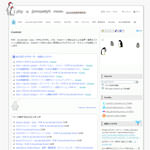
「PHP & JavaScript Room」は、PHP、JavaScript、Ajax、HTML/XHTML、CSS、Webページ埋め込みによる音声・動画のストリーム配信方法など、Webサイト制作に役立つ実用的なプログラミング・テクニックを解説しています。

画像をドラッグすると、共有ボタンが表示されます。例えば、Tweetボタンにドロップすると、Twitterに現在のページを投稿できます。
「PHP & JavaScript Room」は、PHP、JavaScript、Ajax、HTML/XHTML、CSS、Webページ埋め込みによる音声・動画のストリーム配信方法など、Webサイト制作に役立つ実用的なプログラミング・テクニックを解説しています。
<!DOCTYPE html PUBLIC "-//W3C//DTD XHTML 1.0 Transitional//EN" "http://www.w3.org/TR/xhtml1/DTD/xhtml1-transitional.dtd">
<html xmlns="http://www.w3.org/1999/xhtml" xml:lang="ja" lang="ja">
<head>
<meta http-equiv="Content-Type" content="text/html; charset=utf-8" />
<meta http-equiv="Content-Language" content="ja" />
<meta http-equiv="Content-Script-Type" content="text/javascript" />
<meta http-equiv="Content-Style-Type" content="text/css" />
<meta http-equiv="imagetoolbar" content="no" />
<title>設置サンプル</title>
<link rel="stylesheet" type="text/css" href="/content/lib/global.css" />
<!-- JS -->
<script type="text/javascript" src="http://ajax.googleapis.com/ajax/libs/jquery/1.3.2/jquery.min.js"></script>
<script type="text/javascript" src="/content/lib/jquery/drag-to-share/js/jquery-ui-1.7.2.custom.min.js"></script>
<!-- CSS -->
<link rel="stylesheet" type="text/css" href="/content/lib/jquery/drag-to-share/ui-lightness/jquery-ui-1.7.2.custom.css" />
<style type="text/css">
#content { width:440px; }
#content img { float:right; margin-left:20px; }
.ui-draggable { cursor:move; }
#tip { position:absolute; display:none; height:25px; padding:9px 9px 0px; color:#fff; font-family:Verdana, Arial, Helvetica, sans-serif; font-size:11px; font-weight:bold; border-radius:4px; -moz-border-radius:4px; -webkit-border-radius:4px; background:#000; background:rgba(0,0,0,.5); }
#tip .arrow { width:0; height:0; line-height:0; border-right:8px solid #000; border-right:8px solid rgba(0,0,0,.5); border-top:8px solid transparent; border-bottom:8px solid transparent; position:absolute; left:-8px; top:9px; }
#targets { display:none; list-style-type:none; position:absolute; top:10px; z-index:99999; }
#targets li { float:left; margin-right:20px; display:block; width:60px; height:60px; background:url("/content/lib/jquery/drag-to-share/iconSprite.png") no-repeat 0 0; position:relative; }
#targets li#delicious { background-position:0 -60px; }
#targets li#facebook { background-position:0 -120px; }
#targets li span { display:block; position:absolute; bottom:-40px; white-space:pre; color:#fff; }
#overlay { background-color:#000; position:absolute; top:0; left:0; width:100%; height:100%; z-index:99997; }
#helper { background-color:#c2c2c2; position:absolute; height:35px; padding:15px 70px 0 20px; color:#fff; font-family:Verdana; font-weight:bold; font-size:18px; border-radius:8px; -moz-border-radius:8px; -webkit-border-radius:8px; border:3px solid #7d7d7d; }
#thumb { width:50px; height:50px; position:absolute; right:0; top:0; border-left:3px solid #7d7d7d; }
.share { font-weight:bold; position:absolute; font-size:14px; font-family:Verdana; margin-left:-38px; }
</style>
<link rel="stylesheet" type="text/css" href="/common/css/example.css"></head>
<body id='example3' class='example'><div class="ads" style="margin:32px auto;text-align:center;"></div><h1 class='h'><a href='/'>PHP & JavaScript Room</a> :: 設置サンプル</h1>
<h3 class='h'>実行結果</h3>
<div id="wrap">
<h1>設置サンプル</h1>
<p>参照:<a href='http://net.tutsplus.com/tutorials/javascript-ajax/drag-to-share/'>Drag to Share - Nettuts+</a></p>
<!-- CODE -->
<div id="content">
<p>画像をドラッグすると、共有ボタンが表示されます。例えば、Tweetボタンにドロップすると、Twitterに現在のページを投稿できます。</p>
<img src="/content/lib/jquery/drag-to-share/pjr.jpg" alt="PHP & JavaScript Room">
<p>「PHP & JavaScript Room」は、PHP、JavaScript、Ajax、HTML/XHTML、CSS、Webページ埋め込みによる音声・動画のストリーム配信方法など、Webサイト制作に役立つ実用的なプログラミング・テクニックを解説しています。</p>
</div>
<ul id="targets">
<li id="twitter"><a href="http://twitter.com"><!-- --></a></li>
<li id="delicious"><a href="http://delicious.com"><!-- --></a></li>
<li id="facebook"><a href="http://www.facebook.com"><!-- --></a></li>
</ul>
<div style="clear:both;"></div>
<script type="text/javascript">
$(function() {
//cache selector
var images = $("#content img"),
title = $("title").text() || document.title;
//make images draggable
images.draggable({
//create draggable helper
helper: function() {
return $("<div>").attr("id", "helper").html("<span>" + title + "</span><img id='thumb' src='" + $(this).attr("src") + "'>").appendTo("body");
},
cursor: "pointer",
cursorAt: { left: -10, top: 20 },
zIndex: 99999,
//show overlay and targets
start: function() {
$("<div>").attr("id", "overlay").css("opacity", 0.7).appendTo("body");
$("#tip").remove();
$(this).unbind("mouseenter");
$("#targets").css("left", ($("body").width() / 2) - $("#targets").width() / 2).slideDown();
},
//remove targets and overlay
stop: function() {
$("#targets").slideUp();
$(".share", "#targets").remove();
$("#overlay").remove();
$(this).bind("mouseenter", createTip);
}
});
//make targets droppable
$("#targets li").droppable({
tolerance: "pointer",
//show info when over target
over: function() {
$(".share", "#targets").remove();
$("<span>").addClass("share").text("Share on " + $(this).attr("id")).addClass("active").appendTo($(this)).fadeIn();
},
drop: function() {
var id = $(this).attr("id"),
currentUrl = window.location.href,
baseUrl = $(this).find("a").attr("href");
if (id.indexOf("twitter") != -1) {
window.location.href = baseUrl + "/home?status=" + title + ": " + currentUrl;
} else if (id.indexOf("delicious") != -1) {
window.location.href = baseUrl + "/save?url=" + currentUrl + "&title=" + title;
} else if (id.indexOf("facebook") != -1) {
window.location.href = baseUrl + "/sharer.php?u=" + currentUrl + "&t=" + title;
}
}
});
var createTip = function(e) {
//create tool tip if it doesn't exist
($("#tip").length === 0) ? $("<div>").html("<span>Drag this image to share the page<\/span><span class='arrow'><\/span>").attr("id", "tip").css({ left:e.pageX + 30, top:e.pageY - 16 }).appendTo("body").fadeIn(2000) : null;
};
images.bind("mouseenter", createTip);
images.mousemove(function(e) {
//move tooltip
$("#tip").css({ left:e.pageX + 30, top:e.pageY - 16 });
});
images.mouseleave(function() {
//remove tooltip
$("#tip").remove();
});
});
</script>
<!-- / CODE -->
</div>
</body>
</html>