jQuery plugin画像のズーム効果、画像の一部を拡大表示

- Image Zoom Effect With jQuery〔jQueryで画像にズーム効果を付ける方法〕
- jQPanView based in jQuery 1.1〔画像の一部を拡大表示〕
- jQZoom v2.2〔画像の一部を虫眼鏡みたいに拡大鏡ウィンドウ表示〕
- Magnify, a jQuery plugin〔画像の一部を拡大表示〕
- panView〔マウスドラッグで画像の一部を表示〕
- Cloud Zoom〔画像の一部を拡大表示〕
- Zoomi!〔画像のズームアップ〕
- Nivo Zoom〔キャプション付きで原寸大画像をポップアウト表示〕
- jQuery Thumbnail with Zooming Image and Fading Caption Tutorial〔マウスオーバーで、キャプション付きでサムネイル画像をズームアップ〕
- AnythingZoomer〔カレンダー、画像、テキストなど、要素の一部を拡大表示〕
- jQuery gzoom plugin〔拡大率を調整できるコントローラー付きで画像をズーム表示〕
- jQuery gzoom plugin〔マウスオーバー時にズーム効果をつける〕
- Zoomer Gallery〔Flashのようなズーム効果を付けられる画像ギャラリー〕
- Fancy Zoom〔なめらかなズーム効果で画像を拡大表示〕
- BBC Radio 1 Zoom Tabs〔ズーム効果付きのタブ切替画像ギャラリー〕
- Image Zoom 2.0〔画像を読み込んでズーム表示〕
- Apple-like Retina Effect With jQuery〔画像の一部をルーペみたいに拡大表示〕
Image Zoom Effect With jQuery
jQueryで画像にズーム効果を付ける方法
2010/11/12
Image Zoom Effect With jQuery
jQueryを使用して、簡単に画像にズーム効果を付ける方法が掲載されています。
使用する画像は原寸大の画像1枚。 img要素のwidth/height属性にサムネイル表示時のサイズを指定しておきます。
サムネイル画像にマウスがのった時に、画像をサムネイル表示時よりCSSで画像サイズを25%大きくするアニメーションを行い、z-indexをあげて他の要素より上に表示するようにしています。 マウスが離れた時に、CSSで画像サイズを元のサイズに戻すアニメーションを行い、z-indexを元に戻す方法がとられています。
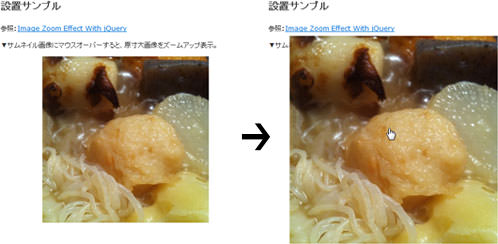 設置イメージ
<!DOCTYPE html PUBLIC "-//W3C//DTD XHTML 1.0 Transitional//EN" "http://www.w3.org/TR/xhtml1/DTD/xhtml1-transitional.dtd">
<html xmlns="http://www.w3.org/1999/xhtml" xml:lang="ja" lang="ja">
<head>
<meta http-equiv="Content-Type" content="text/html; charset=utf-8" />
<meta http-equiv="Content-Language" content="ja" />
<meta http-equiv="Content-Script-Type" content="text/javascript" />
<meta http-equiv="Content-Style-Type" content="text/css" />
<meta http-equiv="imagetoolbar" content="no" />
<title>設置サンプル</title>
<link rel="stylesheet" type="text/css" href="/content/lib/global.css" />
<script type="text/javascript" src="http://ajax.googleapis.com/ajax/libs/jquery/1.3.2/jquery.min.js" ></script>
<script type="text/javascript">
$(function(){
$('a.zoom').each(function() {
var oheight = $(this).children(0).height();
var owidth = $(this).children(0).width();
var nheight = (oheight + (oheight * 0.25));
var nwidth = (owidth + (owidth * 0.25));
var top = ((oheight - nheight) / 2);
var left = ((owidth - nwidth) / 2);
$(this).mouseenter(function() {
$(this).css('z-index', '10').children(0).stop().animate({
'height' : nheight+'px',
'width' : nwidth+'px',
'left' : left+'px',
'top' : top+'px'}, 210);
});
$(this).mouseleave(function() {
$(this).children(0).stop().animate({
'left' : '0px',
'top' : '0px',
'height' : oheight+'px',
'width' : owidth+'px'}, 150, function() {
$(this).css('height', oheight+'px').parent().css('z-index', '1');
});
});
$(this).click(function() {
return false;
});
});
});
</script>
<style type="text/css">
#demo {
height:300px;
width: 300px;
margin: 0 auto;
}
#demo a img {
position:relative;
z-index:1;
}
</style>
</head>
<body>
<div id="wrap">
<h1>設置サンプル</h1>
<p>参照:<a href='http://return-true.com/2010/08/image-zoom-effect-with-jquery/' target='_blank'>Image Zoom Effect With jQuery</a></p>
<p>▼サムネイル画像にマウスオーバーすると、原寸大画像をズームアップ表示。</p>
<!-- CODE -->
<div id="demo">
<a href="#" class="zoom"><img src="http://farm2.static.flickr.com/1164/5157648985_87c8a86b9f.jpg" width="300" height="300" /></a>
</div>
<!-- / CODE -->
</div>
</body>
</html>
jQPanView based in jQuery 1.1
画像の一部を拡大表示
2009/6/21
jQPanView based in jQuery 1.1
マウスポインタの位置を基点として、該当する画像の一部を指定した領域内に表示するjQueryプラグイン。
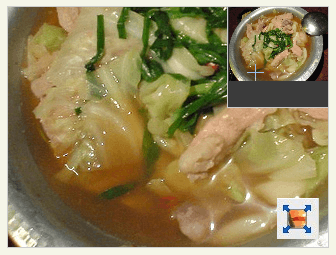 設置イメージ
<!DOCTYPE html PUBLIC "-//W3C//DTD XHTML 1.0 Transitional//EN" "http://www.w3.org/TR/xhtml1/DTD/xhtml1-transitional.dtd">
<html xmlns="http://www.w3.org/1999/xhtml" xml:lang="ja" lang="ja">
<head>
<meta http-equiv="Content-Type" content="text/html; charset=utf-8" />
<meta http-equiv="Content-Language" content="ja" />
<meta http-equiv="Content-Script-Type" content="text/javascript" />
<meta http-equiv="Content-Style-Type" content="text/css" />
<meta http-equiv="imagetoolbar" content="no" />
<title>jQPanView based in jQuery 1.1 | 設置サンプル</title>
<link rel="stylesheet" type="text/css" href="/content/lib/global.css" />
<!-- JS -->
<script type="text/javascript" src="/content/lib/jquery/jquery-1.1.js"></script>
<script type="text/javascript" src="/content/lib/jquery/jqpanview.js"></script>
<script type="text/javascript">
$(function() {
$("a.panview").panview(320,240);
});
</script>
</head>
<body>
<div id="wrap">
<h1><a href='http://projects.sevir.org/storage/jpanview/index.html'>jQPanView based in jQuery 1.1</a> | 設置サンプル</h1>
<!-- CODE -->
<p><a href="http://farm4.static.flickr.com/3239/3032375082_fd66d11941.jpg" class="panview"><img src="http://farm4.static.flickr.com/3239/3032375082_fd66d11941.jpg" alt="" /></a></p>
<!-- CODE / -->
</div>
</body>
</html>
jQZoom v2.2
画像の一部を虫眼鏡みたいに拡大鏡ウィンドウ表示
2008/11/16
jQZoom v2.2
サムネイル画像にマウスオーバーした部分の画像を虫眼鏡のように拡大鏡ウィンドウ表示するjQueryライブラリ。 拡大鏡ウィンドウのサイズ、オフセット、位置などの指定も可能です。
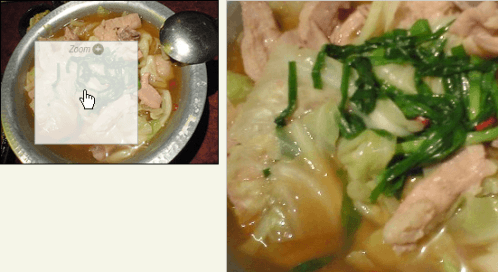 設置イメージ
<!DOCTYPE html PUBLIC "-//W3C//DTD XHTML 1.0 Transitional//EN" "http://www.w3.org/TR/xhtml1/DTD/xhtml1-transitional.dtd">
<html xmlns="http://www.w3.org/1999/xhtml" xml:lang="ja" lang="ja">
<head>
<meta http-equiv="Content-Type" content="text/html; charset=utf-8" />
<meta http-equiv="Content-Language" content="ja" />
<meta http-equiv="Content-Script-Type" content="text/javascript" />
<meta http-equiv="Content-Style-Type" content="text/css" />
<meta http-equiv="imagetoolbar" content="no" />
<title>設置サンプル</title>
<link rel="stylesheet" type="text/css" href="/content/lib/global.css" />
<script type="text/javascript" src="http://ajax.googleapis.com/ajax/libs/jquery/1.3.2/jquery.min.js" ></script>
<script type="text/javascript" src="/content/lib/jquery/jquery.jqzoom.js"></script>
<script type="text/javascript">
$(function(){
$(".jqzoom").jqueryzoom({
xzoom:300, //拡大鏡ウィンドウの幅(初期値=200)
yzoom:300, //拡大鏡ウィンドウの高さ(初期値=200)
offset:10, //拡大鏡ウィンドウのオフセット(初期値=10)
position:"center", //拡大鏡ウィンドウの位置(初期値='right')
preload:1,
lens:1
});
});
</script>
<style type="text/css">
.jqzoom { border:1px solid #000; float:left; position:relative; padding:0px; cursor:pointer; }
.jqzoom img { float:left; }
div.zoomdiv { z-index:100; position:absolute; top:0px; left:0px; width:200px; height:200px; background:#fff; border:1px solid #ccc; display:none; text-align:center; overflow:hidden; }
div.jqZoomPup { z-index:10; visibility:hidden; position:absolute; top:0px; left:0px; width:50px; height:50px; border:1px solid #aaa; background:#fff url("/content/lib/galleryimages/zoom.gif") 50% top no-repeat; opacity:0.7; -moz-opacity:0.8; -khtml-opacity:0.8; filter:alpha(Opacity=80); }
</style>
</head>
<body>
<div id="wrap">
<h1>設置サンプル</h1>
<p>参照:<a href='http://www.mind-projects.it/blog/jqzoom_v10' target="_blank">jQZoom v2.2</a></p>
<div class="jqzoom"><img src="http://farm4.static.flickr.com/3239/3032375082_fd66d11941_m.jpg" alt="鳥小屋のモツ鍋" jqimg="http://farm4.static.flickr.com/3239/3032375082_24f44c06ba_o.jpg"></div>
<br clear="all" />
</div>
</body>
</html>
Magnify, a jQuery plugin
画像の一部を拡大表示
2008/12/2
Magnify, a jQuery plugin
[Mac]Firefox2、Safari 3.1
[JS]jquery.js、jquery.magnify.js v1.0.2
画像にマウスオーバーすると、画像の一部を拡大表示するjQueryプラグイン。 オプションで、選択エリアのサイズや、拡大が画像の表示位置、枠線のスタイルなど、カスタマイズすることができます。
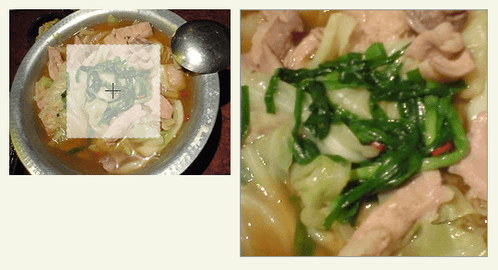 設置イメージ
<!DOCTYPE html PUBLIC "-//W3C//DTD XHTML 1.0 Transitional//EN" "http://www.w3.org/TR/xhtml1/DTD/xhtml1-transitional.dtd">
<html xmlns="http://www.w3.org/1999/xhtml" xml:lang="ja" lang="ja">
<head>
<meta http-equiv="Content-Type" content="text/html; charset=utf-8" />
<meta http-equiv="Content-Language" content="ja" />
<meta http-equiv="Content-Script-Type" content="text/javascript" />
<meta http-equiv="Content-Style-Type" content="text/css" />
<meta http-equiv="imagetoolbar" content="no" />
<title>設置サンプル</title>
<link rel="canonical" href="https://phpjavascriptroom.com/example3.php?f=module/include/ajax/jquery_plugin_zoom/magnify.inc&ttl=%E8%A8%AD%E7%BD%AE%E3%82%B5%E3%83%B3%E3%83%97%E3%83%AB" />
<link rel="stylesheet" type="text/css" href="/content/lib/global.css" />
<!-- JS -->
<script type="text/javascript" src="http://ajax.googleapis.com/ajax/libs/jquery/1.3.2/jquery.min.js" ></script>
<script type="text/javascript" src="/content/lib/jquery/jquery.magnify-1.0.2.js"></script>
<script type="text/javascript">
$(function() {
/* 例1:デフォルト */
$("#d1").magnify();
/* 例2:オプション設定 */
$("#d2").magnify({
lensWidth: 60,
lensHeight: 60,
showEvent: 'click',
hideEvent: 'click',
preload: false,
loadingImage: '/content/lib/galleryimages/loading.gif',
stagePlacement: 'left',
lensCss: { backgroundColor: '#cc0000', border: '0px', opacity: 0.4 },
stageCss: { border: '4px solid #cc0000' }
});
});
</script>
</head>
<body>
<div id="wrap">
<h1>設置サンプル</h1>
<p>参照:<a href='http://www.jnathanson.com/index.cfm?page=pages/jquery/magnify/magnify' target="_blank">Magnify, a jQuery plugin</a></p>
<!-- CODE -->
<h2>例:デフォルト</h2>
<p>画像にマウスオーバーすると画像の一部を拡大表示し、マウスアウトすると拡大表示を非表示にします。</p>
<a href="http://farm4.static.flickr.com/3239/3032375082_24f44c06ba_o.jpg" id="d1">
<img src="http://farm4.static.flickr.com/3239/3032375082_fd66d11941_m.jpg" width="240" height="180"/>
</a>
<br><br><br>
<h2>例:オプション設定あり</h2>
<p>画像をクリックすると画像の一部を左側に拡大表示し、再度クリックすると拡大表示を非表示にします。</p>
<div style="padding-left:200px;">
<a href="http://farm4.static.flickr.com/3239/3032375082_24f44c06ba_o.jpg" id="d2">
<img src="http://farm4.static.flickr.com/3239/3032375082_fd66d11941_m.jpg" width="240" height="180" />
</a>
</div>
<!-- CODE / -->
</div>
</body>
</html>
panView
マウスドラッグで画像の一部を表示
2009/6/21
jQuery plugin: panView
マウスでドラッグした部分の画像を指定した領域内に表示するjQueryプラグイン。
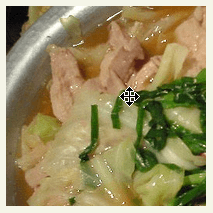 設置イメージ
<!DOCTYPE html PUBLIC "-//W3C//DTD XHTML 1.0 Transitional//EN" "http://www.w3.org/TR/xhtml1/DTD/xhtml1-transitional.dtd">
<html xmlns="http://www.w3.org/1999/xhtml" xml:lang="ja" lang="ja">
<head>
<meta http-equiv="Content-Type" content="text/html; charset=utf-8" />
<meta http-equiv="Content-Language" content="ja" />
<meta http-equiv="Content-Script-Type" content="text/javascript" />
<meta http-equiv="Content-Style-Type" content="text/css" />
<meta http-equiv="imagetoolbar" content="no" />
<title>設置サンプル</title>
<link rel="stylesheet" type="text/css" href="/content/lib/global.css" />
<!-- JS -->
<script type="text/javascript" src="http://ajax.googleapis.com/ajax/libs/jquery/1.2.6/jquery.min.js" ></script>
<script type="text/javascript" src="/content/lib/jquery/jquery-plugin-panview.js"></script>
<script type="text/javascript">
$(function() {
$("img#imagePan").panView(200,200);
$("img#imagePan2").panView('auto',200);
});
</script>
</head>
<body>
<div id="wrap">
<h1>設置サンプル</h1>
<p>参照:<a href='http://motherrussia.polyester.se/jquery/panview/' target="_blank">jQuery plugin: panView</a></p>
<!-- CODE -->
<h2>幅と高さを指定</h2>
<p><img src="http://farm4.static.flickr.com/3239/3032375082_fd66d11941.jpg" id="imagePan" style="display:none;" alt=""/></p>
<h2>幅はautoで高さのみ指定</h2>
<p><img src="http://farm4.static.flickr.com/3239/3032375082_fd66d11941.jpg" id="imagePan2" style="display:none;" alt=""/></p>
<!-- CODE / -->
</div>
</body>
</html>
Cloud Zoom
画像の一部を拡大表示
2010/11/7
Cloud Zoom
商品画像のズームアップなどに最適な画像の一部を拡大表示するjQueryプラグイン。 ズーム方法は、画像内に拡大画像を表示する一体型と、画像の外に拡大画像を表示する2タイプ用意されています。 フォーカスの設定は、各サムネイル画像をくくるa要素のrel属性にパラメータを指定します。
画像にマウスオーバーすると、マウスオーバーした部分の拡大画像を表示してくれます。 1画像に付き、小・中(サムネイル画像)、原寸大画像の最大3画像必要です。
複数画像を束ねてグループ化することも可能です。 その場合は、グループ毎に、ユニークなIDを付け、同一グループ内の画像はパラメータ「useZoom」に同じIDを指定します。 拡大画像の表示位置、画像のキャプション表示、ソフトフォーカスの有無など、細かくカスタマイズできます。
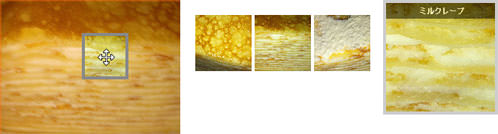 設置イメージ
<!DOCTYPE html PUBLIC "-//W3C//DTD XHTML 1.0 Transitional//EN" "http://www.w3.org/TR/xhtml1/DTD/xhtml1-transitional.dtd">
<html xmlns="http://www.w3.org/1999/xhtml" xml:lang="ja" lang="ja">
<head>
<meta http-equiv="Content-Type" content="text/html; charset=utf-8" />
<meta http-equiv="Content-Language" content="ja" />
<meta http-equiv="Content-Script-Type" content="text/javascript" />
<meta http-equiv="Content-Style-Type" content="text/css" />
<meta http-equiv="imagetoolbar" content="no" />
<title>設置サンプル</title>
<link rel="stylesheet" type="text/css" href="/content/lib/global.css" />
<!-- JS -->
<script type="text/javascript" src="http://ajax.googleapis.com/ajax/libs/jquery/1.4.2/jquery.min.js" ></script>
<script type="text/javascript" src="/content/lib/jquery/cloud-zoom.1.0.2.js" ></script>
<script type="text/javascript">
$(function() {
});
</script>
<!-- CSS -->
<style type="text/css">
/* This is the moving lens square underneath the mouse pointer. */
.cloud-zoom-lens {
border: 4px solid #888;
margin:-4px; /* Set this to minus the border thickness. */
background-color:#fff;
cursor:move;
}
/* This is for the title text. */
.cloud-zoom-title {
font-family:Arial, Helvetica, sans-serif;
position:absolute !important;
background-color:#000;
color:#fff;
padding:3px;
width:100%;
text-align:center;
font-weight:bold;
font-size:10px;
top:0px;
}
/* This is the zoom window. */
.cloud-zoom-big {
border:4px solid #ccc;
overflow:hidden;
}
/* This is the loading message. */
.cloud-zoom-loading {
color:white;
background:#222;
padding:3px;
border:1px solid #000;
}
</style>
</head>
<body>
<div id="wrap">
<h1>設置サンプル</h1>
<p>参照:<a href='http://www.professorcloud.com/mainsite/cloud-zoom.htm' target='_blank'>Cloud Zoom</a></p>
<p>▼画像の一部を拡大表示します。</p>
<!-- CODE -->
<h2>画像内でフォーカス移動</h2>
<div class="cf" style="position:relative; margin:20px;">
<a href='http://farm5.static.flickr.com/4055/5153644500_b95ccefb3f_z.jpg' class='cloud-zoom' id='zoom1' style="float:left" rel="position: 'inside' , showTitle: false, adjustX:-4, adjustY:-4"><img src="http://farm5.static.flickr.com/4055/5153644500_b95ccefb3f_m.jpg" alt="" title="ミルクレープ" /></a>
</div>
<h2>フォーカスを当てた場所だけ拡大表示</h2>
<div class="cf" style="position:relative; margin:20px;">
<a href='http://farm5.static.flickr.com/4055/5153644500_b95ccefb3f_z.jpg' class='cloud-zoom' id='zoom2' style="float:left" rel="adjustX: 10, adjustY:-4, softFocus:false"><img src="http://farm5.static.flickr.com/4055/5153644500_b95ccefb3f_m.jpg" alt="" title="ミルクレープ" />
</a>
<p style="float:left; margin:20px;" >
<a href='http://farm5.static.flickr.com/1328/5153659156_0bf5a33280_z.jpg' class='cloud-zoom-gallery' title='ミルクレープ 1/3' rel="useZoom: 'zoom2', smallImage: 'http://farm5.static.flickr.com/1328/5153659156_0bf5a33280_m.jpg' "> <img src="http://farm5.static.flickr.com/1328/5153659156_0bf5a33280_s.jpg" alt=""/></a>
<a href='http://farm5.static.flickr.com/4055/5153644500_b95ccefb3f_z.jpg' class='cloud-zoom-gallery' title='ミルクレープ 2/3' rel="useZoom: 'zoom2', smallImage: 'http://farm5.static.flickr.com/4055/5153644500_b95ccefb3f_m.jpg' "><img src="http://farm5.static.flickr.com/4055/5153644500_b95ccefb3f_s.jpg" alt=""/></a>
<a href='http://farm5.static.flickr.com/4017/5153037255_d91f4696f1_z.jpg' class='cloud-zoom-gallery' title='ミルクレープ 3/3' rel="useZoom: 'zoom2', smallImage: 'http://farm5.static.flickr.com/4017/5153037255_d91f4696f1_m.jpg' "><img src="http://farm5.static.flickr.com/4017/5153037255_d91f4696f1_s.jpg" alt=""/></a>
</p>
</div>
<h2>フォーカスを当てた場所だけ拡大表示(ソフトフォーカス、拡大表示位置指定)</h2>
<div class="cf" style="position:relative; margin:20px;">
<a href='http://farm5.static.flickr.com/4055/5153644500_b95ccefb3f_z.jpg'
class='cloud-zoom'
id='zoom3' style="float:left"
rel="softFocus: true, position:'anypos', tint: '#ff6600',tintOpacity:0.5 ,smoothMove:5,">
<img src="http://farm5.static.flickr.com/4055/5153644500_b95ccefb3f_m.jpg"
alt="" title="ミルクレープ" />
</a>
<div style="float:left; margin:20px;" >
<a href='http://farm5.static.flickr.com/1328/5153659156_0bf5a33280_z.jpg' class='cloud-zoom-gallery' title='ミルクレープ 1/3'
rel="useZoom: 'zoom3', smallImage: 'http://farm5.static.flickr.com/1328/5153659156_0bf5a33280_m.jpg' ">
<img src="http://farm5.static.flickr.com/1328/5153659156_0bf5a33280_s.jpg" alt=""/></a>
<a href='http://farm5.static.flickr.com/4055/5153644500_b95ccefb3f_z.jpg' class='cloud-zoom-gallery' title='ミルクレープ 1/3'
rel="useZoom: 'zoom3', smallImage: 'http://farm5.static.flickr.com/4055/5153644500_b95ccefb3f_m.jpg' ">
<img src="http://farm5.static.flickr.com/4055/5153644500_b95ccefb3f_s.jpg" alt=""/></a>
<a href='http://farm5.static.flickr.com/4017/5153037255_d91f4696f1_z.jpg' class='cloud-zoom-gallery' title='ミルクレープ 1/3'
rel="useZoom: 'zoom3', smallImage: 'http://farm5.static.flickr.com/4017/5153037255_d91f4696f1_m.jpg' ">
<img src="http://farm5.static.flickr.com/4017/5153037255_d91f4696f1_s.jpg" alt=""/></a>
</div>
<div id="anypos" style="position:absolute;top:0; left:510px;width:145px; height:145px;"></div>
</div>
<!-- / CODE -->
</div>
</body>
</html>
Zoomi!
画像のズームアップ
unknown
Zoomi!
拡大画像をスムーズに表示するjQueryライブラリ。 1枚の画像を指定するだけのシンプルなものから、2枚の画像を切替表示するサンプルなどいろいろ掲載されています。
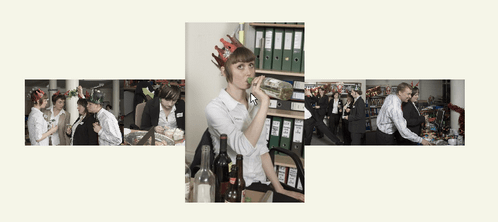 設置イメージ
<script type="text/javascript" src="jquery-1.2.6.min.js" charset="utf-8"></script> <script type="text/javascript" src="zoomi.js" charset="utf-8"></script>
/* マウスオーバーで画像ズームアップ(サムネイル画像と拡大画像のURL指定、画像リンクあり) */
<img class="zoomi" src="サムネイル画像URL" alt="拡大画像URL" />
/* マウスオーバーで画像ズームアップ(拡大画像のURLのみ指定) */
<img class="zoomi" src="拡大画像URL" style="width:75px; height:75px;" />
<!DOCTYPE html PUBLIC "-//W3C//DTD XHTML 1.0 Transitional//EN" "http://www.w3.org/TR/xhtml1/DTD/xhtml1-transitional.dtd">
<html xmlns="http://www.w3.org/1999/xhtml" xml:lang="ja" lang="ja">
    <head>
        <meta http-equiv="Content-Type" content="text/html; charset=utf-8" />
        <meta http-equiv="Content-Language" content="ja" />
        <meta http-equiv="Content-Script-Type" content="text/javascript" />
        <meta http-equiv="Content-Style-Type" content="text/css" />
        <meta http-equiv="imagetoolbar" content="no" />
        <title>設置サンプル</title>
        <link rel="stylesheet" type="text/css" href="/content/lib/global.css" />
        <script type="text/javascript" src="http://ajax.googleapis.com/ajax/libs/jquery/1.3.2/jquery.min.js" ></script>
        <script type="text/javascript" src="/content/lib/jquery/zoomi.js"></script>
        <script type="text/javascript">
            // <!-- Examples of dynamically calling zoomi -->
            $(function(){
              $('#zoomme img').zoom1().click(function(){
                $(this).zoom2().fadeIn().click(function(){
                  $(this).hide(); return false; })
                .end().parent().addClass('red'); return false; });
              for(i=1; i<=5; ++i)
                $('#bleach').append('<img class="zoomi" src="/content/lib/galleryimages/christmas-party-'+i+'.jpg" height="110">');
              $('#bleach img.zoomi').zoomi();
              $('.bw img')
              .zoom1().mouseover(function(){ $(this).zoom2().fadeIn(); })
              .zoom2().mouseout(function(){ $(this).fadeOut(1600); });
            });
        </script>
    </head>
    <body>
        <div id="wrap" style="margin-left:auto; margin-right:auto; text-align:center;">
            <h1>設置サンプル</h1>
            <p>参照:<a href='http://www.sunsean.com/zoomi/' target="_blank">Zoomi!</a></p>
            <h2>マウスオーバーで画像ズームアップ(サムネイル画像と拡大画像のURL指定、画像リンクあり)</h2>
            <a href="http://www.flickr.com/photos/22559849@N06/2973155055/" title="クリスピー・クリーム・ドーナツ by php_javascript_room, on Flickr">
                <img class="zoomi"
                    src="http://farm4.static.flickr.com/3141/2973155055_4cf4370939_s.jpg"
                    alt="http://farm4.static.flickr.com/3141/2973155055_385036c286_o.png" />
            </a>

            <h2>マウスオーバーで画像ズームアップ(拡大画像のURLのみ指定)</h2>
            <img class="zoomi" src="http://farm4.static.flickr.com/3141/2973155055_385036c286_o.png" style="width:100px; height:75px;">

            <h2>マウスオーバーで画像ズームアップ(透過GIF使用)</h2>
            <img class="zoomi" src="/content/img/dog_mini.gif" alt="/content/img/dog_white.gif">

            <h2>画像クリックで縮小・拡大切替</h2>
            <a id="zoomme" href="#" title="Click me to toogle zoomi">
            <img src="http://farm4.static.flickr.com/3222/2974008614_736e2d5b50_s.jpg"
                 alt="http://farm4.static.flickr.com/3222/2974008614_f4b59bf651_o.png">
            </a>

            <h2>フォルダ内の画像をギャラリー表示</h2>
            <div id="bleach"></div>

            <h2>ロールオーバー、アウトで2枚の画像をクロスフェード切替</h2>
            <div class="bw">
                <img class="bw" src="/content/img/ajax/end.png" alt="/content/img/ajax/start.png" />
            </div>
        </div>
    </body>
</html>
Nivo Zoom
キャプション付きで原寸大画像をポップアウト表示
2010/11/7
Nivo Zoom
サムネイル画像をクリックすると原寸大画像をポップアウト表示するjQueryプラグイン。 ズームする際の基準となる位置は、左上(デフォルト)、右上、左下、右下、中央の5種類から選択できます。
サムネイル画像とキャプションをa要素でくくり、a要素のhref属性に原寸大画像のURLを指定するつくりになっています。 キャプション付きで表示する場合は、「nivoCaption」クラスのdiv要素をa要素内に指定します(HTML文OK)。 表題なしの場合は、サムネイル画像のみ指定となります。
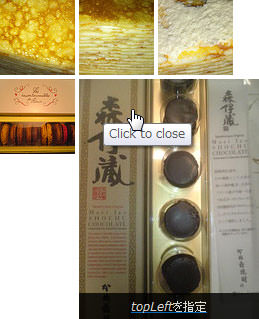 設置イメージ
<!DOCTYPE html PUBLIC "-//W3C//DTD XHTML 1.0 Transitional//EN" "http://www.w3.org/TR/xhtml1/DTD/xhtml1-transitional.dtd">
<html xmlns="http://www.w3.org/1999/xhtml" xml:lang="ja" lang="ja">
<head>
<meta http-equiv="Content-Type" content="text/html; charset=utf-8" />
<meta http-equiv="Content-Language" content="ja" />
<meta http-equiv="Content-Script-Type" content="text/javascript" />
<meta http-equiv="Content-Style-Type" content="text/css" />
<meta http-equiv="imagetoolbar" content="no" />
<title>設置サンプル</title>
<link rel="stylesheet" type="text/css" href="/content/lib/global.css" />
<script type="text/javascript" src="http://ajax.googleapis.com/ajax/libs/jquery/1.3.2/jquery.min.js" ></script>
<script type="text/javascript" src="/content/lib/jquery/jquery.nivo.zoom.js"></script>
<script type="text/javascript">
$(window).load(function() {
$('body').nivoZoom();
});
$(function(){
$('#demo a').click(function(){
return false;
});
});
</script>
<style type="text/css">
#demo {
margin:100px;
}
/*
* jQuery Nivo Zoom v1.0
* http://nivozoom.dev7studios.com
*
* Copyright 2010, Gilbert Pellegrom
* Free to use and abuse under the MIT license.
* http://www.opensource.org/licenses/mit-license.php
*
* April 2010
*/
.nivoZoomHover {
position:absolute;
top:0px;
left:0px;
z-index:9;
width:100%;
height:100%;
cursor:pointer;
}
.nivoCaption {
display:none;
position:absolute;
z-index:110;
text-align:center;
background:#010101;
color:#fff;
padding:4px 0;
overflow:hidden;
}
</style>
</head>
<body>
<div id="wrap">
<h1>設置サンプル</h1>
<p>参照:<a href='http://nivozoom.dev7studios.com' target='_blank'>Nivo Zoom</a></p>
<p>▼サムネイル画像をクリックすると原寸大画像をポップアウト表示します。</p>
<!-- CODE -->
<div id="demo">
<a href="http://farm2.static.flickr.com/1328/5153659156_0bf5a33280_m.jpg" class="nivoZoom">
<img src="http://farm2.static.flickr.com/1328/5153659156_0bf5a33280_s.jpg" alt="" width="75" />
</a>
<a href="http://farm5.static.flickr.com/4055/5153644500_b95ccefb3f_m.jpg" class="nivoZoom center">
<img src="http://farm2.static.flickr.com/4055/5153644500_b95ccefb3f_s.jpg" alt="" width="75" />
<div class="nivoCaption">centerを指定</div>
</a>
<a href="http://farm5.static.flickr.com/4017/5153037255_d91f4696f1_m.jpg" class="nivoZoom topRight">
<img src="http://farm2.static.flickr.com/4017/5153037255_d91f4696f1_s.jpg" alt="" width="75" />
<div class="nivoCaption"><em>topRight</em>を指定</div>
</a>
<br>
<a href="http://farm3.static.flickr.com/2713/4355301371_10fe701412_m.jpg" class="nivoZoom bottomLeft">
<img src="http://farm2.static.flickr.com/2713/4355301371_10fe701412_s.jpg" alt="" width="75" />
<div class="nivoCaption"><em>bottomLeft</em>を指定</div>
</a>
<a href="http://farm5.static.flickr.com/4034/4334223017_3b77ffd160_m.jpg" class="nivoZoom topLeft">
<img src="http://farm2.static.flickr.com/4034/4334223017_3b77ffd160_s.jpg" alt="" width="75" />
<div class="nivoCaption"><em>topLeft</em>を指定</div>
</a>
<a href="http://farm5.static.flickr.com/4037/5153052139_34da37cfbd_m.jpg" class="nivoZoom bottomRight">
<img src="http://farm5.static.flickr.com/4037/5153052139_34da37cfbd_s.jpg" alt="" width="75" />
<div class="nivoCaption"><em>bottomRight</em>を指定</div>
</a>
</div>
<!-- / CODE -->
</div>
</body>
</html>
jQuery Thumbnail with Zooming Image and Fading Caption Tutorial
マウスオーバーで、キャプション付きでサムネイル画像をズームアップ
unknown
jQuery Thumbnail with Zooming Image and Fading Caption Tutorial
jQueryを使用して、サムネイル画像にマウスオーバーした時に、サムネイル画像をキャプション付きでズームアップ表示する方法が掲載されています。
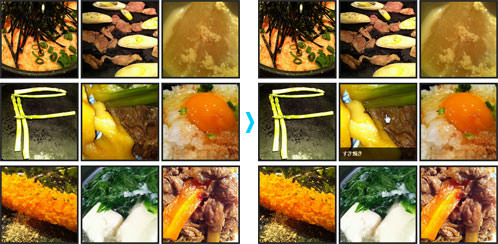 設置イメージ
<!DOCTYPE html PUBLIC "-//W3C//DTD XHTML 1.0 Transitional//EN" "http://www.w3.org/TR/xhtml1/DTD/xhtml1-transitional.dtd">
<html xmlns="http://www.w3.org/1999/xhtml" xml:lang="ja" lang="ja">
<head>
<meta http-equiv="Content-Type" content="text/html; charset=utf-8" />
<meta http-equiv="Content-Language" content="ja" />
<meta http-equiv="Content-Script-Type" content="text/javascript" />
<meta http-equiv="Content-Style-Type" content="text/css" />
<meta http-equiv="imagetoolbar" content="no" />
<title>設置サンプル</title>
<link rel="stylesheet" type="text/css" href="/content/lib/global.css" />
<script type="text/javascript" src="http://ajax.googleapis.com/ajax/libs/jquery/1.3.2/jquery.min.js" ></script>
<script type="text/javascript">
$(function(){
//move the image in pixel
var move = -15;
//zoom percentage, 1.2 =120%
var zoom = 1.3;
//On mouse over those thumbnail
$('.zitem').hover(function() {
//Set the width and height according to the zoom percentage
width = $('.zitem').width() * zoom;
height = $('.zitem').height() * zoom;
//Move and zoom the image
$(this).find('img').stop(false,true).animate({'width':width, 'height':height, 'top':move, 'left':move}, {duration:200});
//Display the caption
$(this).find('div.caption').stop(false,true).fadeIn(200);
},
function() {
//Reset the image
$(this).find('img').stop(false,true).animate({'width':$('.zitem').width(), 'height':$('.zitem').height(), 'top':'0', 'left':'0'}, {duration:100});
//Hide the caption
$(this).find('div.caption').stop(false,true).fadeOut(200);
});
});
</script>
<style type="text/css">
.zitem {
width:180px;
height:180px;
border:4px solid #222;
margin:5px 5px 5px 0;
/* required to hide the image after resized */
overflow:hidden;
/* for child absolute position */
position:relative;
/* display div in line */
float:left;
}
.zitem .caption {
width:180px;
height:30px;
background:#000;
color:#fff;
font-weight:bold;
/* fix it at the bottom */
position:absolute;
bottom:-1px; /* fix IE issue */
left:0;
/* hide it by default */
display:none;
/* opacity setting */
filter:alpha(opacity=70); /* ie */
-moz-opacity:0.7; /* old mozilla browser like netscape */
-khtml-opacity: 0.7; /* for really really old safari */
opacity: 0.7; /* css standard, currently it works in most modern browsers like firefox, */
}
.zitem .caption a {
text-decoration:none;
color:#fff;
font-size:12px;
/* add spacing and make the whole row clickable*/
padding:5px;
display:block;
}
.zitem img {
border:0;
/* allow javascript moves the img position*/
position:absolute;
}
.clear {
clear:both;
}
</style>
</head>
<body>
<div id="wrap">
<h1>設置サンプル</h1>
<p>参照:<a href='http://www.queness.com/post/590/jquery-thumbnail-with-zooming-image-and-fading-caption-tutorial' target='_blank'>jQuery Thumbnail with Zooming Image and Fading Caption Tutorial</a></p>
<p>▼サムネイル画像にマウスオーバーすると、サムネイル画像をキャプション付きでズームアップ表示します。</p>
<!-- CODE -->
<div class="zitem">
<a href="#"><img src="http://farm5.static.flickr.com/4012/5150664727_b8f80eda81_m.jpg" alt="" title="" width="180" height="180"/></a>
<div class="caption">
<a href="">明太子とろろごはん</a>
</div>
</div>
<div class="zitem">
<a href="#"><img src="http://farm5.static.flickr.com/4037/5150863795_4712c20d63_m.jpg" alt="" title="" width="180" height="180"/></a>
<div class="caption">
<a href="">鴨ネギの溶岩焼き</a>
</div>
</div>
<div class="zitem">
<a href="#"><img src="http://farm5.static.flickr.com/4145/5151480248_6a4d8ff97c_m.jpg" alt="" title="" width="180" height="180"/></a>
<div class="caption">
<a href="">大根の豆乳煮</a>
</div>
</div>
<div class="clear"></div>
<div class="zitem">
<a href="#"><img src="http://farm5.static.flickr.com/4011/5150873793_5e3e89ab18_m.jpg" alt="" title="" width="180" height="180"/></a>
<div class="caption">
<a href="">アスパラ</a>
</div>
</div>
<div class="zitem">
<a href="#"><img src="http://farm2.static.flickr.com/1261/5154145734_dd6d41721d_m.jpg" alt="" title="" width="180" height="180"/></a>
<div class="caption">
<a href="">すき焼き</a>
</div>
</div>
<div class="zitem">
<a href="#"><img src="http://farm2.static.flickr.com/1088/5142076100_d7d66bdb26_m.jpg" alt="" title="" width="180" height="180"/></a>
<div class="caption">
<a href="">卵かけごはん</a>
</div>
</div>
<div class="clear"></div>
<div class="zitem">
<a href="#"><img src="http://farm2.static.flickr.com/1202/5142092074_761703bec3_m.jpg" alt="" title="" width="180" height="180"/></a>
<div class="caption">
<a href="">海老フライ</a>
</div>
</div>
<div class="zitem">
<a href="#"><img src="http://farm2.static.flickr.com/1332/5118048078_c57afb18af_m.jpg" alt="" title="" width="180" height="180"/></a>
<div class="caption">
<a href="">ぐつぐつ湯豆腐</a>
</div>
</div>
<div class="zitem">
<a href="#"><img src="http://farm2.static.flickr.com/1120/5117428215_9d5b33553a_m.jpg" alt=" " title="" width="180" height="180"/></a>
<div class="caption">
<a href="">牛肉の煮物</a>
</div>
</div>
<div class="clear"></div>
<!-- / CODE -->
</div>
</body>
</html>
AnythingZoomer
カレンダー、画像、テキストなど、要素の一部を拡大表示
unknown
AnythingZoomer
カレンダー、画像、テキストなど、要素の一部を拡大表示するjQueryプラグイン。
テキストや画像エリアをダブルクリックすると原寸大表示します。
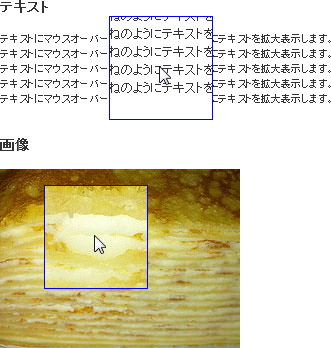 設置イメージ
<!DOCTYPE html PUBLIC "-//W3C//DTD XHTML 1.0 Transitional//EN" "http://www.w3.org/TR/xhtml1/DTD/xhtml1-transitional.dtd">
<html xmlns="http://www.w3.org/1999/xhtml" xml:lang="ja" lang="ja">
<head>
<meta http-equiv="Content-Type" content="text/html; charset=utf-8" />
<meta http-equiv="Content-Language" content="ja" />
<meta http-equiv="Content-Script-Type" content="text/javascript" />
<meta http-equiv="Content-Style-Type" content="text/css" />
<meta http-equiv="imagetoolbar" content="no" />
<title>設置サンプル</title>
<link rel="stylesheet" type="text/css" href="/content/lib/global.css" />
<script type="text/javascript" src="http://ajax.googleapis.com/ajax/libs/jquery/1.3.2/jquery.min.js" ></script>
<script type="text/javascript" src="/content/lib/jquery/zoomer.jquery.js" ></script>
<script type="text/javascript">
$(function(){
$("#text").anythingZoomer({
expansionSize: 30,
speedMultiplier: 1.5
});
$("#photo").anythingZoomer({
expansionSize: 30,
speedMultiplier:2.5,
smallArea: "#small2", // Overrides small area ID
largeArea: "#large2", // Overrides large area ID
zoomPort: "#overlay2", // Overrides zoom overlay area ID
mover: "#mover2" // Overrides mover ID
});
});
</script>
<style type="text/css">
#text, #photo { width: 500px; position: relative; }
#small, #small2 { position: relative; width: 100%; }
#large, #large2 { background: white; position: relative; width: 600px; }
#mover, #mover2 { position: absolute; top: 0; left: 0; width: 104px; height: 104px; overflow: hidden; z-index: 100; background: white; display: none; }
#overlay, #overlay2 { border: 1px solid blue; width: 102px; height: 102px; position: absolute; top: 0; left: 0; z-index: 200; }
#small p { font-size: 8px; }
</style>
</head>
<body>
<div id="wrap">
<h1>設置サンプル</h1>
<p>参照:<a href='http://css-tricks.com/examples/AnythingZoomer/image.php' target='_blank'>AnythingZoomer</a></p>
<!-- CODE -->
<h2>テキスト</h2>
<div id="text">
<div id="small">
<p style="width:500px">テキストにマウスオーバーすると、虫めがねのようにテキストを拡大表示します。<br>テキストにマウスオーバーすると、虫めがねのようにテキストを拡大表示します。<br>テキストにマウスオーバーすると、虫めがねのようにテキストを拡大表示します。<br>テキストにマウスオーバーすると、虫めがねのようにテキストを拡大表示します。<br>テキストにマウスオーバーすると、虫めがねのようにテキストを拡大表示します。</p>
</div>
<div id="mover">
<div id="overlay"></div>
<div id="large">
<p style="width:500px">テキストにマウスオーバーすると、虫めがねのようにテキストを拡大表示します。<br>テキストにマウスオーバーすると、虫めがねのようにテキストを拡大表示します。<br>テキストにマウスオーバーすると、虫めがねのようにテキストを拡大表示します。<br>テキストにマウスオーバーすると、虫めがねのようにテキストを拡大表示します。<br>テキストにマウスオーバーすると、虫めがねのようにテキストを拡大表示します。</p>
</div>
</div>
</div>
<h2>画像</h2>
<div id="photo">
<div id="small2">
<img src="http://farm5.static.flickr.com/4055/5153644500_b95ccefb3f_m.jpg" alt="small rushmore" />
</div>
<div id="mover2">
<div id="overlay2"></div>
<div id="large2">
<img src="http://farm5.static.flickr.com/4055/5153644500_b95ccefb3f_z.jpg" alt="big rushmore" />
</div>
</div>
</div>
<!-- / CODE -->
</div>
</body>
</html>
jQuery gzoom plugin
拡大率を調整できるコントローラー付きで画像をズーム表示
2010/11/7
jQuery gzoom plugin
拡大率を調整できるコントローラー付きで画像をズーム表示するjQueryプラグイン。 コントローラーは、jQuery UIのスライダーが使われています。
オプションで、画像クリック時に原寸大画像をlightboxでポップアップ表示することもできます。 その場合は、各画像のパラメータに「lighbox:true」を指定します。
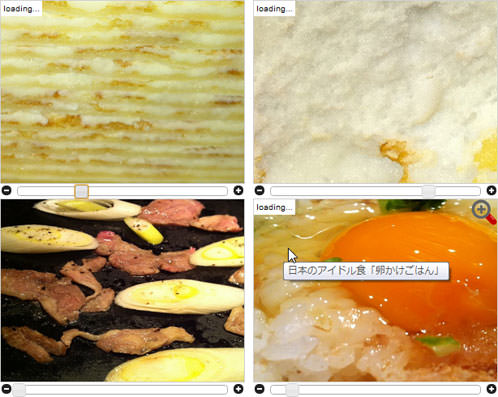 設置イメージ
<!DOCTYPE html PUBLIC "-//W3C//DTD XHTML 1.0 Transitional//EN" "http://www.w3.org/TR/xhtml1/DTD/xhtml1-transitional.dtd">
<html xmlns="http://www.w3.org/1999/xhtml" xml:lang="ja" lang="ja">
<head>
<meta http-equiv="Content-Type" content="text/html; charset=utf-8" />
<meta http-equiv="Content-Language" content="ja" />
<meta http-equiv="Content-Script-Type" content="text/javascript" />
<meta http-equiv="Content-Style-Type" content="text/css" />
<meta http-equiv="imagetoolbar" content="no" />
<title>設置サンプル</title>
<link rel="stylesheet" type="text/css" href="/content/lib/global.css" />
<script type="text/javascript" src="http://ajax.googleapis.com/ajax/libs/jquery/1.4.2/jquery.min.js" ></script>
<script type="text/javascript" src="http://ajax.googleapis.com/ajax/libs/jqueryui/1.8.2/jquery-ui.min.js" ></script>
<link rel="stylesheet" type="text/css" href="http://ajax.googleapis.com/ajax/libs/jqueryui/1.8.2/themes/base/jquery-ui.css" />
<script type="text/javascript" src="/content/lib/jquery/jquery.gzoom.js" ></script>
<script type="text/javascript" src="/content/lib/jquery/jquery.mousewheel.js" ></script>
<script type="text/javascript">
$(function(){
$("#zoom01").gzoom({sW: 300,
sH: 225,
lW: 1024,
lH: 765,
lightbox:false
});
$(".zoom_no_lbox").gzoom({sW: 300,
sH: 225,
lW: 1024,
lH: 765,
lightbox: true
});
$("#zoom04").gzoom({sW: 300,
sH: 225,
lW: 1024,
lH: 765,
lightbox: true,
zoomIcon: '/content/img/ajax/zoom.png'
});
});
</script>
<style type="text/css">
/* miniZoomPan styles */
.gzoomwrap {
float:left;
margin:0 10px 0 0;
}
.minizoompan {
background: #fff;
position: relative; /* always set to relative or offset() won't work */
border: 1px solid lightgray;
padding: 0;
margin: 0;
}
.minizoompan span.loader { /* the loader label*/
position:absolute;
left:0;
top:0;
z-index: 1;
display: none;
color: #000;
background: #fff;
font: normal 9px Arial, Verdana;
padding: 3px;
}
.minizoompan .zoomIcon { /* the zoom icon */
position:absolute;
cursor:pointer;
left:0;
top:0;
z-index: 1;
display: none;
}
.gzoombutton {
float:left;
cursor:pointer;
}
.gzoomSlider {
float:left;
margin:3px 5px 0 5px;
}
#gzoomoverlay {
position: absolute;
top: 0;
left: 0;
z-index: 90;
width: 100%;
height: 500px;
}
#gzoomlbox {
position: absolute;
top: 0;
left: 0;
width: 100%;
z-index: 100;
text-align: center;
line-height: 0;
}
#gzoomlbox a img {
border: none;
}
#imagebox {
position: relative;
background-color: #fff;
width: 250px;
height: 250px;
margin: 0 auto;
}
#gzoom-cont-img { padding: 10px; }
#lboximgdatacontainer {
font: 10px Verdana, Helvetica, sans-serif;
background-color: #fff;
margin: 0 auto;
line-height: 1.4em;
overflow: auto;
width: 100%;
padding: 0 10px 0;
padding: 0 10px 10px 10px;
color:#666;
}
#gzoomloading {
position: absolute;
top: 40%;
left: 0%;
height: 25%;
width: 100%;
text-align: center;
line-height: 0;
}
#lboximgdatacontainer #gzoomlbox-image-details {
width: 70%;
float: left;
text-align: left;
}
#gzoom-image-caption { font-weight: bold; }
</style>
</head>
<body>
<div id="wrap">
<h1>設置サンプル</h1>
<p>参照:<a href='http://lab.gianiaz.com/jquery/' target='_blank'>jQuery gzoom plugin</a></p>
<p>▼スライダーで画像の倍率を調整できます。画像クリックで、原寸大画像がポップアウト表示されます。</p>
<!-- CODE -->
<div id="zoom01" class="zoom">
<img src="http://farm5.static.flickr.com/4055/5153644500_b95ccefb3f_z.jpg" alt="" title="ミルクレープ" />
</div>
<div id="zoom02" class="zoom zoom_no_lbox">
<img src="http://farm5.static.flickr.com/4017/5153037255_d91f4696f1_z.jpg" alt="" title="ミルクレープはがしたとこ♡" />
</div>
<div id="zoom03" class="zoom zoom_no_lbox">
<img src="http://farm5.static.flickr.com/4037/5150863795_4712c20d63_z.jpg" alt="" title="鴨ネギの溶岩焼き" />
</div>
<div id="zoom04" class="zoom">
<img src="http://farm2.static.flickr.com/1088/5142076100_d7d66bdb26_z.jpg" alt="" title="日本のアイドル食「卵かけごはん」" />
</div>
<br style="clear:both" />
<!-- / CODE -->
</div>
</body>
</html>
jQuery gzoom plugin
マウスオーバー時にズーム効果をつける
unknown
Hover Zoom
jQueryを使用して、画像にマウスオーバーした時に、キャプションをフェードアウトして、画像を縮小するズーム効果をつける方法が掲載されています。
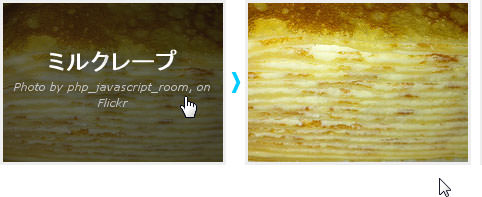 設置イメージ
<!DOCTYPE html PUBLIC "-//W3C//DTD XHTML 1.0 Transitional//EN" "http://www.w3.org/TR/xhtml1/DTD/xhtml1-transitional.dtd">
<html xmlns="http://www.w3.org/1999/xhtml" xml:lang="ja" lang="ja">
<head>
<meta http-equiv="Content-Type" content="text/html; charset=utf-8" />
<meta http-equiv="Content-Language" content="ja" />
<meta http-equiv="Content-Script-Type" content="text/javascript" />
<meta http-equiv="Content-Style-Type" content="text/css" />
<meta http-equiv="imagetoolbar" content="no" />
<title>設置サンプル</title>
<link rel="stylesheet" type="text/css" href="/content/lib/global.css" />
<script type="text/javascript" src="http://ajax.googleapis.com/ajax/libs/jquery/1.4.2/jquery.min.js" ></script>
<script type="text/javascript" src="http://ajax.googleapis.com/ajax/libs/jqueryui/1.8.2/jquery-ui.min.js" ></script>
<link rel="stylesheet" type="text/css" href="http://ajax.googleapis.com/ajax/libs/jqueryui/1.8.2/themes/base/jquery-ui.css" />
<script type="text/javascript" src="/content/lib/jquery/jquery.gzoom.js" ></script>
<script type="text/javascript" src="/content/lib/jquery/jquery.mousewheel.js" ></script>
<script type="text/javascript">
$(function(){
$('.viewport').mouseenter(function(e) {
$(this).children('a').children('img').animate({ height:'164', left:'0', top:'0', width:'220'}, 100);
$(this).children('a').children('span').fadeIn(200);
}).mouseleave(function(e) {
$(this).children('a').children('img').animate({ height:'179', left:'-20', top:'-20', width:'240'}, 100);
$(this).children('a').children('span').fadeOut(200);
});
});
</script>
<style type="text/css">
/* --- Container configuration ---------------------------------------------------------- */
.viewport {
border:3px solid #eee;
float:left;
width:220px; height:159px;
margin:0 9px 9px 0;
overflow:hidden;
position:relative;
}
/* This is so that the 2nd thumbnail in each row fits snugly. You will want to add a similar
class to the last thumbnail in each row to get rid of the margin-right. */
.no-margin {
margin-right:0;
}
/* --- Link configuration that contains the image and label ----------------------------- */
.viewport a {
display:block;
position:relative;
text-decoration:none;
}
.viewport a img {
width:240px; height:179px;
left:-20px; top:-20px;
position:relative;
}
/* --- Label configuration -------------------------------------------------------------- */
.viewport a span {
display:none;
font-size:2.0em;
font-weight:bold;
width:100%; height:100%;
padding-top:40px;
position:absolute;
text-align:center;
text-decoration:none;
z-index:100;
}
.viewport a span em {
display:block;
font-size:0.45em;
font-weight:normal;
}
/* --- Dark hover background ------------------------------------------------------------ */
.dark-background {
background-color:rgba(15, 15, 15, 0.6);
color:#fff;
text-shadow:#000 0px 0px 20px;
}
.dark-background em {
color:#ccc;
}
</style>
</head>
<body>
<div id="wrap">
<h1>設置サンプル</h1>
<p>参照:<a href='http://mattbango.com/notebook/web-development/hover-zoom-effect-with-jquery-and-css/' target='_blank'>Hover Zoom</a></p>
<p>▼画像にマウスオーバーしたときに、キャプションをフェードアウトして、画像を縮小してズーム効果をつけます。</p>
<!-- CODE -->
<div class="viewport">
<a href="http://www.flickr.com/photos/22559849@N06/5153644500/">
<span class="dark-background">ミルクレープ <em>Photo by php_javascript_room, on Flickr</em></span>
<img src="http://farm5.static.flickr.com/4055/5153644500_b95ccefb3f_m.jpg" alt="ミルクレープ" />
</a>
</div>
<div class="viewport">
<a href="http://www.flickr.com/photos/22559849@N06/5153644500/">
<span class="dark-background">ミルクレープ <em>Photo by php_javascript_room, on Flickr</em></span>
<img src="http://farm5.static.flickr.com/1328/5153659156_0bf5a33280_m.jpg" alt="ミルクレープ" />
</a>
</div>
<br clear="all" />
<!-- / CODE -->
</div>
</body>
</html>
Zoomer Gallery
Flashのようなズーム効果を付けられる画像ギャラリー
2010/11/7
Zoomer Gallery
画像にマウスオーバーで、Flashのようなズーム効果をつけられる画像ギャラリー。
タイトル表示位置や、ズームアップ時の表示位置、アニメーションスピードなどもパラメータで調整できます。 サムネイル画像は原寸大画像を縮小して表示するタイプです。 タイトルとズームアップ時のシャドウは画像となっており、CSSで指定しています。
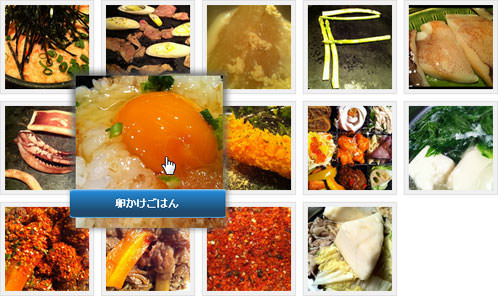 設置イメージ
<!DOCTYPE html PUBLIC "-//W3C//DTD XHTML 1.0 Transitional//EN" "http://www.w3.org/TR/xhtml1/DTD/xhtml1-transitional.dtd">
<html xmlns="http://www.w3.org/1999/xhtml" xml:lang="ja" lang="ja">
<head>
<meta http-equiv="Content-Type" content="text/html; charset=utf-8" />
<meta http-equiv="Content-Language" content="ja" />
<meta http-equiv="Content-Script-Type" content="text/javascript" />
<meta http-equiv="Content-Style-Type" content="text/css" />
<meta http-equiv="imagetoolbar" content="no" />
<title>設置サンプル</title>
<link rel="stylesheet" type="text/css" href="/content/lib/global.css" />
<script type="text/javascript" src="http://ajax.googleapis.com/ajax/libs/jquery/1.4.2/jquery.min.js" ></script>
<script type="text/javascript" src="/content/lib/jquery/zoomer.js"></script>
<script type="text/javascript">
$(function(){
$('ul.thumb li').Zoomer({
speedView:200,
speedRemove:400,
altAnim:true,
speedTitle:400,
debug:false
});
});
</script>
<style type="text/css">
ul.thumb {
float:left;
list-style:none;
margin:0; padding:10px;
width:600px;
background-color:white;
}
ul.thumb li {
margin:0; padding:5px;
float:left;
position:relative;
width:110px; height:110px;
}
ul.thumb li img {
width:100px; height:100px;
border:1px solid #ddd;
padding:5px;
background:#f0f0f0;
position:absolute;
left:0; top:0;
-ms-interpolation-mode:bicubic;
}
ul.thumb li img.hover {
margin-top:15px;
background:url(/content/img/ajax/zoomer/thumb_bg.png) no-repeat center center;
border:none;
}
.title {
position:absolute;
width:185px; height:35px;
margin:0;
font-weight:900;
background:url(/content/img/ajax/zoomer/blue.png) no-repeat center center;
padding:17px 0 0 0;
text-align:center;
color:#fff;
}
</style>
<!--[if IE 6]>
<style type="text/css" media="screen">
ul.thumb li img.hover {
margin-top:15px;
background:url(/content/img/ajax/zoomer/thumb_bg.gif) no-repeat center center;
border:none;
}
ul.thumb li .title {
color:#fff;
width:185px;height:50px;
margin:0;
font-weight:900;
background:url(/content/img/ajax/zoomer/title.gif) no-repeat center center;
padding:17px 0 0 0;
text-align:center;
}
</style>
<![endif]-->
</head>
<body>
<div id="wrap">
<h1>設置サンプル</h1>
<p>参照:<a href='http://addyosmani.com/blog/zoomer-gallery-a-jquery-plugin-for-displaying-images-with-flash-like-zooming-effects/' target='_blank'>Zoomer Gallery</a></p>
<p>▼サムネイル画像にマウスオーバーすると、ズーム効果付きで画像とタイトルをアニメーション表示します。</p>
<!-- CODE -->
<ul class="thumb">
<li><a href="#"><img src="http://farm5.static.flickr.com/4012/5150664727_b8f80eda81_m.jpg" alt="明太子とろろごはん" /></a></li>
<li><a href="#"><img src="http://farm5.static.flickr.com/4037/5150863795_4712c20d63_m.jpg" alt="鴨ネギの溶岩焼き" /></a></li>
<li><a href="#"><img src="http://farm5.static.flickr.com/4145/5151480248_6a4d8ff97c_m.jpg" alt="大根の豆乳煮" /></a></li>
<li><a href="#"><img src="http://farm5.static.flickr.com/4011/5150873793_5e3e89ab18_m.jpg" alt="アスパラの溶岩焼き" /></a></li>
<li><a href="#"><img src="http://farm2.static.flickr.com/1410/5150854229_8a981fb43a_m.jpg" alt="げっそりする前の下足♩" /></a></li>
<li><a href="#"><img src="http://farm2.static.flickr.com/1411/5151457358_db14e6c7f9_m.jpg" alt="げっそり下足" /></a></li>
<li><a href="#"><img src="http://farm2.static.flickr.com/1088/5142076100_d7d66bdb26_m.jpg" alt="卵かけごはん" /></a></li>
<li><a href="#"><img src="http://farm2.static.flickr.com/1202/5142092074_761703bec3_m.jpg" alt="海老フライ" /></a></li>
<li><a href="#"><img src="http://farm2.static.flickr.com/1077/5126319914_bdaa6e1fcc_m.jpg" alt="SOZAIセット" /></a></li>
<li><a href="#"><img src="http://farm2.static.flickr.com/1332/5118048078_c57afb18af_m.jpg" alt="湯豆腐" /></a></li>
<li><a href="#"><img src="http://farm2.static.flickr.com/1324/5118038154_e10e4d22e8_m.jpg" alt="アフター(・ω・`)v" /></a></li>
<li><a href="#"><img src="http://farm2.static.flickr.com/1120/5117428215_9d5b33553a_m.jpg" alt="牛肉の煮物" /></a></li>
<li><a href="#"><img src="http://farm5.static.flickr.com/4091/5088683167_c828a0f814_m.jpg" alt="激辛七味唐辛子" /></a></li>
<li><a href="#"><img src="http://farm5.static.flickr.com/4131/5089274676_68accd096e_m.jpg" alt="ちゃんこ鍋" /></a></li>
</ul>
<br clear="all" />
<!-- / CODE -->
</div>
</body>
</html>
Fancy Zoom
なめらかなズーム効果で画像を拡大表示
2010/11/9
Fancy Zoom
なめらかなズーム効果をつけて原寸大画像をオーバーレイ表示するjQueryプラグイン。
サムネイル画像のimg要素のalt属性に指定した内容がキャプションとして表示されます。 キャプションなしにしたい場合は、alt属性を空あるいは省略します。 オーバーレイの背景色、オーバーレイ表示の有無、アニメーション速度のカスタマイズが可能です。
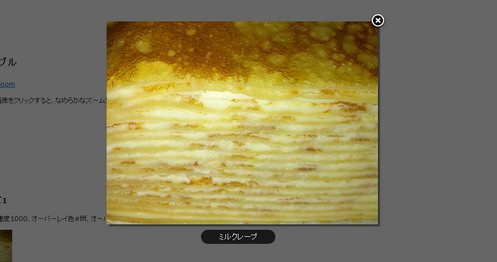 設置イメージ
<!DOCTYPE html PUBLIC "-//W3C//DTD XHTML 1.0 Transitional//EN" "http://www.w3.org/TR/xhtml1/DTD/xhtml1-transitional.dtd">
<html xmlns="http://www.w3.org/1999/xhtml" xml:lang="ja" lang="ja">
<head>
<meta http-equiv="Content-Type" content="text/html; charset=utf-8" />
<meta http-equiv="Content-Language" content="ja" />
<meta http-equiv="Content-Script-Type" content="text/javascript" />
<meta http-equiv="Content-Style-Type" content="text/css" />
<meta http-equiv="imagetoolbar" content="no" />
<title>設置サンプル</title>
<link rel="stylesheet" type="text/css" href="/content/lib/global.css" />
<script type="text/javascript" src="http://ajax.googleapis.com/ajax/libs/jquery/1.4.2/jquery.min.js" ></script>
<script type="text/javascript" src="/content/lib/jquery/fancyzoom/jquery.shadow.js"></script>
<script type="text/javascript" src="/content/lib/jquery/fancyzoom/jquery.ifixpng.js"></script>
<script type="text/javascript" src="/content/lib/jquery/fancyzoom/jquery.fancyzoom.js"></script>
<script type="text/javascript">
$(function(){
$.fn.fancyzoom.defaultsOptions.imgDir='/content/lib/jquery/fancyzoom/ressources/';
$('img.fancyzoom').fancyzoom();
$('#demo a:first').fancyzoom({Speed:1000,overlayColor:"#fff",opacity:0.5});
$('#demo a:last').fancyzoom({Speed:500,showoverlay:false});
});
</script>
<style type="text/css">
th,td { padding:0; }
</style>
</head>
<body>
<div id="wrap">
<h1>設置サンプル</h1>
<p>参照:<a href='http://www.dfc-e.com/metiers/multimedia/opensource/jquery-fancyzoom/' target='_blank'>Fancy Zoom</a></p>
<p>▼サムネイル画像をクリックすると、なめらかなズーム効果をつけて原寸大画像をオーバーレイ表示。</p>
<!-- CODE -->
<div id="demo">
<h2>デフォルト</h2>
<p>
<img class="fancyzoom" src="http://farm5.static.flickr.com/4055/5153644500_b95ccefb3f.jpg" alt="ミルクレープ" width="100" />
</p>
<h2>カスタマイズ1</h2>
<p>アニメーション速度1000、オーバーレイ色#fff、オーバーレイの透明度0.5、オーバーレイなし、キャプションなし</p>
<p>
<a href="http://farm5.static.flickr.com/4055/5153644500_b95ccefb3f.jpg"><img src="http://farm5.static.flickr.com/4055/5153644500_b95ccefb3f_t.jpg" alt="" /></a>
</p>
<h2>カスタマイズ2</h2>
<p>アニメーション速度500、オーバーレイなし、キャプションあり</p>
<p>
<a href="http://farm5.static.flickr.com/4055/5153644500_b95ccefb3f.jpg"><img src="http://farm5.static.flickr.com/4055/5153644500_b95ccefb3f_t.jpg" alt="ミルクレープ" /></a>
</p>
</div>
<!-- / CODE -->
</div>
</body>
</html>
BBC Radio 1 Zoom Tabs
ズーム効果付きのタブ切替画像ギャラリー
2009/6/20
BBC Radio 1 Zoom Tabs
ズーム効果付きのタブ切替画像ギャラリーを作成する方法が掲載されています。
画像ブロックにマウスオーバーした時に画像を少しズームダウンしてタブ切替を表示し、画像からマウスアウトした時にタブ切替を非表示にして画像部分をズームアップします。 画像の上にタブを重ねるのでなく、タブ表示・非表示によって、画像にズーム効果をつけることでダイナミックなイメージになります。
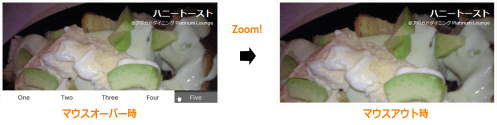 設置イメージ
<!DOCTYPE html PUBLIC "-//W3C//DTD XHTML 1.0 Transitional//EN" "http://www.w3.org/TR/xhtml1/DTD/xhtml1-transitional.dtd">
<html xmlns="http://www.w3.org/1999/xhtml" xml:lang="ja" lang="ja">
<head>
<meta http-equiv="Content-Type" content="text/html; charset=utf-8" />
<meta http-equiv="Content-Language" content="ja" />
<meta http-equiv="Content-Script-Type" content="text/javascript" />
<meta http-equiv="Content-Style-Type" content="text/css" />
<meta http-equiv="imagetoolbar" content="no" />
<title>設置サンプル</title>
<link rel="stylesheet" type="text/css" href="/content/lib/global.css" />
<!-- JS -->
<script type="text/javascript" src="http://ajax.googleapis.com/ajax/libs/jquery/1.3.2/jquery.min.js" ></script>
<script type="text/javascript">
$.fn.zoomtabs = function (zoomPercent, easing) {
if (!zoomPercent) zoomPercent = 10;
return this.each(function () {
var $zoomtab = $(this);
var $tabs = $zoomtab.find('.tabs');
var height = $tabs.height();
var panelIds = $tabs.find('a').map(function () {
return this.hash;
}).get().join(',');
$zoomtab.find('> div').scrollTop(0);
var $panels = $(panelIds);
var images = [];
$panels.each(function () {
var $panel = $(this),
bg = ($panel.css('backgroundImage') || "").match(/url\s*\(["']*(.*?)['"]*\)/),
img = null;
if (bg !== null && bg.length && bg.length > 0) {
bg = bg[1];
img = new Image();
$panel.find('*').wrap('<div style="position: relative; z-index: 2;" />');
$panel.css('backgroundImage', 'none');
$(img).load(function () {
var w = this.width / 10;
var wIn = w / 100 * zoomPercent;
var h = this.height / 10;
var hIn = h / 100 * zoomPercent;
var top = 0;
var fullView = {
height: h + 'em',
width: w + 'em',
top: top,
left: 0
};
var zoomView = {
height: (h + hIn) + 'em',
width: (w + wIn) + 'em',
top: top,
left: '-' + (wIn / 2) + 'em'
};
$(this).data('fullView', fullView).data('zoomView', zoomView).css(zoomView);
}).prependTo($panel).css({'position' : 'absolute', 'top' : 0, 'left' : 0 }).attr('src', bg);
images.push(img);
}
});
function zoomImages(zoomType, speed) {
$(images).each(function () {
var $image = $(this);
if ($image.is(':visible')) {
$image.stop().animate($image.data(zoomType), speed, easing);
} else {
$image.css($image.data(zoomType), speed);
}
});
}
$tabs.height(0).hide(); // have to manually set the initial state to get it animate properly.
// this causes opear to render the images with zero height and width for the hidden image
// $panels.hide().filter(':first').show();
var speed = 200;
$zoomtab.hover(function () {
// show and zoom out
zoomImages('fullView', speed);
$tabs.stop().animate({ height : height }, speed, easing);
}, function () {
// hide and zoom in
zoomImages('zoomView', speed);
$tabs.stop().animate({ height : 0 }, speed, easing, function () {
$tabs.hide();
});
});
var hoverIntent = null;
$tabs.find('a').hover(function () {
clearTimeout(hoverIntent);
var el = this;
hoverIntent = setTimeout(function () {
$panels.hide().filter(el.hash).show();
}, 100);
}, function () {
clearTimeout(hoverIntent);
}).click(function () {
return false;
});
});
};
$(function () {
$('.zoomoutmenu').zoomtabs(15);
});
</script>
<!-- CSS -->
<style type="text/css">
.zoomoutmenu {
border:.5em solid #fff;
position:relative;
width:50em; height:23.5em;
}
.panels {
width:50em; height:23.5em;
overflow:hidden;
}
.tabs {
list-style:none;
margin:0; padding:0;
position:absolute;
bottom:0;
z-index:1;
}
.tabs li {
list-style:none;
margin:0; padding:0;
float:left;
display:block;
width:10em;
background-color:#fff;
text-align:center;
}
.tabs li a {
padding:.2em;
display:block;
text-decoration:none;
color:#000;
border-top:5px solid #fff;
font-size:1.3em;
}
.tabs li a:hover {
border-top:5px solid #333;
background-color:#666;
color:#fff;
}
.panel {
background:#ccc;
padding:1em;
height:21.5em;
position:relative;
}
.panel h2 {
font-size:2em;
color:#fff;
margin:0; padding:0;
text-align:right;
}
.panel p {
font-size:1em;
color:#fff;
margin:0; padding:0;
text-align:right;
}
#one { background:url("http://farm4.static.flickr.com/3514/3274514408_1800118ded.jpg") no-repeat center center; }
#two { background:url("http://farm4.static.flickr.com/3509/3273696567_ebf4ed4381.jpg") no-repeat center center; }
#three { background:url("http://farm4.static.flickr.com/3396/3274514302_10521a0a98.jpg") no-repeat center center; }
#four { background:url("http://farm4.static.flickr.com/3427/3273696469_aa2aaf5e89.jpg") no-repeat center center; }
#five { background:url("http://farm4.static.flickr.com/3316/3273696493_570fdd0ee5.jpg") no-repeat center center; }
</style>
</head>
<body>
<div id="wrap">
<h1>設置サンプル</h1>
<p>参照:<a href='http://jqueryfordesigners.com/bbc-radio-1-zoom-tabs/'>BBC Radio 1 Zoom Tabs</a></p>
<p>▼画像にマウスオーバーすると、タブ切替で画像を切り替えることができます。</p>
<!-- CODE -->
<div class="zoomoutmenu">
<ul class="tabs">
<li><a href="#one">One</a></li>
<li><a href="#two">Two</a></li>
<li><a href="#three">Three</a></li>
<li><a href="#four">Four</a></li>
<li><a href="#five">Five</a></li>
</ul>
<div class="panels">
<div id="one" class="panel">
<h2>アボカド シーザーサラダ</h2>
<p>@アボガドダイニング Platinum Lounge</p>
</div>
<div id="two" class="panel">
<h2>アボカド刺</h2>
<p>@アボガドダイニング Platinum Lounge</p>
</div>
<div id="three" class="panel">
<h2>アボカドディップ</h2>
<p>@アボガドダイニング Platinum Lounge</p>
</div>
<div id="four" class="panel">
<h2>ベーコンとアボカドのピザ(トマトソース)</h2>
<p>@アボガドダイニング Platinum Lounge</p>
</div>
<div id="five" class="panel">
<h2>ハニートースト</h2>
<p>@アボガドダイニング Platinum Lounge</p>
</div>
</div>
</div>
<!-- / CODE -->
</div>
</body>
</html>
Image Zoom 2.0
画像を読み込んでズーム表示
2009/6/21
Image Zoom 2.0
リンクをクリックすると、画像を読み込み、読み込みが完了すると画像をズームしながら画面中央にポップアップ表示するjQueryプラグイン。
テキストリンクの場合は、読み込み中のテキスト部分が「Loading..」になります。 画像リンクの場合は、サムネイル画像が半透明になります。
サムネイル画像をリンクにした場合は、クリックするとサムネイル画像がズームアップして、原寸大画像がポップアウトします。 ポップアウトした原寸大画像を閉じると、またもとのサムネイルがあった場所にズームアウトするように戻ります。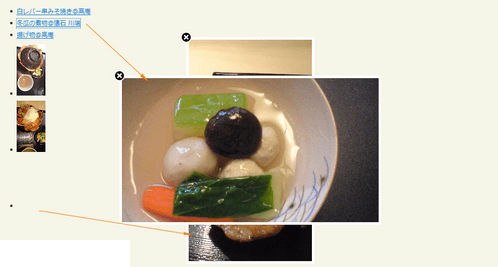 設置イメージ
<!DOCTYPE html PUBLIC "-//W3C//DTD XHTML 1.0 Transitional//EN" "http://www.w3.org/TR/xhtml1/DTD/xhtml1-transitional.dtd">
<html xmlns="http://www.w3.org/1999/xhtml" xml:lang="ja" lang="ja">
<head>
<meta http-equiv="Content-Type" content="text/html; charset=utf-8" />
<meta http-equiv="Content-Language" content="ja" />
<meta http-equiv="Content-Script-Type" content="text/javascript" />
<meta http-equiv="Content-Style-Type" content="text/css" />
<meta http-equiv="imagetoolbar" content="no" />
<title>設置サンプル</title>
<link rel="stylesheet" type="text/css" href="/content/lib/global.css" />
<script type="text/javascript" src="http://ajax.googleapis.com/ajax/libs/jquery/1.3.2/jquery.min.js" ></script>
<script type="text/javascript" src="/content/lib/jquery/jquery.imageZoom.js"></script>
<script type="text/javascript">
$(function(){
$("#jquery-image-zoom-example").imageZoom();
});
</script>
<style type="text/css">
div.jquery-image-zoom {
line-height: 0;
font-size: 0;
z-index: 10;
border: 5px solid #fff;
margin: -5px;
-webkit-box-shadow: 0 0 10px rgba(0, 0, 0, 0.3);
-moz-box-shadow: 0 0 10px rgba(0, 0, 0, 0.3);
box-shadow: 0 0 10px rgba(0, 0, 0, 0.3);
}
div.jquery-image-zoom a {
background: url(/content/img/ajax/jquery.imageZoom.png) no-repeat;
display: block;
width: 25px; height: 25px;
position: absolute;
left: -17px;
top: -17px;
/* IE-users are prolly used to close-link in right-hand corner */
*left: auto;
*right: -17px;
text-decoration: none;
text-indent: -100000px;
outline: 0;
z-index: 11;
}
div.jquery-image-zoom a:hover {
background-position: left -25px;
}
div.jquery-image-zoom img,
div.jquery-image-zoom embed,
div.jquery-image-zoom object,
div.jquery-image-zoom div {
width:100%; height:100%;
}
</style>
</head>
<body>
<div id="wrap">
<h1><a href='http://andreaslagerkvist.com/jquery/image-zoom/'>Image Zoom 2.0</a> | 設置サンプル</h1>
<!-- CODE -->
<div id="jquery-image-zoom-example">
<!-- テキストリンク -->
<ul>
<li><a href="http://farm4.static.flickr.com/3215/3141100545_e21269fb11_m.jpg">白レバー串みそ焼き@高庵</a></li>
<li><a href="http://farm4.static.flickr.com/3576/3644950182_2fa2392a36.jpg">冬瓜の煮物@懐石 川端</a></li>
<li><a href="http://farm4.static.flickr.com/3196/3141100631_e7828009fc_o.jpg">揚げ物@高庵</a></li>
</ul>
<!-- 画像リンク -->
<ul>
<li><a href="http://farm4.static.flickr.com/3572/3644950048_35e8beb36f_o.jpg"><img src="http://farm4.static.flickr.com/3572/3644950048_4fdb3df644_t.jpg" alt="ホエー豚丼@ホエー豚亭 東京 青山" /></a></li>
<li><a href="http://farm4.static.flickr.com/3298/3644142587_91406389bd_o.jpg"><img src="http://farm4.static.flickr.com/3298/3644142587_d865587968_t.jpg" alt="ホエー豚丼 トムチーズがけ@ホエー豚亭 東京 青山" /></a></li>
<li><a href="http://farm4.static.flickr.com/3341/3644950008_fb38bc6b72_o.jpg"><img src="http://farm4.static.flickr.com/3341/3644950008_ff30744526_t.jpg" alt="ホエー豚丼@ホエー豚亭 東京 青山 " /></a></li>
</ul>
</div>
<!-- / CODE -->
</div>
</body>
</html>
Apple-like Retina Effect With jQuery
画像の一部をルーペみたいに拡大表示
unknown
Apple-like Retina Effect With jQuery
jQueryを使用して、画像の一部をルーペで見たように拡大表示する方法が掲載されています。
 設置イメージ
<!DOCTYPE html PUBLIC "-//W3C//DTD XHTML 1.0 Transitional//EN" "http://www.w3.org/TR/xhtml1/DTD/xhtml1-transitional.dtd">
<html xmlns="http://www.w3.org/1999/xhtml" xml:lang="ja" lang="ja">
<head>
<meta http-equiv="Content-Type" content="text/html; charset=utf-8" />
<meta http-equiv="Content-Language" content="ja" />
<meta http-equiv="Content-Script-Type" content="text/javascript" />
<meta http-equiv="Content-Style-Type" content="text/css" />
<meta http-equiv="imagetoolbar" content="no" />
<title>設置サンプル</title>
<link rel="stylesheet" type="text/css" href="/content/lib/global.css" />
<!-- JS -->
<script type="text/javascript" src="http://ajax.googleapis.com/ajax/libs/jquery/1.4.2/jquery.min.js" ></script>
<script type="text/javascript">
$(function() {
var left = 0,
top = 0,
sizes = { retina: { width:190, height:190 }, /* ルーペサイズ */
webpage:{ width:480, height:320 } }, /* 画像サイズ */
webpage = $('#webpage'),
offset = { left: webpage.offset().left, top: webpage.offset().top },
retina = $('#retina');
if(navigator.userAgent.indexOf('Chrome')!=-1)
{
/* Applying a special chrome curosor,
as it fails to render completely blank curosrs. */
retina.addClass('chrome');
}
webpage.mousemove(function(e){
left = (e.pageX-offset.left);
top = (e.pageY-offset.top);
if(retina.is(':not(:animated):hidden')){
/* Fixes a bug where the retina div is not shown */
webpage.trigger('mouseenter');
}
if(left<0 || top<0 || left > sizes.webpage.width ||
top > sizes.webpage.height)
{
/* If we are out of the bondaries of the
webpage screenshot, hide the retina div */
if(!retina.is(':animated')){
webpage.trigger('mouseleave');
}
return false;
}
/* Moving the retina div with the mouse
(and scrolling the background) */
retina.css({
left : left - sizes.retina.width/2,
top : top - sizes.retina.height/2,
backgroundPosition : '-'+(1.6*left)+'px -'+(1.35*top)+'px'
});
}).mouseleave(function(){
retina.stop(true,true).fadeOut('fast');
}).mouseenter(function(){
retina.stop(true,true).fadeIn('fast');
});
});
</script>
<!-- CSS -->
<style type="text/css">
#main {
position:relative;
width:745px; height:389px;
}
#iphone {
width:745px; height:389px;
background:url(/content/img/ajax/iphone.png) no-repeat 0 0;
position:relative;
}
#webpage{
width:480px; height:320px; /* 画像サイズ */
position:absolute;
top:50%; left:50%;
margin:-166px 0 0 -238px;
}
#retina{
/* The Retina effect */
background:url(/content/img/ajax/wally.png) no-repeat center center white;
border:2px solid white;
/* Positioned absolutely, so we can move it around */
position:absolute;
width:180px; height:180px;
/* Hidden by default */
display:none;
/* A blank cursor, notice the default fallback */
cursor:url(/content/lib/jquery/photoShoot/blank.cur),default;
/* CSS3 Box Shadow */
-moz-box-shadow:0 0 5px #777, 0 0 10px #aaa inset;
-webkit-box-shadow:0 0 5px #777;
box-shadow:0 0 5px #777, 0 0 10px #aaa inset;
/* CSS3 rounded corners */
-moz-border-radius:90px;
-webkit-border-radius:90px;
border-radius:90px;
}
#retina.chrome{
/* A special chrome version of the cursor */
cursor:url(/content/lib/jquery/photoShoot/blank_google_chrome.cur),default;
}
#main{
/* The main div */
margin:40px auto;
position:relative;
width:750px;
}
</style>
</head>
<body>
<div id="wrap">
<h1>設置サンプル</h1>
<p>参照:<a href='http://tutorialzine.com/2010/06/apple-like-retina-effect-jquery-css/'>Apple-like Retina Effect With jQuery</a></p>
<p>▼画像の一部をルーペで見たように拡大表示</p>
<!-- CODE -->
<div id="main">
<div id="iphone">
<div id="webpage">
<img src="/content/img/ajax/wally.png" width="480" height="320" alt="Web Page" />
<div id="retina"></div>
</div>
</div>
<div id="iphonecover"></div>
</div><!-- / CODE -->
</div>
</body>
</html>

